SOLIDWORKS AI in FD03: Meet LEO, Your New Engineering Assistant
Artificial Intelligence in SOLIDWORKS continues to evolve at an impressive pace. While FD02 introduced several AI-powered tools, FD03 changes the experience entirely by making AI conversational.
Instead of opening separate commands or navigating multiple PropertyManagers, many of SOLIDWORKS’ newest AI capabilities are now accessed through LEO, the new SOLIDWORKS AI Virtual Companion.
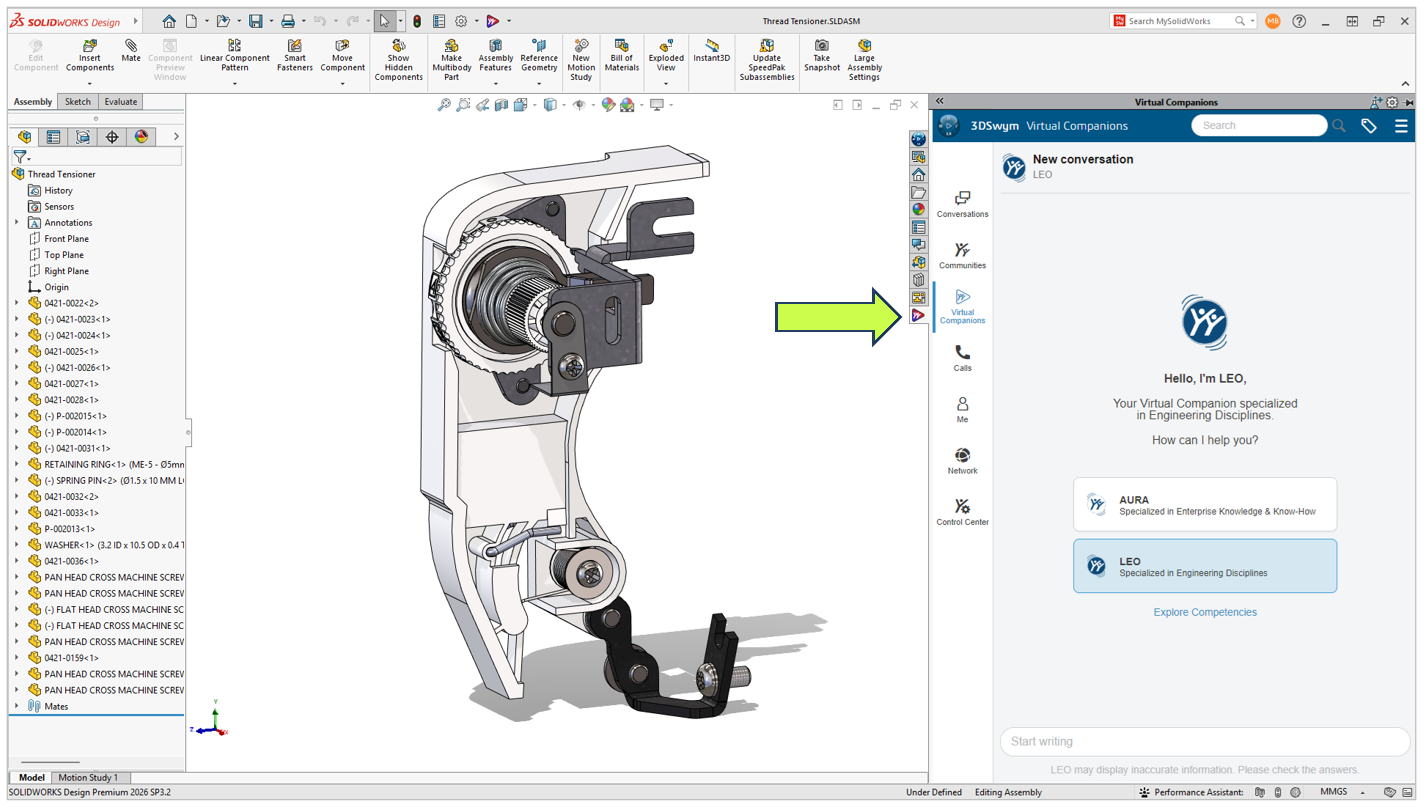
Think of LEO as an engineering assistant built directly into SOLIDWORKS. Rather than replacing engineers or making design decisions for you, it helps automate repetitive tasks, answer technical questions, and simplify complex workflows using natural language.
Let’s take a look at everything that’s new in SOLIDWORKS FD03.
LEO Is Becoming the New Way to Work in SOLIDWORKS
One trend immediately stands out in FD03.
Rather than adding another collection of disconnected AI tools, Dassault Systèmes is building a single conversational interface that ties everything together.
Need to generate a macro?
Ask LEO.
Need to simplify an assembly?
Ask LEO.
Need to create a drawing?
Ask LEO.
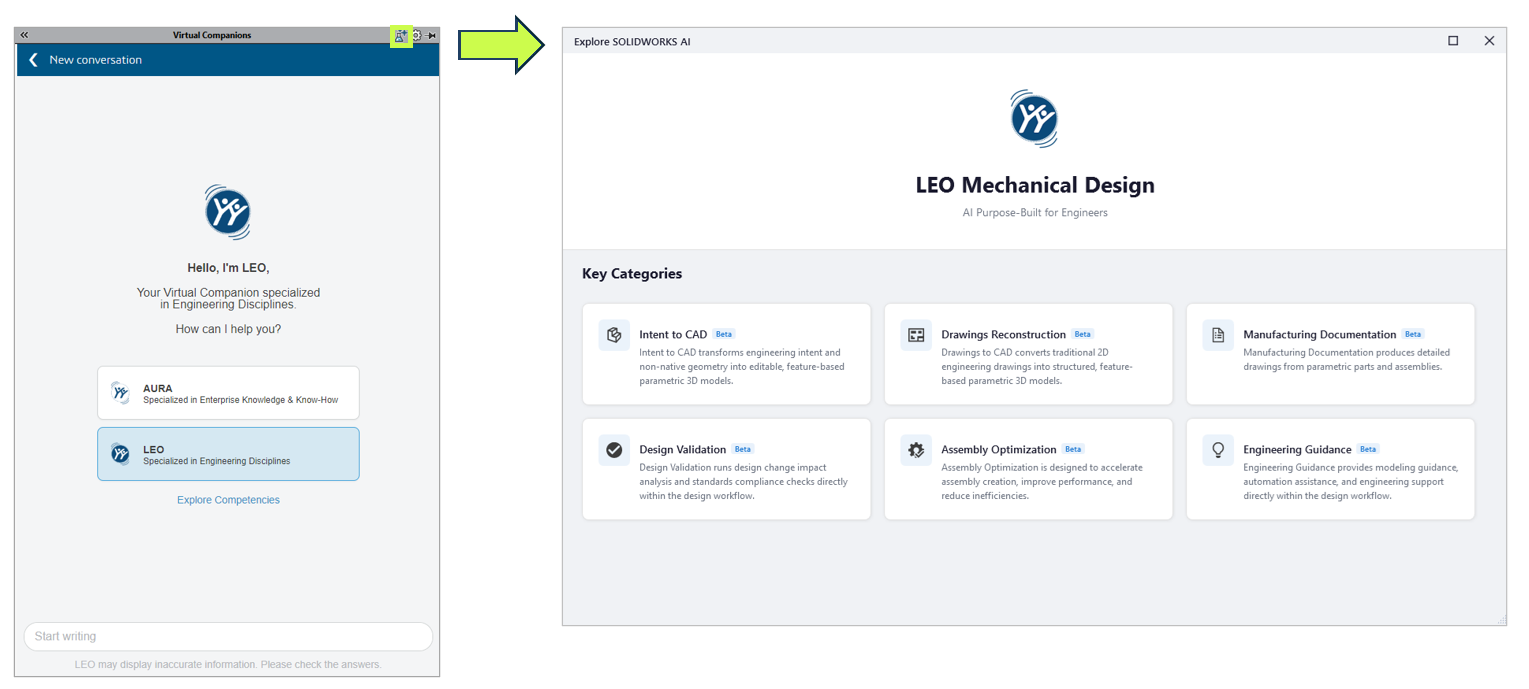
Instead of memorizing commands or digging through menus, you’re increasingly able to describe what you want using plain language.
This isn’t about replacing engineering expertise. It’s about reducing the number of clicks between an idea and the result.
Smarter CAD Editing with Intent to CAD
One of the biggest improvements in FD03 is the continued evolution of Intent to CAD.
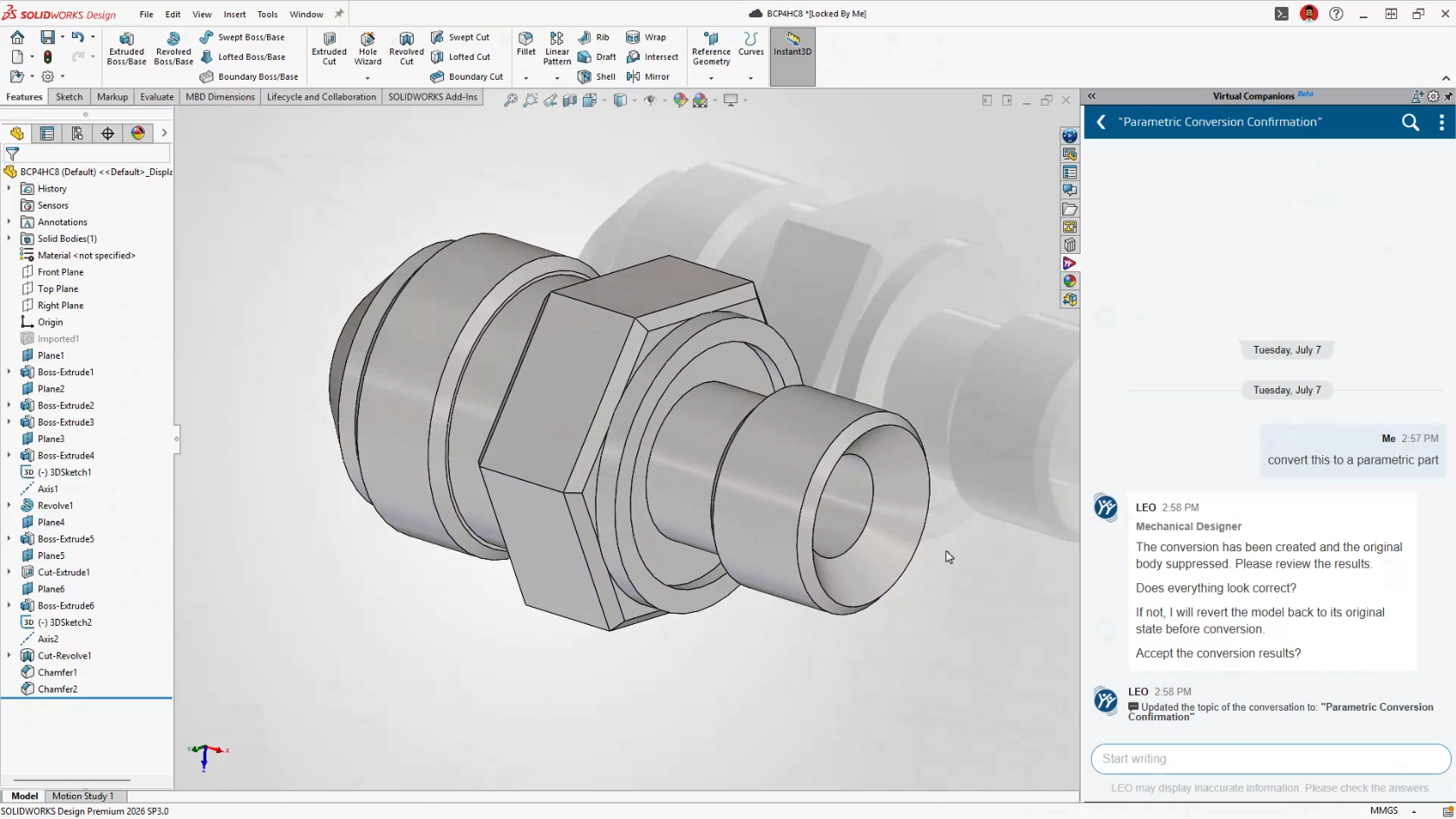
The BREP to Parametric CAD capability introduced in FD02 is now integrated directly into LEO.
Imported STEP and IGES files are often nothing more than non-parametric geometry, making them difficult to modify without manually rebuilding features.
Now, simply ask LEO to convert imported geometry into an editable feature-based SOLIDWORKS model.
This is particularly useful for:
-
Reverse engineering projects
-
Supplier CAD
-
Customer-supplied models
-
Legacy CAD data
Instead of rebuilding models from scratch, engineers can begin making design changes almost immediately.
Engineering Guidance Gets Much Smarter
FD03 dramatically expands the number of engineering tasks LEO can assist with.
Rather than acting like a search tool, LEO now becomes an active design assistant throughout the modeling process.
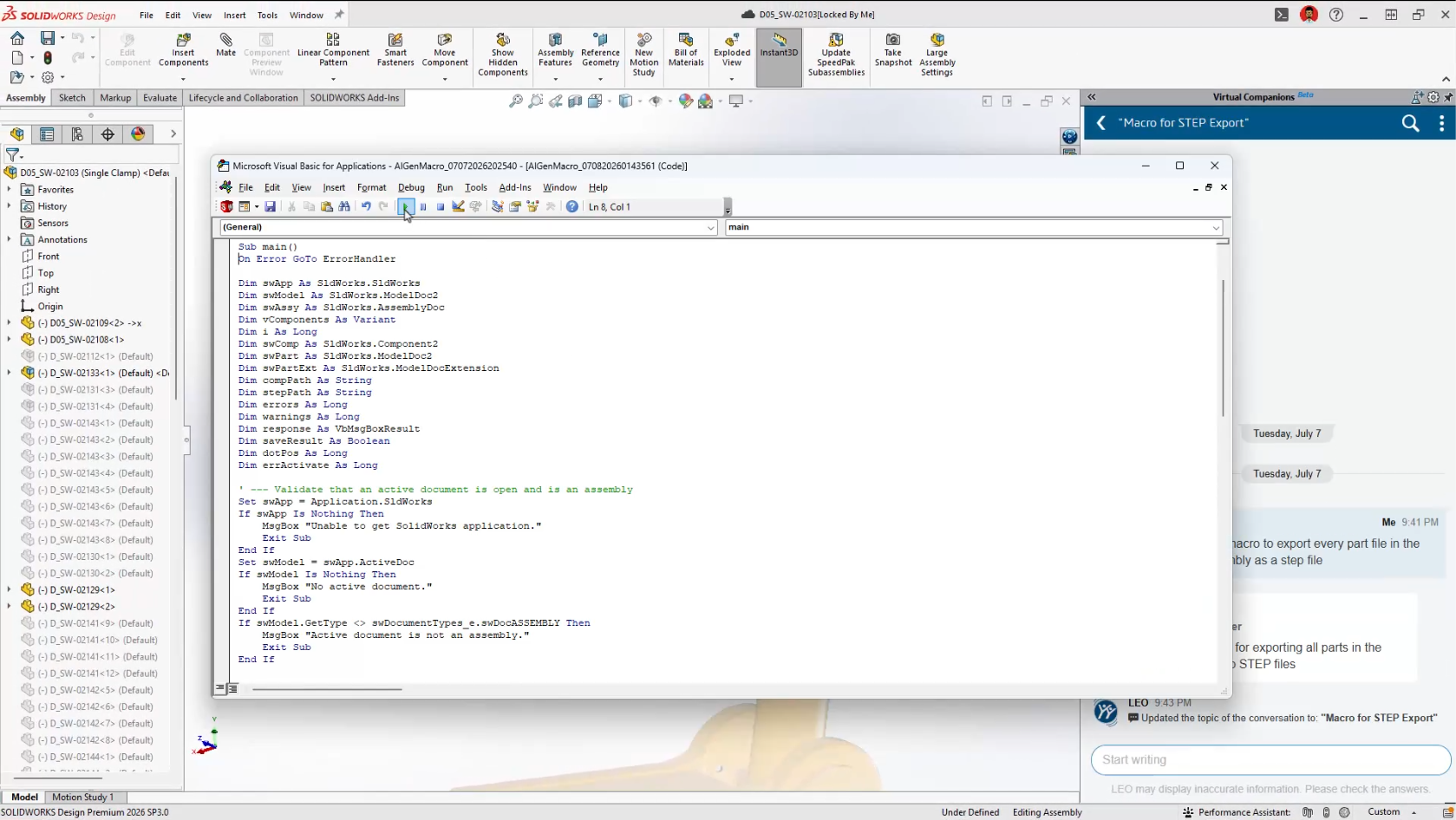
Generate SOLIDWORKS Macros
Automation has traditionally required knowledge of VBA programming.
Now you simply describe the task you’d like to automate.
Examples include:
-
Rename every configuration
-
Export every drawing sheet as a PDF
-
Rename selected files
-
Batch update custom properties
LEO generates the VBA macro automatically and opens it directly in the editor, where you remain in complete control before running it.
For many users, this will be their first practical introduction to SOLIDWORKS automation.
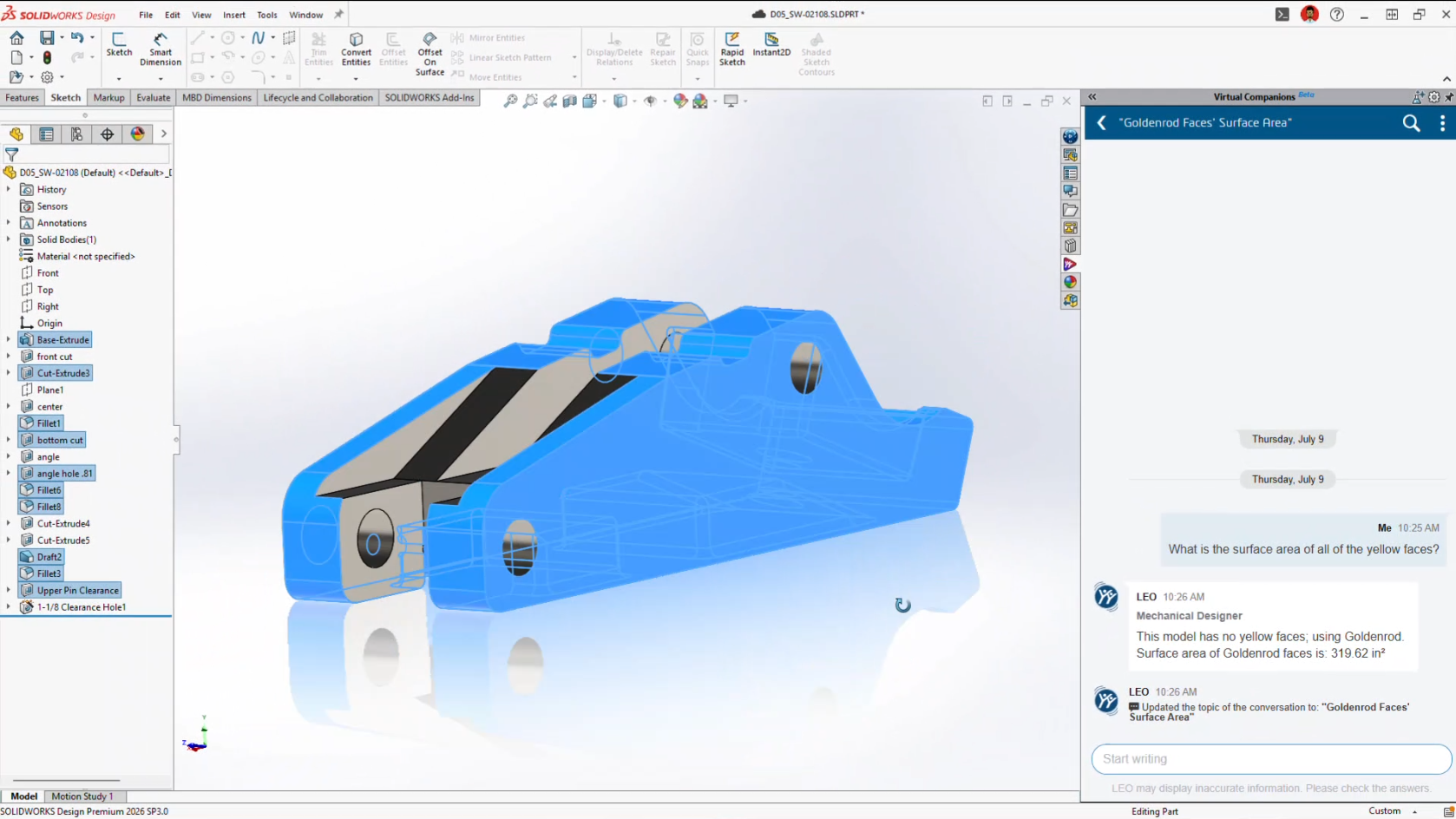
Surface Area Reports
Need to know how much paint or coating a model requires?
Rather than manually measuring geometry, LEO can calculate:
-
Entire part surface area
-
Selected bodies
-
Individual faces
-
Face groups by colour
It’s a small feature that could save a surprising amount of time in manufacturing workflows.
Scale Assist
Scaling parts has always been possible.
Scaling them while keeping dimensions meaningful has been another story.
Scale Assist regenerates dimensions after resizing so drawings continue reflecting the actual model dimensions instead of scaled values.
It’s particularly useful when adapting existing designs into different product sizes.
Natural Language Selection
Anyone who’s spent time selecting dozens, or hundreds, of faces knows how tedious it can become.
Now you can simply tell LEO what you need.
Examples include:
Select every red face.
Select all visible sheet metal bodies.
Select all cylindrical faces.
Less clicking.
Fewer mistakes.
Faster workflows.
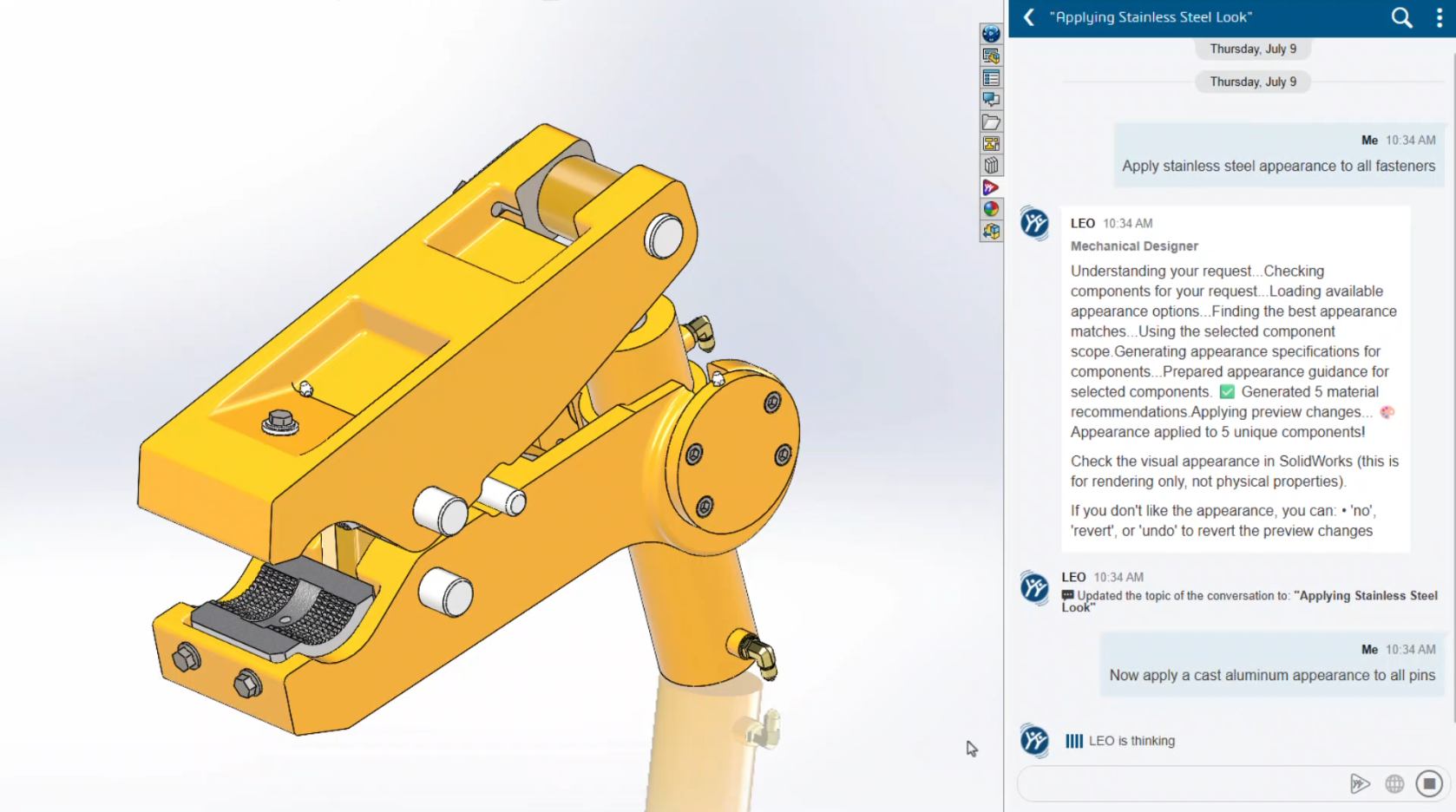
Material Appearance Manager
Introduced in FD02 and expanded in FD03, Material Appearance Manager now works through conversational prompts.
Instead of manually editing appearances one feature at a time, LEO can identify, highlight and update materials throughout assemblies while maintaining visual consistency.
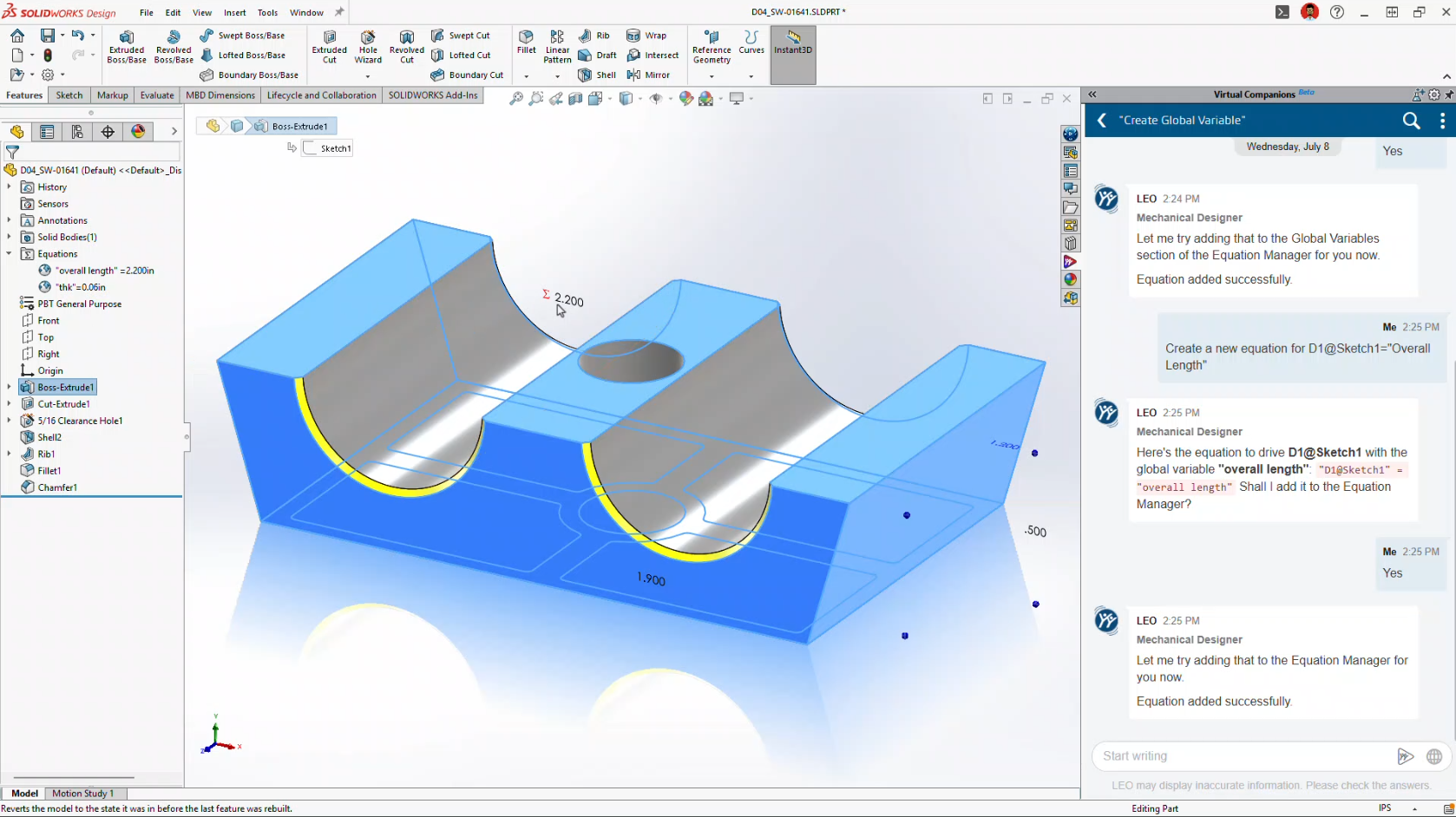
Equation Assistant
Writing equations inside SOLIDWORKS has never been difficult, but remembering the correct syntax certainly can be.
Equation Assistant allows engineers to describe the relationship they want.
LEO creates the equation, validates the syntax and even helps troubleshoot errors before they’re applied.
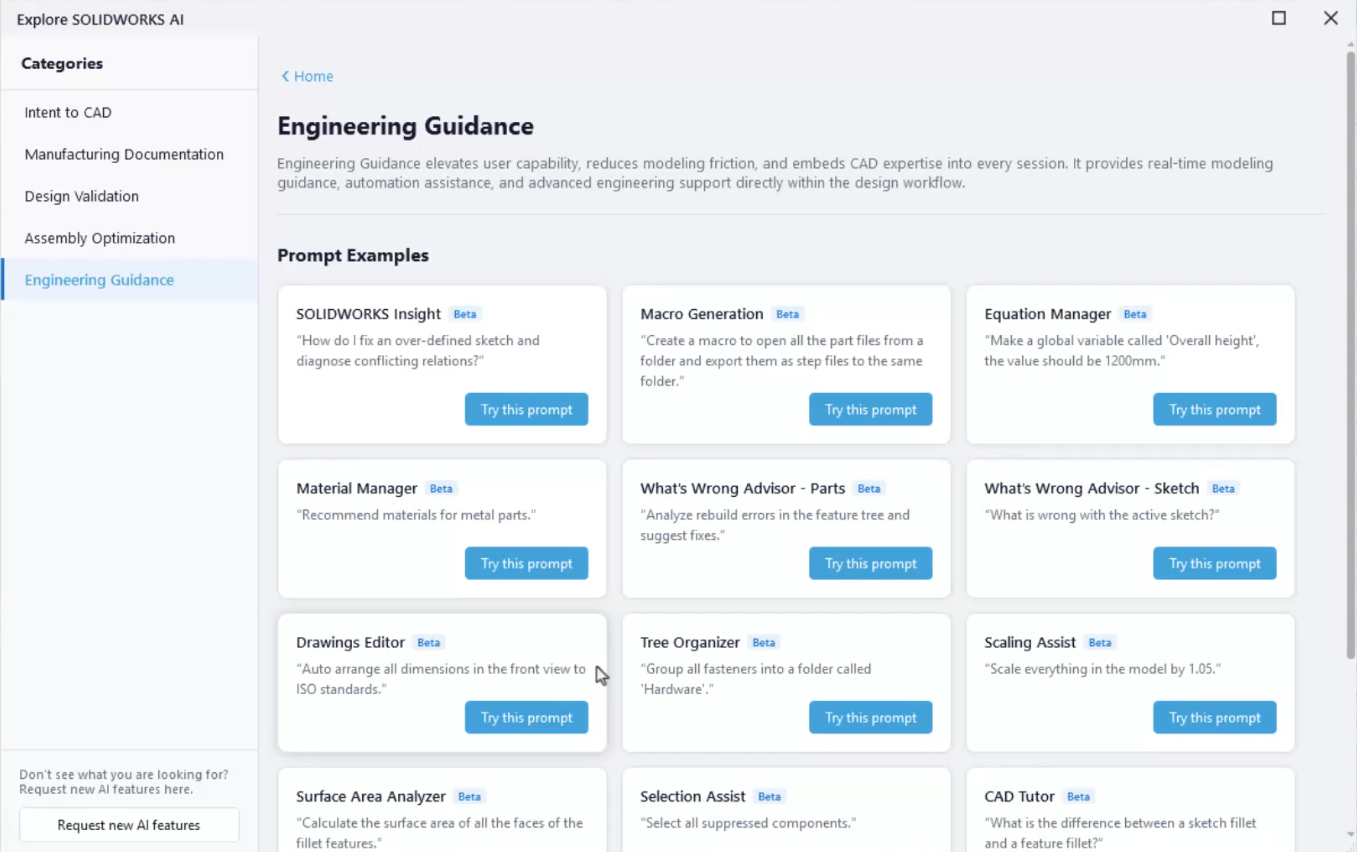
Expert SOLIDWORKS Guidance
Perhaps one of the most underrated additions is Expert Guidance.
Instead of searching the Help documentation or the internet, LEO provides modelling recommendations based on SOLIDWORKS best practices directly inside your workflow.
For newer users, it’s almost like having a CSWA-level mentor available whenever you need one.
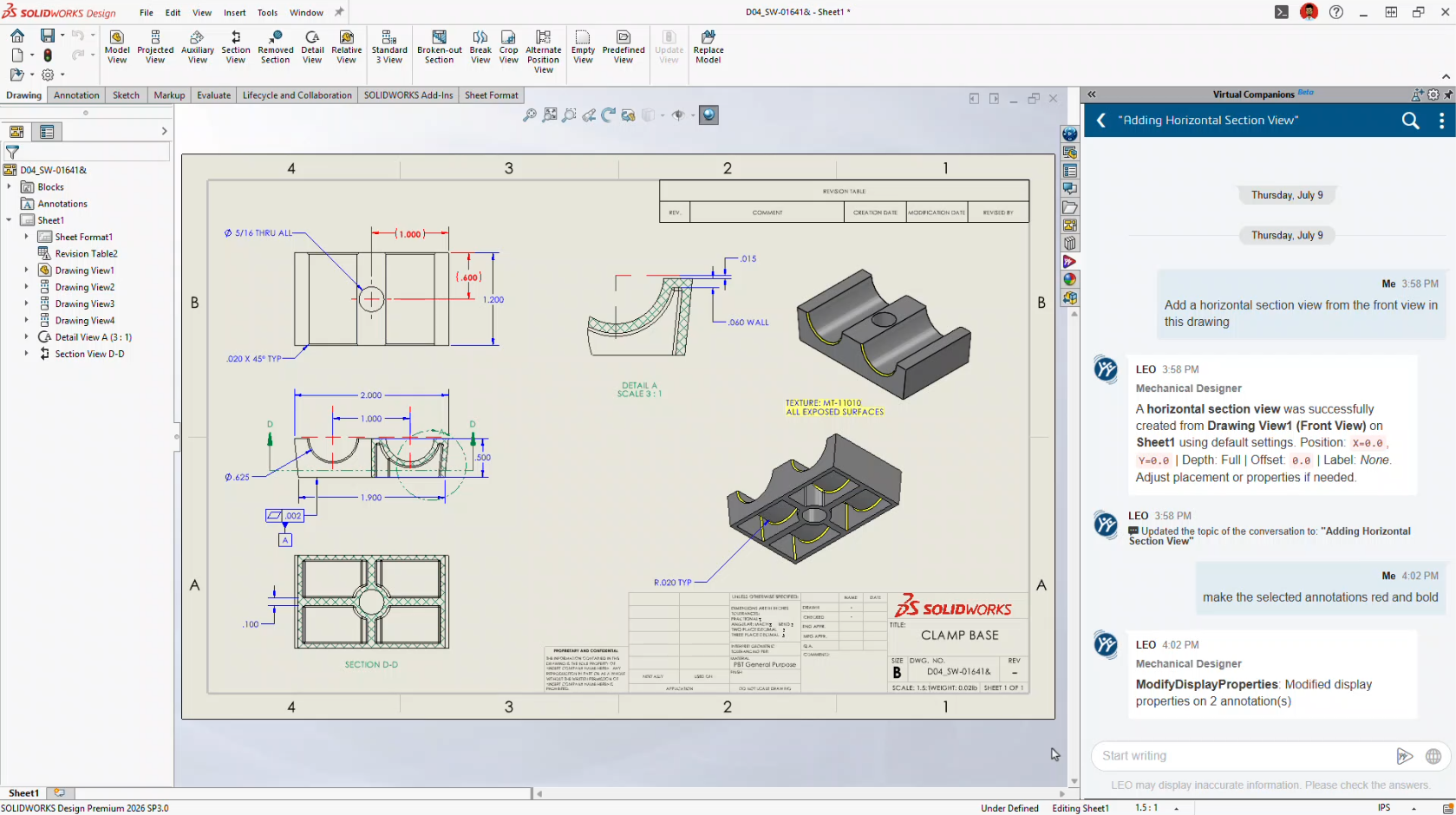
AI Makes Drawing Creation Even Easier
Drawing automation continues to improve significantly.
FD02 introduced Auto-Generate Drawings.
FD03 transforms it into a conversational workflow.
Instead of navigating dozens of PropertyManagers, you simply tell LEO what you want.
LEO can now:
-
Create drawing views
-
Change view scales
-
Position views
-
Rotate views
-
Adjust line weights
-
Insert annotations
-
Generate flat patterns
-
Create bend tables
-
Export DXF
-
Export PDF
The goal isn’t to replace engineering review.
It’s to eliminate the repetitive setup work that consumes so much time.
Automatic Assembly Instructions
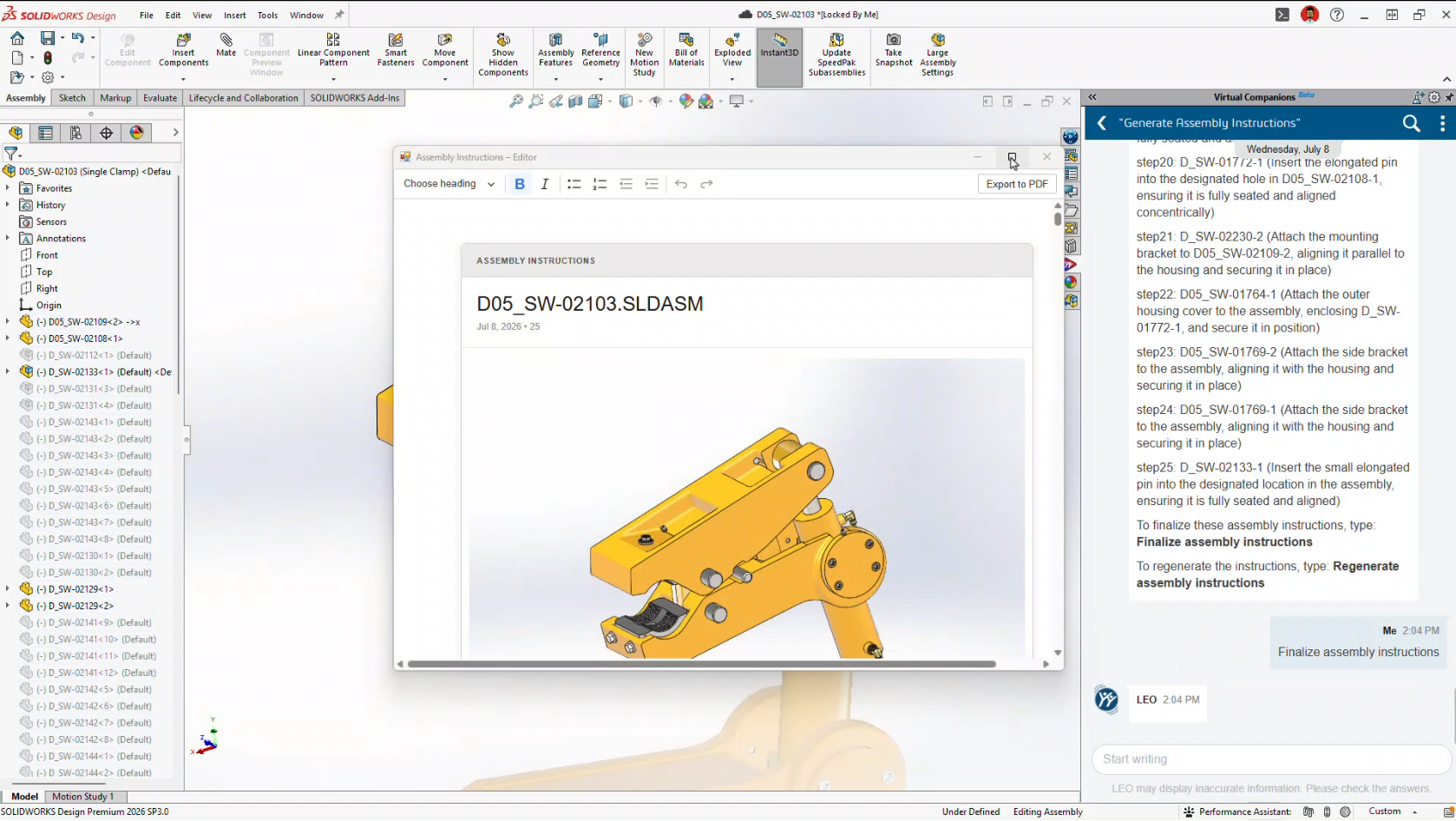
Another brand-new capability is Assembly Instruction Generation.
Using your existing CAD data, LEO can automatically generate step-by-step assembly instructions complete with visual snapshots.
Potential applications include:
-
Manufacturing work instructions
-
Service documentation
-
Training manuals
-
Assembly guides
Documentation has traditionally been one of the least enjoyable parts of engineering.
This feature could dramatically reduce that workload.
Smarter Large Assembly Management
FD03 also builds on the Assembly Performance improvements introduced in FD02.
Instead of simply identifying performance issues, LEO can now actively recommend solutions.
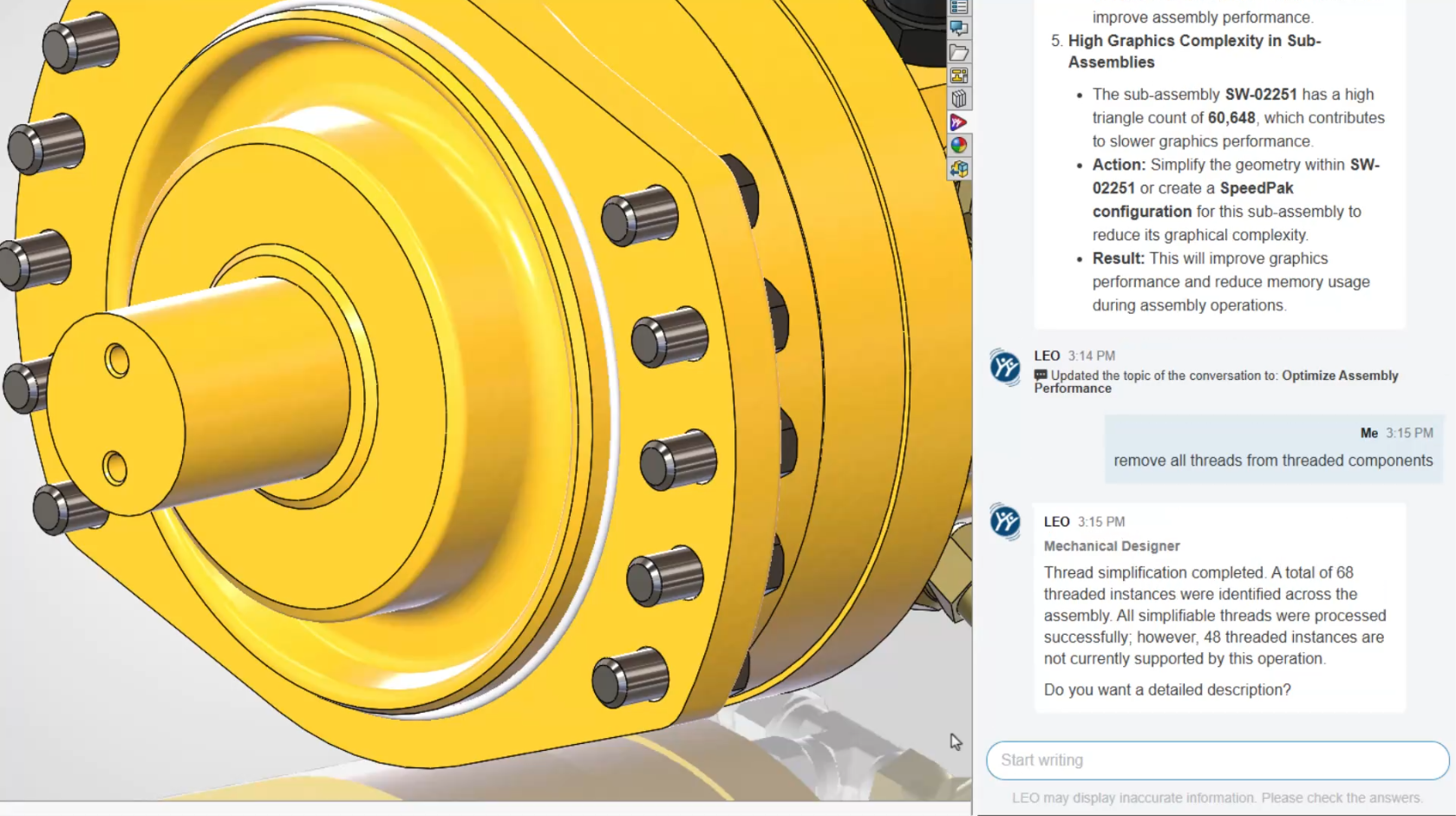
Thread Simplification
Modeled threads consume significant system resources.
LEO can identify imported fasteners with modeled threads and convert them into cosmetic threads while preserving drawing representation.
The result is smaller files and noticeably faster assembly performance.
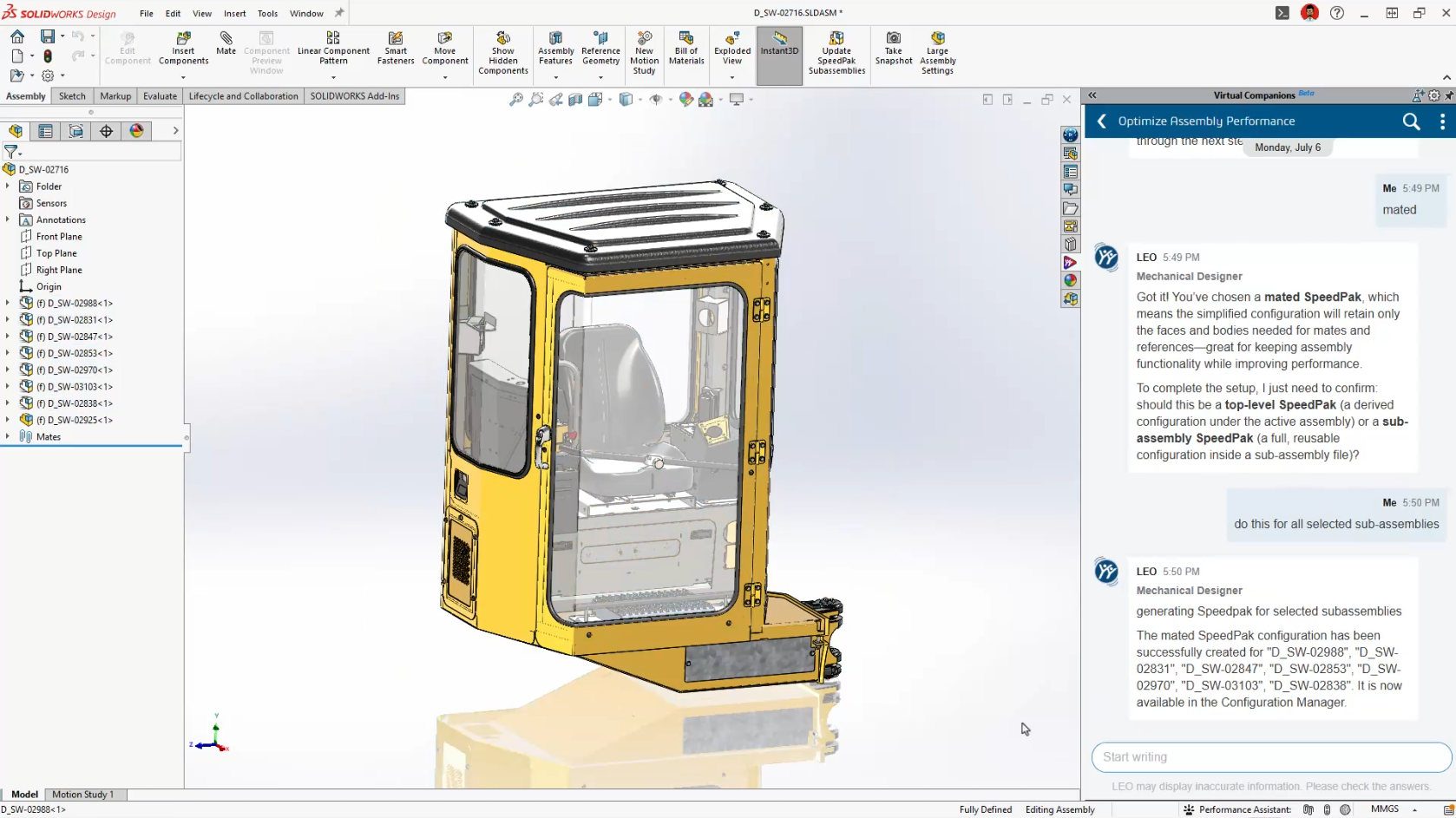
AI-Guided SpeedPak Creation
SpeedPak has always been one of SOLIDWORKS’ most powerful large assembly tools.
Many users simply aren’t sure when, or how, to use it effectively.
LEO now recommends appropriate SpeedPak strategies based on your assembly structure and automatically generates them for you.
For companies working with large assemblies every day, this could become one of the most valuable additions in FD03.
PLM Information Without Leaving SOLIDWORKS
For customers using Cloud Services or the 3DEXPERIENCE platform, LEO continues to bridge the gap between CAD and PLM.
Rather than navigating multiple dashboards, you can simply ask questions like:
-
Who owns this file?
-
What revision is it?
-
Are there pending approvals?
-
What configurations exist?
-
Are there open change actions?
It’s another example of AI reducing navigation while making information easier to access.
What FD03 Means for SOLIDWORKS Users
If FD02 introduced AI-powered tools, FD03 introduces an AI-powered workflow.
LEO is gradually becoming the central interface for interacting with SOLIDWORKS, allowing engineers to work more naturally using conversation instead of commands.
More importantly, SOLIDWORKS continues to take a practical approach to AI.
None of these features attempt to replace engineers.
Instead, they focus on reducing repetitive work, improving productivity, and helping users get more value from SOLIDWORKS without changing the way they already design.
That’s exactly where AI delivers the greatest benefit.
Ready to Explore SOLIDWORKS AI?
Many of the features introduced in FD03 are available as part of the latest SOLIDWORKS Design Functional Delivery, with additional capabilities continuing to roll out throughout the year.
At Solidxperts, we’re continuously testing the latest AI enhancements so we can help our customers understand not just what’s new, but how to apply these tools to real engineering projects.
Whether you’re looking to modernize your design workflow, improve productivity, or simply explore what AI can do inside SOLIDWORKS, our team is here to help.