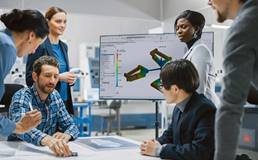
SOLIDWORKS 3D CAD SOFTWARE

Turn Ideas into Production-Ready Designs Faster with SOLIDWORKS

Can I transfer a license to another user or computer?

It depends on the type of license you purchase.


A named-user license is connected to the user’s 3DEXPERIENCE ID and can be accessed from multiple compatible computers. An administrator can also reassign the license to another user when an employee leaves the organization or changes roles.


A Cloud Services device license is connected to a specific computer. Transferring it to another user or device may require assistance from SOLIDWORKS support.

What computer and hardware do I need?

Before purchasing, check the official SOLIDWORKS Certified Hardware and Software  and Software information and the 3DEXPERIENCE Cloud Eligibility tool. For reliable performance and full technical support, use a validated, certified, or compatible graphics card and driver.

Is it a cloud-based CAD program?

SOLIDWORKS Design is installed and runs locally on your computer, while licensing, deployment, data management, and collaboration services are connected through the cloud.


This setup provides the performance of locally installed SOLIDWORKS CAD with the flexibility of cloud-connected file management and collaboration. Buyers looking for a fully browser-based CAD solution can consider SOLIDWORKS xDesign.

Are there any current SOLIDWORKS promotions?

SOLIDWORKS promotions and special offers may be available for eligible products, licences, and subscription plans. Visit our SOLIDWORKS promotions page to view the latest offers, eligibility requirements, and promotion deadlines.

SOLIDWORKS 3D CAD

Standard

Benefit from powerful 3D design and manufacturing CAD, along with part, assembly, and 2D drawing functionality. Get access to powerful 3D CAD tools and features, as well as specialized tools for sheet metal, weldments, surfacing, molds, product configuration, design analysis, DFM, and CAM. (*CAM included with an active subscription). 

SOLIDWORKS 3D CAD

Professional

Build on the capabilities of Standard with ECAD/MCAD collaboration, automated cost estimation, streamlined collaboration capabilities, design and drawing checking, sophisticated components and parts library, and advanced photorealistic rendering.

SOLIDWORKS 3D CAD

Premium

Get all the benefits and functionality of Professional with the addition of structural and motion analysis capabilities, advanced surface flattening, reverse engineering, and electrical cable and pipe routing.

Need a detailed comparison?

Standard
Professional
Premium
SOLIDWORKS 3D CAD
Part and Assembly Modeling
2D Drawings
Design Reuse and Automation
Interference Check
First-Pass Analysis Tools
CAM Programming (SOLIDWORKS CAM)
Design for Manufacturing (DFM)
Productivity Tools
Advanced CAD File Import/Export and 3D Interconnect
Xtended Reality (XR) Exporter
CAD Libraries (SOLIDWORKS Toolbox)
Design for Cost (SOLIDWORKS Costing)
ECAD/MCAD Collaboration (CircuitWorks)
CAD Standards Checking (Design Checker)
Collaboration with eDrawings Professional
Automated Tolerance Stack-Up Analysis (TolAnalyst)
Advanced Photorealistic Rendering (SOLIDWORKS Visualize)
SOLIDWORKS File Management
Reverse Engineering (ScanTo3D)
Time-based Motion Analysis
Linear Static Analysis for Parts and Assemblies
Pipe and Tube Routing
Electrical Cable and Wiring Harness Routing
Advanced Surface Flattening
Rectangular and Other Section Routing
X_green_halo

Any questions? Need help? Ask one of our experts.

Whether you’re ready to get started or just have a few more questions, you can contact us toll-free:

    ACADEMY

    The road to CAD mastery is shorter than you think

      Download

        Download

          Download