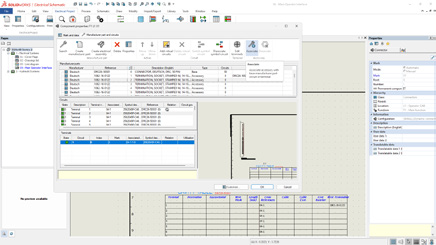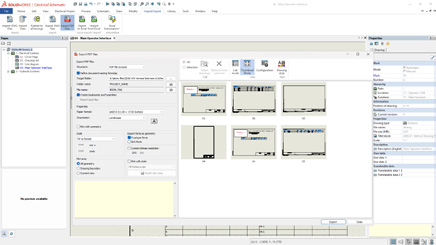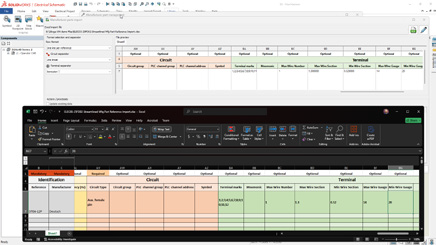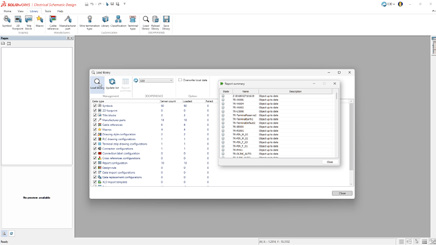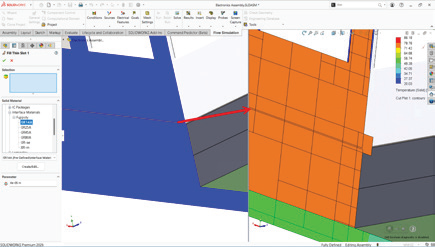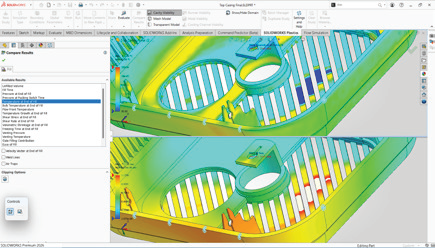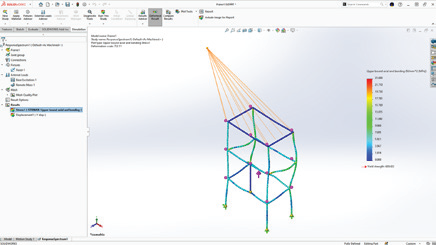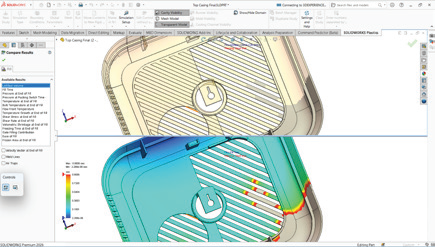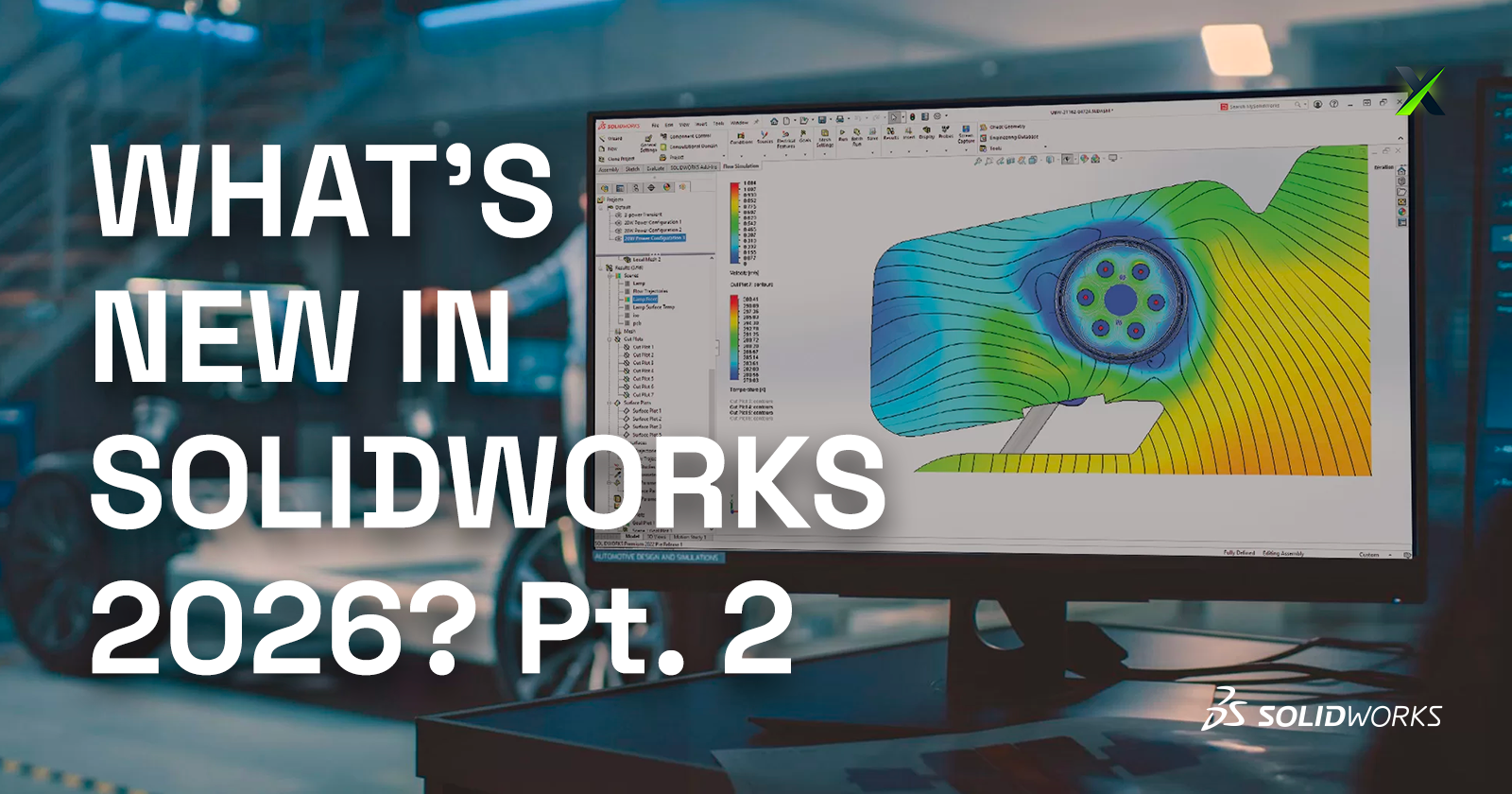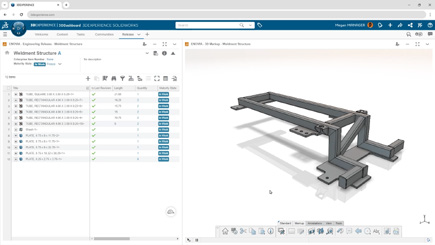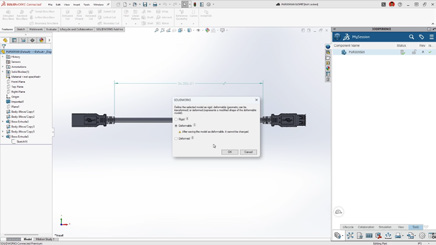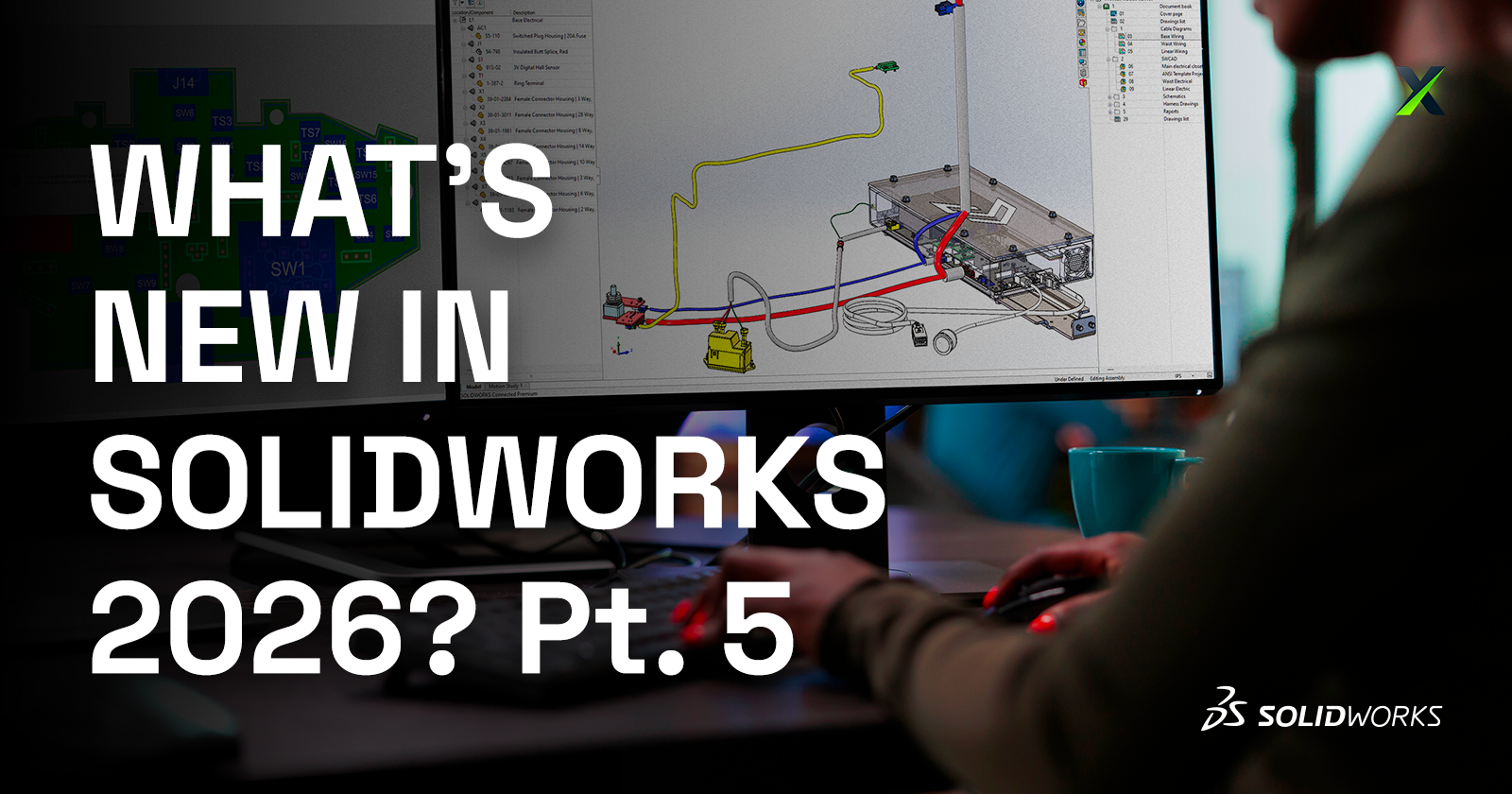
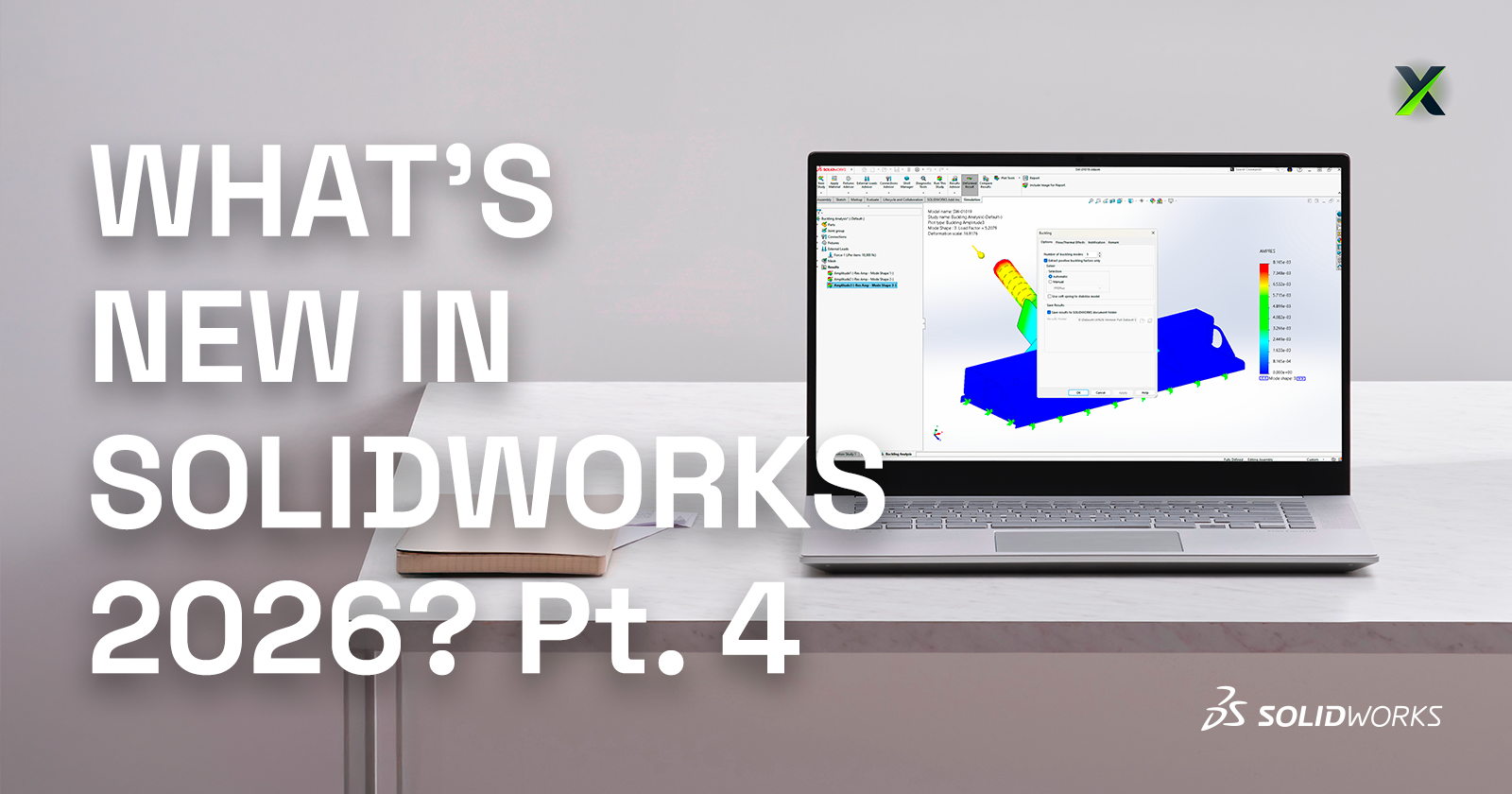
SOLIDWORKS 2026 continues the trend of making design faster, smarter, and more connected. With AI-powered tools, streamlined workflows, and deeper collaboration features, this release is all about helping engineers and designers work more efficiently while maintaining accuracy and flexibility.
Here are the Top 10 Enhancements you need to know:
1. AI-Powered Design and Detailing
Artificial intelligence is making a real impact in everyday CAD workflows:
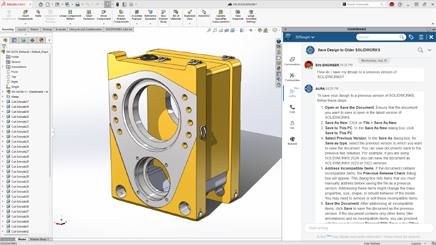
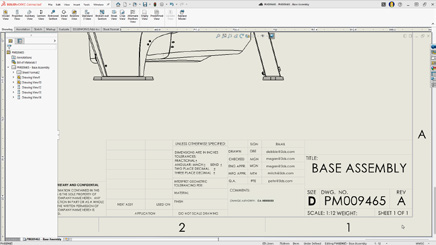
Automated drawing creation with AI-driven views, hole callouts, dimensioning, detailing, and even sheet format selection.
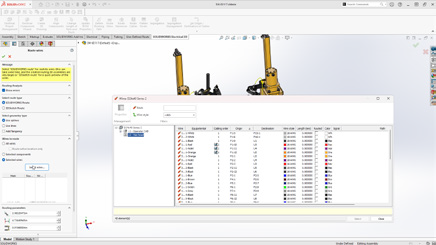
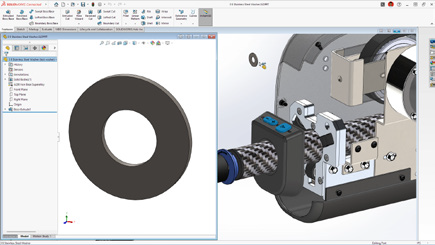
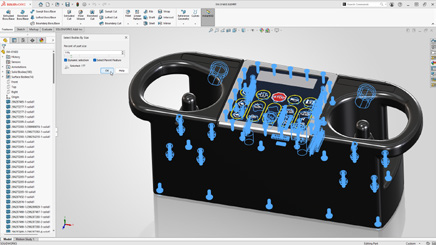
AI assembly recognition can now automatically detect and insert fastener-like components (nuts, bolts, washers), reducing repetitive tasks and improving assembly accuracy.
These enhancements deliver faster detailing and more accurate assemblies with less manual effort.
2. Large Assembly Performance
Large assemblies are now easier to manage:
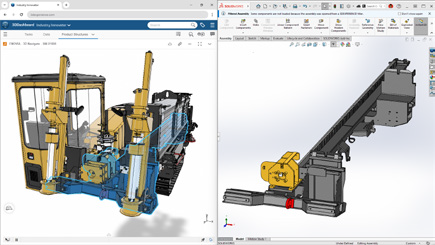
Open massive designs faster by filtering only what you need from the 3DEXPERIENCE platform.
Skip rebuilds when only cosmetic changes are made.
Disable auto-resolve for lightweight components to improve responsiveness.
Together, these updates create smarter workflows that keep even the largest projects running smoothly.
3. Improved User Experience
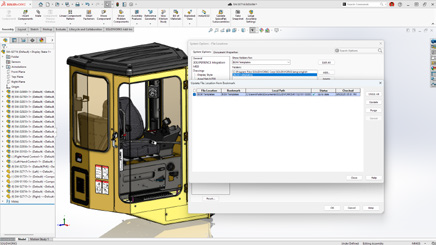
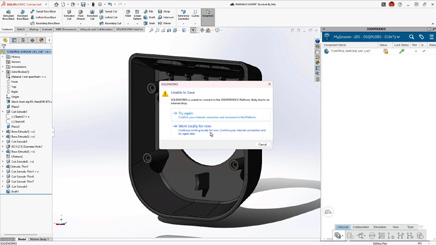
Offline mode ensures uninterrupted productivity during internet disruptions.
A redesigned UI highlights common commands, helping new users get up to speed quickly.
Command Search now includes an expanded, customizable set of keywords.
The result is a smoother learning curve and less frustration for both new and experienced users.
4. Streamlined Part Design
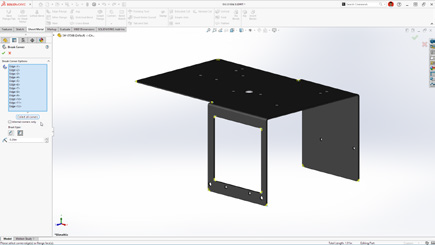
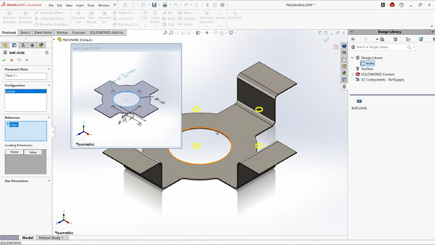
Define a custom start point for sheet metal base flanges.
Break internal corners on folded geometry.
Quickly create square sketch geometry in one click.
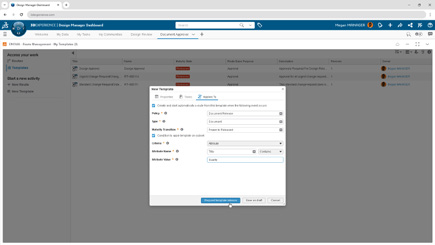
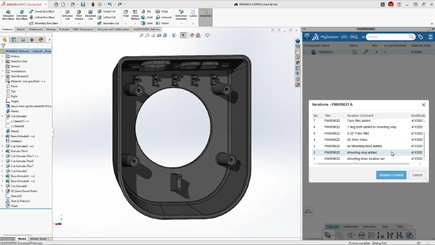
Track maturity changes and drawing history with Evaluated Attributes.
These improvements enable faster sketching and greater flexibility in sheet metal design.
5. Collaboration & Data Management
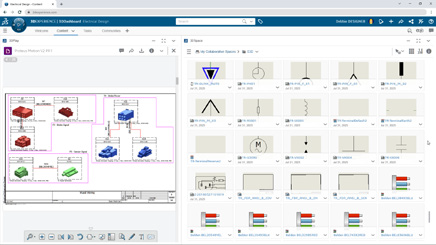
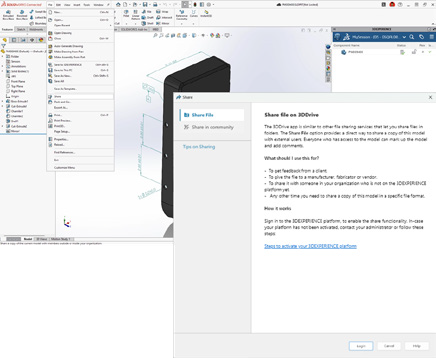
Share designs directly via 3DDrive and 3DSwym.
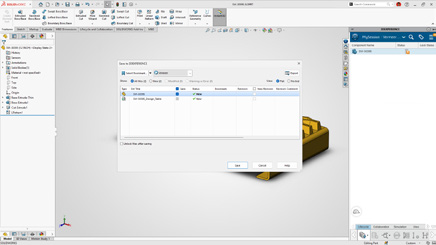
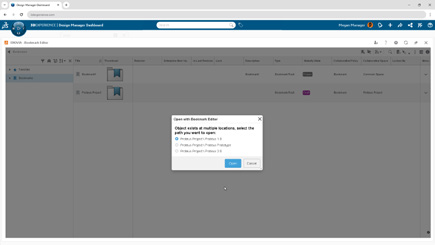
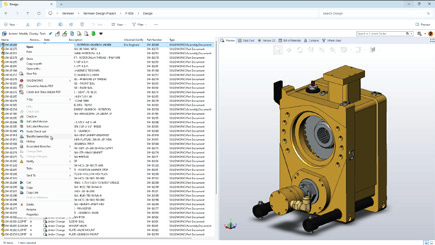
Update files to the latest version on the 3DEXPERIENCE platform with a single action.
Access the SOLIDWORKS User Forum from within the software.
With these tools, staying in sync with your team and your data has never been easier.
6. Drawing Detailing & MBD
Insert Family Tables into drawings for configuration details.
Use magnetic lines to align not just balloons, but notes, weld symbols, and other annotations.
Propagate DimXpert dimensions to library features and selectively manage annotation visibility.
This gives designers more control and clarity when documenting their designs.
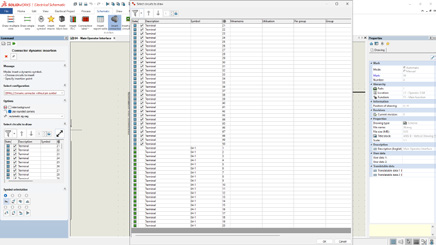
7. Routing, Electrical, and Piping
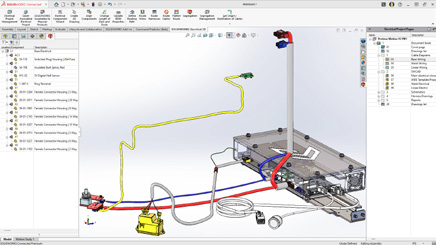
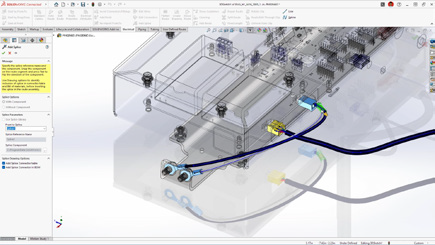
Combine routing BOMs across subassemblies for a clearer overall materials list.
Place clips, mounts, and hangers directly in assemblies for flexible routing.
Visual indicators help guide splice placement in harnesses and wire bundles.
This gives designers more control and clarity when documenting their designs.
8. Rendering Enhancements
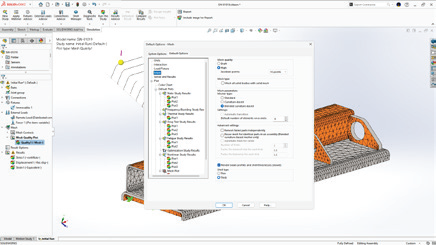
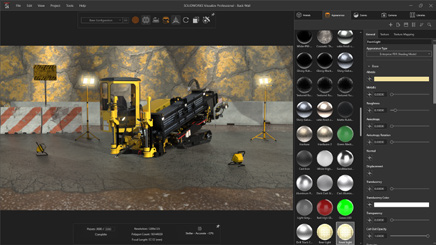
Control tessellation for a balance of geometry quality and performance.
Improved denoising in CPU mode reduces render noise in fewer passes.
Expanded format support with PBR materials in USDZ and glTF.
This gives designers more control and clarity when documenting their designs.
9. ECAD/MCAD Collaboration
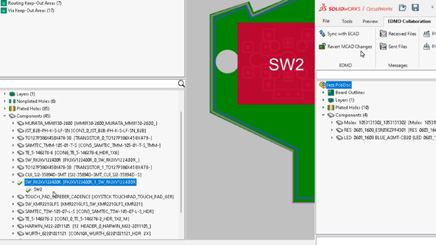
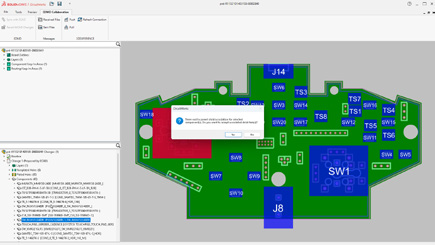
Track parent/child PCB data like keep-in, keep-out, plated and non-plated holes.
Use CircuitWorks™ with IDX 3.0 support to review and even undo MCAD changes before final ECAD updates.
This gives designers more control and clarity when documenting their designs.
10. Import/Export
Simplify complex multibody parts faster by using advanced selection tools to efficiently isolate and manage bodies based on similarity or size.
Share assemblies saved on the 3DEXPERIENCE platform using the Export as Package option in the Share dialog box.
Streamline exports by choosing whether to include drawings in your package, for greater control.
This gives designers more control and clarity when documenting their designs.
Final Thoughts
With AI-powered automation, large assembly improvements, smarter part tools, and seamless collaboration, SOLIDWORKS 2026 makes it easier than ever to move from concept to finished product. Whether you’re creating complex assemblies, detailing drawings, or collaborating across disciplines, this release delivers tools to help you work smarter, faster, and with greater confidence.
Take your designs to the next level with SOLIDWORKS 2026. Contact us today to unlock smarter, faster, AI-powered engineering.
SOLIDWORKS PDM 2026 delivers a strong set of enhancements focused on data security, workflow efficiency, and ease of use. Whether you’re managing thousands of files or just ensuring your projects stay safe and organized, these improvements help teams work more reliably and confidently.
Here are the Top 10 Enhancements you need to know:
1. Automatic File Recovery
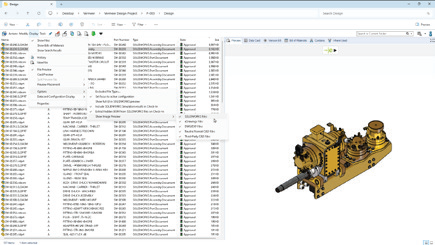
Checked-out files are safer than ever. PDM now automatically creates backups of modified files on the archive server, so they can be recovered in case of hardware failure or user absence.
Benefit: Avoid costly rework and ensure critical design changes are never lost.
2. Archived Workflows for Cleaner Administration
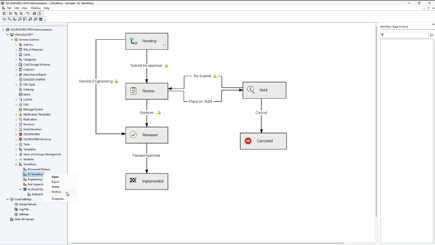
Keep the Admin Tool clutter-free by archiving unused workflows. This prevents outdated or incorrect workflows from being used, while making it easier for admins to manage active processes.
Benefit: Simplify administration and reduce errors with streamlined workflow management.
3. Granular Folder Access Control
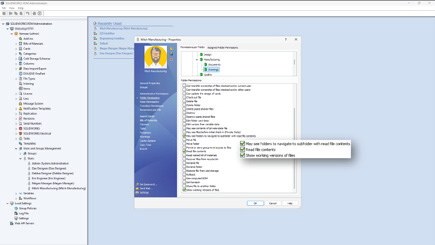
New access rules allow you to grant visibility to subfolders without exposing parent folders. This gives you more precision in defining user rights while keeping sensitive data protected.
Benefit: Collaborate securely without compromising confidentiality.
4. Static Previews for Third-Party CAD Files
Save time by viewing static image previews of third-party CAD data directly in PDM. No need to open each file to confirm its contents.
Benefit: Faster file identification across mixed CAD environments.
5. Smarter BOM Management in Web2
Named BOMs can now be viewed and edited directly in the Web2 client. A collapsible variables panel helps maximize workspace, especially on smaller screens.
Benefit: Manage BOMs from anywhere with a more efficient and user-friendly interface.
6. Stronger Security With AES-256 Encryption
Data transfers are now protected with AES-256 encryption, bringing SOLIDWORKS PDM in line with stricter modern cybersecurity requirements.
Benefit: Ensure compliance and safeguard sensitive intellectual property.
7. Modern Authentication With Kerberos Support
PDM adds Kerberos authentication to its existing NTLM and NTLMv2 protocols, making it easier to integrate with enterprise Single Sign-On (SSO) and modern Windows environments.
Benefit: Seamlessly connect PDM to enterprise IT systems while improving login security.
8. Smarter File Version Upgrades
The File Version Upgrade Tool has been enhanced with more control options and a simplified interface. Users can decide which files to upgrade and how, with better progress tracking along the way.
Benefit: Reduce upgrade risks and keep projects running smoothly during version transitions.
9. Expanded File Conversion Options
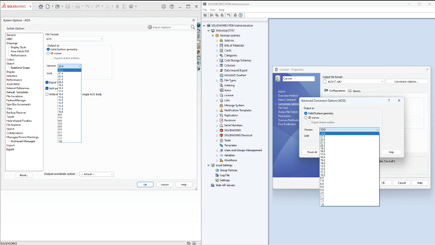
Convert Task options are more powerful than ever. You can now specify Parasolid® or ACIS® versions and use advanced scripting for DraftSight® and Office-to-PDF conversions.
Benefit: Greater flexibility when collaborating with partners and suppliers using different formats.
10. Streamlined Database Upgrades
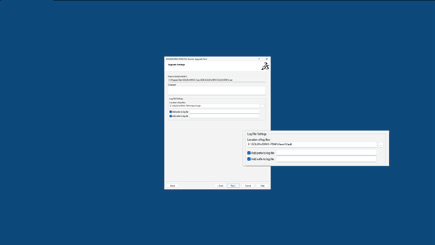
The Database Upgrade Wizard has been redesigned with clearer reporting, improved efficiency, and better error handling. Admins can now complete upgrades with more confidence and less downtime.
Benefit: Faster, more reliable upgrades that keep your system stable.
Smarter, Safer, Stronger. PDM 2026 Sets a New Standard.
With SOLIDWORKS PDM 2026, data is safer, workflows are cleaner, and administration is easier. From automatic file recovery to enterprise-grade encryption and authentication, these top 10 enhancements give teams the tools they need to manage design data securely and efficiently.
Want to see how these updates can transform your setup? Let’s start the conversation.
When we talk about AI, certain fears arise: could AI replace the engineer or the designer? The answer is no. Dassault Systèmes’ philosophy is very clear: AI does not replace, it enhances. After 11 years at S0lidxperts and more than 15 years of using SOLIDWORKS, I am well aware of this fact.
SOLIDWORKS, one of the most trusted CAD platforms globally, has already begun integrating AI-driven tools that assist engineers in reducing repetitive tasks, improving design quality, and accelerating time-to-market. Through the 3DEXPERIENCE platform, Dassault Systèmes is also paving the way for AI-powered collaboration and predictive design in the cloud.
In this article, we’ll explore how AI is shaping the present and future of SOLIDWORKS, highlight the business benefits, and share how Solidxperts, over 40 years in the industry and more than 25 years as a SOLIDWORKS partner, supports companies in embracing this transformation.
1. AI in SOLIDWORKS: An Engineer’s New Ally
Dassault Systèmes’ vision has always been clear: AI does not replace engineers. It enhances their capabilities. For decades, SOLIDWORKS has incorporated automation features designed to simplify CAD workflows:
Smart Mates for automatic assembly constraints.
Command Prediction suggesting the most likely next tool.
These were early steps toward intelligent CAD. Today, SOLIDWORKS goes further with AI-driven assistants like Design Assistant, and cloud-based tools powered by machine learning through the 3DEXPERIENCE platform.
The philosophy is simple: let AI handle the repetitive and time-consuming tasks, so engineers can focus on innovation, creativity, and solving real engineering challenges.
2. Current AI-Driven Features in SOLIDWORKS
a) Design Assistant
Mate Helper and Selection Helper: automatically detects similar components and applies constraints, drastically reducing clicks in large assemblies.
Example: When assembling dozens of fasteners, Design Assistant identifies similar geometry and instantly applies consistent mates.
b) Automatic Drawings (SOLIDWORKS 2025)
Automatically generates 2D drawings from 3D models.
Ensures compliance with drawing standards.
Saves significant time in documentation, especially for design offices managing large projects.
c) Fastener Recognition (FD03)
Automatically detects standard fasteners in assemblies.
Applies appropriate mates without manual intervention.
Direct impact: reduced errors, fewer repetitive operations.
d) AURA: The Conversational AI Assistant
Integrated into the 3DEXPERIENCE platform.
Provides contextual guidance to users, learns from workflows, and offers predictive insights.
Example: guiding new users through advanced features or assisting with design standards.
3. The Future of AI in SOLIDWORKS: A Roadmap
Dassault Systèmes continues to push boundaries, and the AI roadmap promises groundbreaking advancements:
Mesh to Parametric Conversion (Reverse Engineering): AI will streamline converting mesh files into fully parametric models, accelerating reverse engineering processes.
AI-Optimized Assemblies: Automatic detection of redundant constraints, performance optimization, and manufacturability checks.
AI-Generated Photorealistic Renders: Leveraging generative AI to instantly create marketing-ready visuals without lengthy manual rendering.
xDesign and Cloud-Ready AI: The 3DEXPERIENCE xDesign app represents the next generation of CAD: cloud-based, AI-enhanced, and fully collaborative.
Vision: Predictive, Collaborative CAD: An environment where the system anticipates design intent, suggests optimizations, and improves with each project.
4. Strategic Benefits for Companies
Adopting AI in SOLIDWORKS is not just about convenience—it drives measurable business impact:
Productivity: Significant time savings through automation of repetitive tasks.
Quality: Consistent designs, fewer human errors, and adherence to standards.
Innovation: Engineers gain more time to focus on R&D and creative problem-solving.
Competitiveness: Faster time-to-market and optimized workflows lead to a competitive edge.
Use Cases:
Design offices managing large assemblies save hours on constraints.
Manufacturers preparing technical documentation see accelerated drawing creation.
Teams leveraging AURA gain training efficiency and reduced onboarding time.
5. Data Security and Confidentiality
AI adoption often raises concerns about data protection. Dassault Systèmes has addressed this head-on:
Your proprietary data is not shared or trained externally without explicit consent.
Companies can configure private AI models trained on their own part libraries and workflows.
This ensures both innovation and confidentiality which is critical for SMEs and global enterprises alike.
6. Solidxperts: 40 Years of Experience, Always Evolving with AI
The evolution of Solidxperts over the past four decades reflects the same philosophy as SOLIDWORKS: constant growth, adaptation, and customer focus.
1998: Solidxperts opened its main office in Montreal, introducing clients to SOLIDWORKS back then, delivered on physical CDs.
Today: Solidxperts delivers the full Dassault Systèmes portfolio, from SOLIDWORKS to the cloud-based 3DEXPERIENCE platform, supporting every step of the design-to-manufacturing journey.
Values: transparency, dedication to customer success, and a personalized approach embedded in every interaction.
Expansion: with offices in Quebec City (QC) and Nashua (NH), Solidxperts serves engineers and businesses across Eastern Canada and New England.
This long-term experience positions Solidxperts as the partner of choice for companies looking to adopt AI-powered CAD and manufacturing solutions.
The Future is Now with SOLIDWORKS AI
Artificial Intelligence is no longer an abstract concept. Iit is already part of the tools engineers use daily in SOLIDWORKS. From automated mates to predictive design and cloud collaboration, AI is redefining the engineering experience.
For businesses, embracing AI in SOLIDWORKS means:
Faster workflows
Fewer errors
More time for innovation
Stronger market competitiveness
At Solidxperts, we’ve supported thousands of engineers and companies for over 25 years with SOLIDWORKS, and we are ready to help you take the next step: integrating AI into your design and manufacturing workflows.
Contact our experts today to schedule a personalized demo and discover how AI in SOLIDWORKS can transform your business.
If you’re new to the 3DEXPERIENCE platform, you’ve probably run into questions about Collaborative Spaces such as how they work, how visible they are, and who gets access. You’re not alone! At first glance, visibility settings and permissions can feel a little tricky, but once you understand the basics, managing Collaborative Spaces becomes much simpler. Let’s break it down together.
What Exactly Is a Collaborative Space?
Think of a Collaborative Space as a secure vault for your data. It’s not just where files live. It’s also how you control who sees what, and who can do what, with your designs.
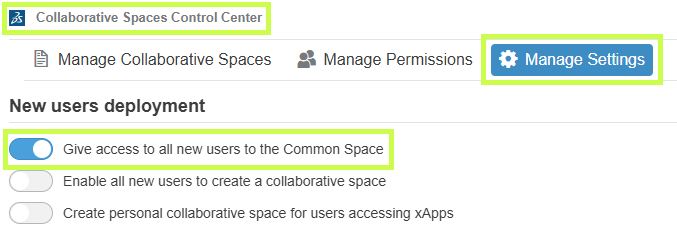
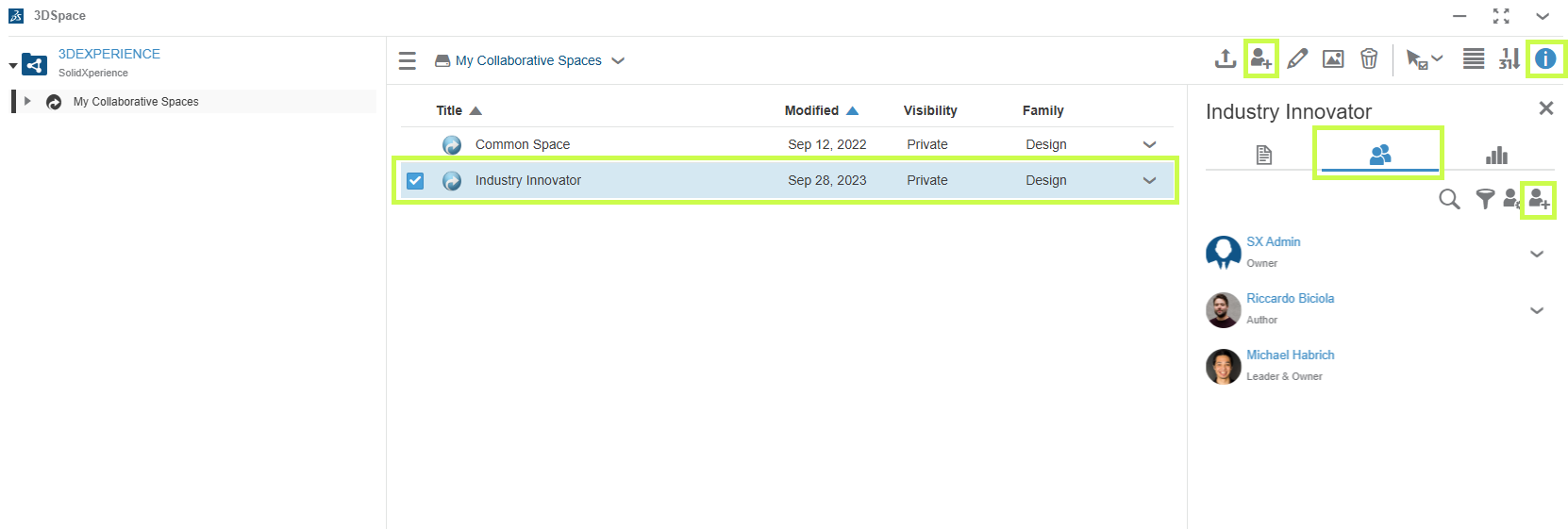
Every new platform starts with one by default: the Common Space. This is often used for templates or standard component libraries. Administrators can open it up or lock it down depending on the needs of the team.
Pro tip: You’ll likely create additional spaces as your projects grow, but resist the urge to treat them like folders. Collaborative Spaces are not meant for organizing data. They’re meant for controlling access and visibility.
For many companies, just two spaces (Common Space and Design Space) are enough. If you’re working across multiple divisions or sharing with external partners, you might need more.
Visibility: Who Sees What?
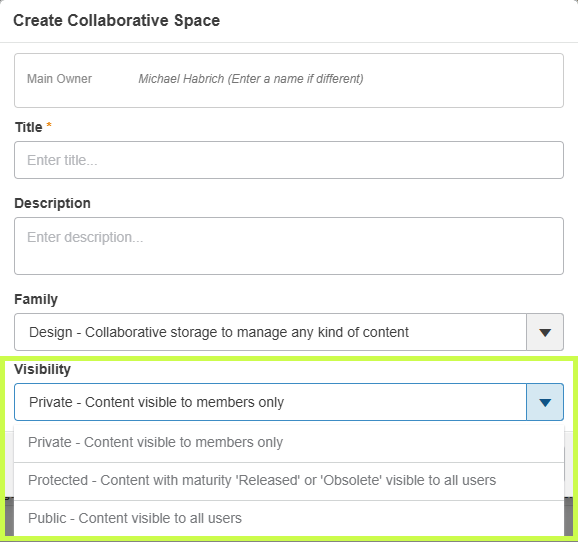
When creating a Collaborative Space, one of the first choices you’ll make is its visibility setting. Don’t worry, you can always adjust it later.
Here’s the quick rundown:
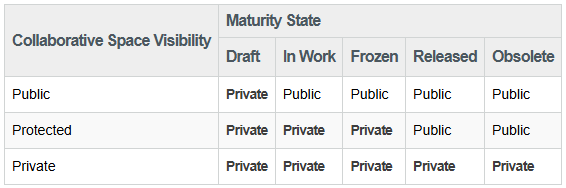
Private – Only members you invite can access the data. Perfect for sensitive projects or limited teams.
Protected – Data starts private, but once it’s released or obsolete, it becomes visible beyond the team. Great for controlling design maturity while keeping transparency later on.
Public – Everyone, inside and outside your organization, can see the data. Best for shared standards and libraries.
Important: If you switch a space to Public, everything inside it becomes public too. Combine visibility with maturity states to get the right balance of security and openness.
Permissions: Defining Roles in a Space
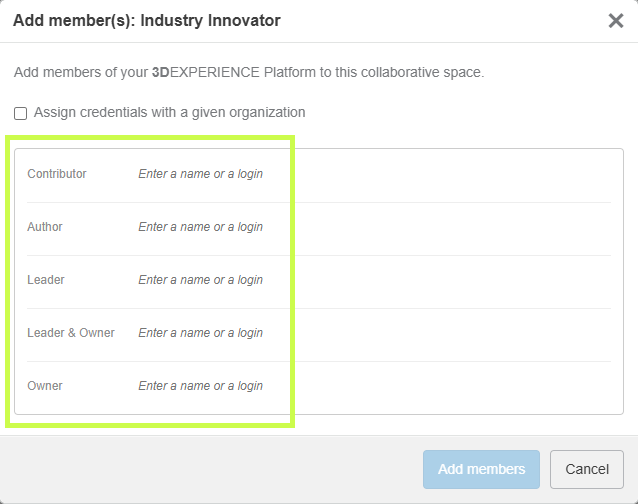
Once your Collaborative Space is ready, it’s time to decide who gets to do what. This is managed through permission levels, and each role builds on the one before it.
Here’s the spectrum, from least to most control:
Public Reader – Can only view shared data. A good role for contractors or suppliers (not depicted).
Reader – Can view data in public spaces and any private spaces they’re invited to (not depicted).
Contributor – Can add objects that complement data (comments, discussions), but can’t change core files.
Author – Can create and modify designs, but not release them.
Leader – Full control of content: can change maturity states, manage templates, and guide the team.
Owner – Administrative power. Can manage members, set permissions, and configure the space itself.
To check or adjust permissions, just open the 3DSpace app, select your Collaborative Space, and review the Members tab.
Bringing It All Together
Collaborative Spaces are at the heart of data management in 3DEXPERIENCE. By combining the right visibility settings with clear permission roles, you can keep your projects secure, your teams aligned, and your workflows smooth.
At Solidxperts, we know that these details can make the difference between confusion and confidence. If you’re ready to explore more, check out our other tips and tutorials or reach out to our team directly. We’re here to help you unlock the full potential of 3DEXPERIENCE.
Michael Habrich
3DEXPERIENCE Specialist
Any questions? Need help? Ask one of our experts.
Whether you’re ready to get started or just have a few more questions, you can contact us toll-free:
When we talk about digital transformation in manufacturing, we often picture smart factories, IoT, robotics, or even artificial intelligence. Yet, there’s a critical, and sometimes underestimated, stage that initiates this transformation: the digital design of products using CAD software for manufacturing. This is precisely where SOLIDWORKS comes in.
Developed by Dassault Systèmes, SOLIDWORKS has long been a key player in the world of Computer-Aided Design (CAD). But today, its role extends well beyond drafting and modeling. As powerful CAD software for manufacturing, SOLIDWORKS sits at the core of the digital manufacturing chain, acting as a bridge between creativity and production, and integrating with data management, simulation, process automation, and enterprise systems.
At Solidxpets, we help businesses implement these technologies across their operations. With the hands-on support of our experts, you can count on real-world guidance for deploying the full SOLIDWORKS portfolio.
From 3D Modeling to the Shop Floor: A Seamless Transition with CAD Software for Manufacturing
While 3D modeling is already a step toward digitization, it becomes far more powerful when integrated with the rest of the production workflow. That’s why a fully connected digital chain, from design to delivery, is so vital.
With the 3DEXPERIENCE® Works platform, SOLIDWORKS becomes more than a design tool. It is a collaborative hub that connects departments, suppliers, customers, and even machines. As CAD software for manufacturing, it ensures your designs flow seamlessly into production.
This connectivity leads to:
Shorter lead times
Improved decision traceability
Clearer interdepartmental communication
Enhanced agility
Smart 3D Modeling and Integrated Simulation in CAD Software for Manufacturing
SOLIDWORKS provides robust parametric 3D modeling tools, enabling precise control over parts, assemblies, and configurations. These models can be easily reused, modified, and scaled.
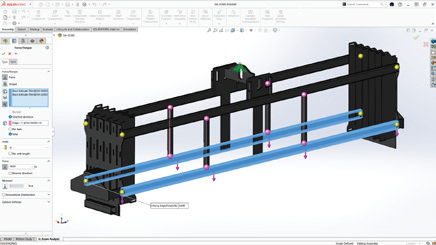
The real game-changer is simulation. With SOLIDWORKS Simulation, a core component of CAD software for manufacturing, engineers can:
Test structural integrity under load
Predict deformation and failure
Analyze fluid dynamics and airflow
Evaluate thermal performance
All of this happens before manufacturing begins, drastically reducing prototypes, costly rework, and delays.
Connected, Flexible Manufacturing Tools Powered by CAD Software for Manufacturing
The 3DEXPERIENCE® Works portfolio includes purpose-built tools for the factory floor:
Shop Floor Programmer: Allows CNC programmers to create and simulate 2.5- and 3-axis toolpaths, generate wire EDM operations, and detect potential collisions during production.
Robot Programmer: Enables fast and easy programming, simulation, and deployment of robotic routines without disrupting current production lines.
Factory Simulation Engineer: Simulates plant layouts and production flow using 2D, 3D, or point cloud environments, helping optimize floor space and logistics.
Together, these tools form a closed-loop ecosystem between design and manufacturing, ensuring continuous feedback and real-time synchronization.
Collaboration and File Management: A Strategic Necessity in CAD Software for Manufacturing
In manufacturing, engineering data is a strategic asset. Managing this data becomes increasingly complex with more iterations, collaborators, and file versions.
With SOLIDWORKS PDM and the 3DEXPERIENCE platform, both integral to modern CAD software for manufacturing, companies can:
Centralize all product data
Control revisions and user access
Collaborate securely via the cloud
Track every design change, comment, and approval
This level of traceability is essential, especially in highly regulated industries like aerospace, medical devices, or defense.
ERP Integration with CAD Software for Manufacturing: Real-Time Data Flow Across the Business
Enterprise Resource Planning (ERP) systems are at the heart of business decision-making. Yet in many organizations, CAD remains disconnected from the main information system.
Integrating SOLIDWORKS CAD software for manufacturing with ERP software like SAP, Oracle, or Microsoft Dynamics allows for:
Automatic transfer of Bill of Materials (BOMs)
Real-time work order generation
Cost estimation based on materials and machine time
Elimination of redundant data entry
This creates a direct link between design and operations, boosting organizational responsiveness and reducing costly delays.
At Solidxperts, we offer proven connectors and services for integrating SOLIDWORKS with leading ERP systems so your business runs smoother from day one.
Cloud Solutions for Distributed Teams Using CAD Software for Manufacturing
As remote and hybrid work models become standard, secure and flexible cloud access to CAD data is more critical than ever.
The 3DEXPERIENCE platform provides centralized, cloud-based project spaces with:
Anytime, anywhere access to design files
Real-time collaboration
Browser-based viewing and markup
Built-in security and automatic backups
For teams using CAD software for manufacturing, this means faster decision-making, improved communication, and a single source of truth for every stakeholder.
Automating Business Processes with CAD Software for Manufacturing
Beyond CAD, the 3DEXPERIENCE platform empowers users to digitize business workflows such as design validation, quality approvals, and production launches.
With low-code and no-code tools, you can:
Build simple, intuitive apps for non-technical staff
Automate approval workflows
Eliminate repetitive manual tasks
By embedding automation into CAD software for manufacturing, companies can save time, reduce errors, and accelerate product launches.
People Matter: Training and Expert Support for CAD Software for Manufacturing
A digital manufacturing chain is only as strong as the people behind it. Even the most powerful tools are ineffective without proper training and adoption.
In-depth audits to identify process improvement opportunities
Bilingual technical support based in North America
Pilot projects to support change management
The best CAD software for manufacturing is only as good as its users, and the right training ensures you get maximum value from your investment.
Conclusion: The Role of SOLIDWORKS CAD Software for Manufacturing in the Digital Manufacturing Chain
SOLIDWORKS is far more than a design tool. It is a foundational element in the digital manufacturing chain, enabling companies to innovate, streamline production, and stay competitive in an evolving market. By connecting SOLIDWORKS CAD software for manufacturing with the 3DEXPERIENCE® Works platform, businesses gain access to simulation, cloud collaboration, manufacturing tools, and process automation, all within one agile, integrated ecosystem. This strategic integration empowers organizations to work smarter, adapt faster, and achieve long-term success in the era of Industry 4.0.
At Solidxperts, we believe this transition must be strategic, personalized, and scalable. In other words, tailored to your company’s unique reality. Ready to take the next step? Contact our experts.
Reverse engineering with Artec 3D scanning technology is revolutionizing how industries replicate, analyze, and improve existing parts.
This blog explores the role of Artec 3D scanners in reverse engineering, highlighting their precision, ease of use, and impact across sectors like automotive, aerospace, manufacturing, and product design.
What Is Reverse Engineering?
Reverse engineering is the process of deconstructing a physical object to understand its design, structure, and functionality. Whether for quality control, reproduction, or innovation, this technique plays a vital role across many industries.
Traditionally, this process relied on manual measurement techniques, which were time-consuming and error-prone. Thanks to advanced 3D scanning technologies like Artec Leo and Artec Eva, reverse engineering is now faster, more precise, and more accessible than ever.
Real-World Use: Scanning a Vantage Bandsaw with Artec Leo
In a recent project, I used the Artec Leo 3D scanner to scan my Vantage bandsaw.
My goal was to ensure I had every critical dimension needed before modifying the table. It might have seemed overkill, but I wanted complete confidence that the new slots I was adding wouldn’t interfere with any mounting brackets underneath.
More importantly, I needed to control the location of my jigs to within 0.5 mm tight tolerances are essential for my process. By building jigs from a model that was 100% true to the real tool, I eliminated the guesswork.
The scan allowed me to design precise slots for quick tool changes and ensured everything fit on the first attempt. I then used Markforged desktop printers to bring those jigs to life.
The result: faster setup, fewer errors, and higher confidence in the final tooling.
What Makes Artec 3D Scanners Unique?
Artec 3D scanners stand out due to their exceptional accuracy, portability, and user-friendly interface. Devices like the Artec Leo and Artec Eva can capture high-resolution, full-color 3D models quickly, without requiring physical contact or markers.
The real-time scanning feedback and seamless integration with software such as Artec Studio make it easy to digitize objects of all sizes, from intricate mechanical parts to full vehicles.
Reverse Engineering Applications Across Industries
Artec scanners are used in various reverse engineering workflows.
In the automotive industry, engineers can scan legacy parts no longer in production and create CAD files for reproduction or redesign.
Aerospace companies use Artec for stress analysis and component modification.
In manufacturing, it enables faster prototyping and better fitment checks, while product designers leverage it to iterate and innovate efficiently.
From Scan to CAD: The Workflow
A typical reverse engineering workflow with Artec begins by scanning the object and processing the scan in Artec Studio.
From there, the data is cleaned, aligned, and exported into CAD-compatible formats. Software like Geomagic or SOLIDWORKS then helps generate precise CAD models.
This digital workflow dramatically reduces turnaround time and ensures superior accuracy compared to manual measurement methods.
The Future of Reverse Engineering Starts with Artec
Reverse engineering with Artec 3D scanners is transforming how we approach design, reproduction, and innovation. Their ease of use, portability, and accuracy make them essential tools for businesses seeking a competitive edge. Interested in exploring what Artec can do for your reverse engineering needs?
Contact us today at Solidxperts for a demo or consultation.
Richard Forcier
Solutions Specialist – Additive Manufacturing & 3D Scanning
Any questions? Need help? Ask one of our experts.
Whether you’re ready to get started or just have a few more questions, you can contact us toll-free:
Unlocking growth across industries with the Artec Ray II 3D scanner
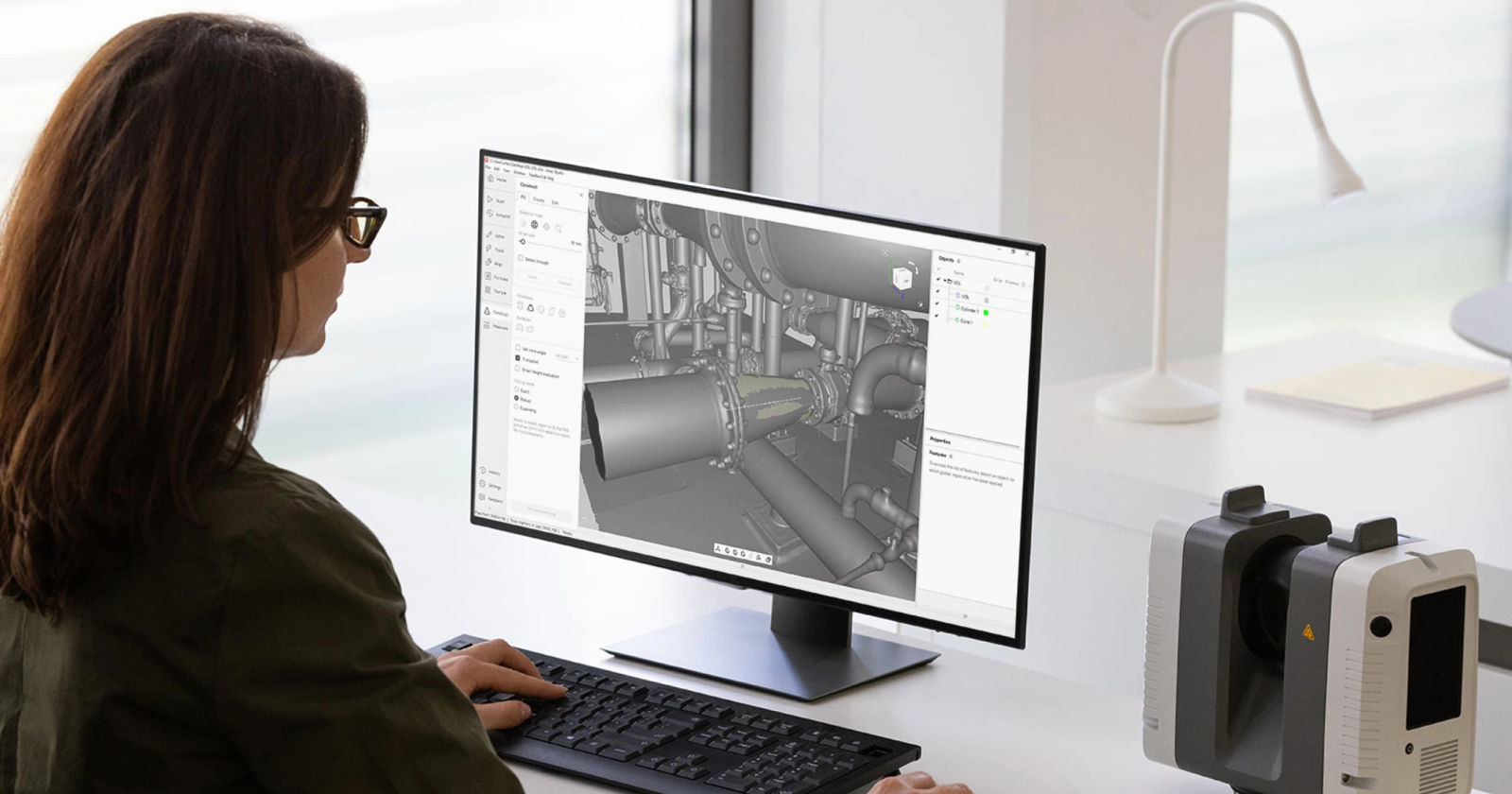
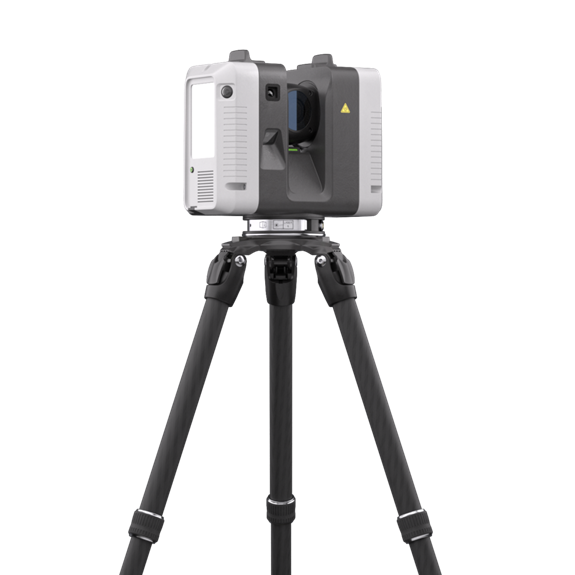
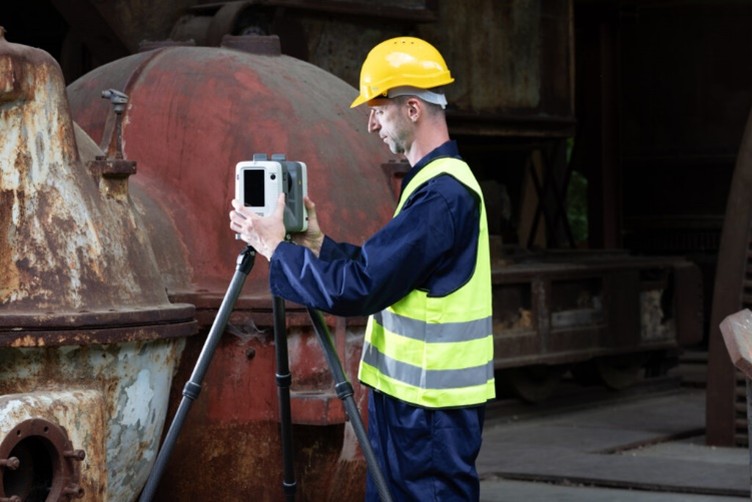
In today’s competitive landscape, scaling your business isn’t just about taking on more it’s about doing it more efficiently, faster, and with bigger margins that benefit you. The Artec Ray II 3D Scanner, a long-range LiDAR 3D scanner from xAI, is revolutionizing how industries operate by delivering precision, speed, and efficiency from up to 130 meters away. Whether you’re crafting industrial equipment, optimizing your plant layouts, designing aerospace components, shaping infrastructure, or solving forensic puzzles, this tool can transform your workflow. Let’s explore how the Artec Ray II 3D scanner boosts your profitability in manufacturing industrial equipment, floor plan measurements in manufacturing plants, aerospace, civil engineering and architecture, and forensics focusing on its ability to cut time, minimize mistakes, and supercharge efficiency.
Manufacturing industrial equipment: Precision meets profit with the Ray II
For businesses manufacturing industrial equipment think heavy machinery, turbines, or pumps scaling profitably means delivering faster without compromising quality. The Artec Ray II 3D Scanner captures up to 2 million points per second, creating detailed 3D models with metrology-grade accuracy in minutes, not hours. This speed slashes you’re prototyping and production timelines, letting you ship sooner and invoice faster. In addition, fewer delays mean higher throughput, bigger margins, and the ability to take on more business that grows your bottom line.
The real margin booster? Fewer mistakes. With high-resolution scans and scan-to-CAD integration via Artec Studio, you can reverse engineer parts or spot design flaws early, avoiding costly rework. Its portability also cuts time by bringing scanning onsite no need to ship components or halt your production. By reducing manual measurement errors and accelerating workflows, the Ray II drives efficiency, letting you take on complex, high-value projects while keeping overhead low. Scale your output, not your expenses.
Measuring floor plans in manufacturing plants: Efficiency that pays
Scaling a manufacturing plant hinges on optimizing space and workflows every square foot count toward your bottom line. Measuring floor plans manually is slow and error-prone, eating into margins with wasted time and miscalculations. The Artec Ray II 3D scanner changes that, mapping entire facilities with millimeter accuracy in hours, thanks to its long-range capability and top-tier angular precision.
This speed cuts planning time dramatically think days turned into hours freeing you to reconfigure layouts or plan expansions without downtime. Accurate digital twins reduce mistakes like equipment misplacement or workflow bottlenecks, saving on costly fixes that could slow you down. Efficiency soars as you simulate changes virtually, ensuring every adjustment maximizes productivity. For growing businesses like yours, this means higher margins through faster turnarounds and leaner operations more output, less waste, and the ability to scale capacity profitably.
Aerospace: Soaring margins with 3D scanning precision
In aerospace, where precision is non-negotiable, scaling profitably requires balancing speed with flawless execution something you likely demand every day. The Artec Ray II 3D scanner excels, scanning massive objects like aircraft fuselages with submillimeter accuracy in hours instead of days. This rapid turnaround cuts your inspection and design validation time, letting you meet tight deadlines and bill clients sooner boosting your cash flow and margins.
Its precision eliminates errors that could ground a project think misaligned components or undetected wear. Fewer mistakes mean less rework, saving you on labor and materials while keeping schedules intact. Efficiency spikes as engineers analyze high-quality 3D data faster, iterating designs with agility. Pair it with other Artec scanners for hybrid workflows, and you’ve got a streamlined process that scales your output without scaling your costs. Secure more contracts, deliver on time, and watch your margins climb.
Civil engineering and architecture: building profits smarter
As for civil engineering and architecture, scaling means delivering standout projects without budget overruns a goal you’re probably chasing. The Artec Ray II 3D scanner makes it happen, scanning bridges, tunnels, or skyscrapers with world-class precision in a fraction of the time traditional surveys take. Faster data collection hours instead of days—cuts your labor costs and keeps your projects on track, directly enhancing margins.
Accuracy is the mistake-killer here. Detailed 3D models prevent errors in design or construction like misjudged supports or clashing systems saving you thousands in rework. Efficiency shines through digital twins, streamlining collaboration and planning. Need to renovate a historic site or layout a new infrastructure project? The Ray II’s portability and remote scanning (via the Artec Remote App) eliminate delays from hard-to-reach areas. By slashing timelines and boosting precision, you can take on bigger jobs, deliver superior results, and grow profitably.
Forensics: Solving cases with clarity
In forensics, every detail matters whether you’re reconstructing a crime scene, analyzing evidence, or presenting findings in court. Scaling your forensic business means handling more cases with greater reliability, and the Artec Ray II 3D scanner is built for it. Its ability to rapidly scan large scenes like a vehicle or building with submillimeter accuracy creates tamper-proof 3D records that stand up to scrutiny.
The advantage lies in its efficiency and detail. Traditional methods like photography or tape measures can’t match the Ray II’s 3D scanner speed or depth. A single scan captures everything from tire tracks to structural damage, preserving evidence in a digital format that’s easy to analyze or share perfect for your needs. For growing forensic firms, this means faster case turnarounds and a reputation for cutting-edge work. Plus, the scanner’s lightweight design and remote capabilities let investigators work in tight or hazardous spaces without compromise. Scaling here isn’t just about volume it’s about credibility, and the Ray II 3D scanning system delivers both for you.
Why the Artec Ray II is your margin multiplier?
Across these industries, the Artec Ray II 3D scanner isn’t just a scanner it’s your profit engine. Not only does its portability cuts time by bringing precision onsite, no logistics required, but is also able to capture millions of points quickly slashes your project timelines, letting you deliver more with less effort. Furthermore, its accuracy eliminates costly mistakes, from design flaws to layout errors, preserving your budget. And, its versatility, syncing with tools like Artec Studio, tailors efficiency to your needs.
Scaling profitably means trimming fat while boosting value. The Ray II 3D scanner reduces your labor costs by automating slow manual tasks. It minimizes rework by catching issues early. It enhances your margins by enabling faster, higher-quality deliverables letting you command premium rates or secure bigger deals. From manufacturing to architecture, this tool future-proofs your business with data-rich 3D models that drive smarter decisions. In 2025, it’s your edge for cutting time, reducing errors, and scaling efficiently.
Ready to boost your margins?
The Artec Ray II 3D scanner is your key to growth. Dive in, and watch your business thrive. Curious about how 3D scanning could fit into your work? Contact our experts and they will help you with any request you may have.
Robot(ics)-as-a-Service, or RaaS for short, is an emerging business model that works kind of like how you subscribe to apps or online services, but for robots. This innovative approach offers robotic automation solutions on a subscription basis, allowing companies to harness the power of advanced robotics without the hefty upfront investment. For small and medium-sized enterprises (SMEs), RaaS presents an exciting opportunity to stay competitive and agile in a dynamic market.
Industries that make stuff, sell stuff, or help keep us healthy are jumping on this trend to better automate tasks while keeping costs down.
What is Robot-as-a-Service (RaaS)?
RaaS provides businesses with access to robotic systems through a subscription model. It mixes old-school robotics with new tech like AI, machine learning, and cloud computing to make it easier and cheaper for businesses of all sizes to get into automation.
Instead of purchasing and maintaining robots, companies can rent them, paying regular fees that cover the cost of the machines, maintenance, software updates, and support services.
This approach offers scalability, reduced risk, and access to the latest robotic technologies, making automation more accessible and cost-effective.
The Growing Importance of RaaS in Business Automation
RaaS offers a cost-effective, scalable solution for businesses to improve efficiency and agility in a dynamic market. Thanks to its inherent flexibility and growth potential, it allows businesses to optimize their operations without high upfront costs, using a subscription or usage-based model.
Also, RaaS adapts to changing market conditions, enabling quick adjustments in robotic resources and maintaining predictable costs. Providers handle maintenance, upgrades, and support, ensuring the latest technology is always in use.
Exploring the Benefits of RaaS for Businesses
RaaS makes it easier and more cost-effective for businesses to leverage advanced robots. Businesses can boost productivity and flexibly adapt how they operate to keep up with highly competitive markets.
Cost Efficiency and Scalability
By adopting a RaaS model, organizations find it simpler to make their processes more efficient and bring in new automation ideas. Predictable costs make it easier for new businesses to start using this technology, and services can be tailored specifically to what each business needs.
Also, RaaS allows businesses to scale their robotic operations up or down based on their needs. This flexibility is particularly useful for industries with fluctuating demands, such as manufacturing, warehousing, and logistics.
Enhanced Productivity and Operational Flexibility
At the heart of the RaaS model, you’ll find a big boost in how much work gets done and how flexible operations can be. With RaaS on their side, companies can smooth out their processes, become more efficient, and quickly adjust when their customer wants and needs change.
Impact of RaaS on Key Industries
Manufacturing
RaaS revolutionizes manufacturing by enabling SMEs to automate production lines, reducing labor costs and increasing efficiency. With flexible subscription models, companies can scale their robotic workforce based on demand, ensuring optimal productivity without significant capital expenditure.
Warehousing and Logistics
In warehousing and logistics, RaaS can streamline operations by automating tasks such as sorting, packing, and transportation. This leads to faster order fulfillment, reduced errors, and improved inventory management, essential for maintaining a competitive edge in the fast-paced e-commerce sector.
Healthcare
RaaS can enhance healthcare delivery by providing robotic assistance in surgeries, rehabilitation, and patient care. These advanced robotic solutions can improve precision, reduce recovery times, and increase the overall quality of care, making them invaluable assets for healthcare providers.
Aerospace and Defense
In aerospace and defense, RaaS supports complex manufacturing processes and maintenance tasks. Robotic systems can handle intricate assembly operations, conduct inspections, and perform maintenance in hazardous environments, improving safety and efficiency.
How SOLIDWORKS Supports RaaS Adoption for SMEs
The SOLIDWORKS portfolio offers a comprehensive suite of tools that can support SMEs in adopting an RaaS model:
SOLIDWORKS 3D CAD: Essential for designing robotic components and systems, SOLIDWORKS 3D CAD allows for precise modeling and assembly, ensuring robust and efficient robotic solutions.
SOLIDWORKS Simulation: This tool enables SMEs to test and validate robotic designs under real-world conditions, ensuring reliability and performance before deployment.
SOLIDWORKS Electrical: By integrating electrical systems with mechanical designs, SOLIDWORKS Electrical ensures seamless functionality and reduces the complexity of robotic systems.
SOLIDWORKS PDM (Product Data Management): Managing design data and documentation, SOLIDWORKS PDM ensures version control and collaboration, crucial for developing and maintaining robotic systems.
SOLIDWORKS Manage: Providing advanced data management capabilities, SOLIDWORKS Manage helps SMEs oversee the lifecycle of robotic systems, from development to deployment and maintenance.
SOLIDWORKS Composer: This tool aids in creating technical documentation, ensuring that RaaS clients have access to clear instructions for operating and maintaining robots.
SOLIDWORKS Visualize: High-quality rendering and visualization capabilities of SOLIDWORKS Visualize help create compelling marketing materials and presentations, essential for promoting RaaS offerings.
Tips and Strategies for Successful RaaS Deployment
To make sure a RaaS setup works well, companies need to think about a few key things. First off, they should really look into what they specifically need and want to achieve, then pick a RaaS provider that has the right robots and tech for those needs.
It’s also crucial to get how the service model and pricing work with the chosen provider. This means looking at initial costs, ongoing fees for subscriptions, and any extra charges that might pop up.
On top of this, it’s important for businesses to train their employees so everyone knows how to use these robotic tools properly. And don’t forget about keeping in touch with your RaaS provider regularly; talking things through can help sort out any bumps along the way during setup or later on down the line.
By following these steps and using robotics within an appropriate service model, businesses can effectively use RaaS to achieve successful automation.
Conclusion
By leveraging the SOLIDWORKS software portfolio, SMEs can design, simulate, and manage robotic systems effectively, facilitating the adoption of the RaaS model. This not only democratizes access to cutting-edge robotic technology but also empowers SMEs to enhance their operational efficiency, reduce costs, and stay competitive in their respective industries.
Embracing RaaS with the support of SOLIDWORKS tools can unlock new levels of innovation and productivity, enabling SMEs to thrive in an increasingly automated world.
Any questions? Need help? Ask one of our experts.
Whether you’re ready to get started or just have a few more questions, you can contact us toll-free:
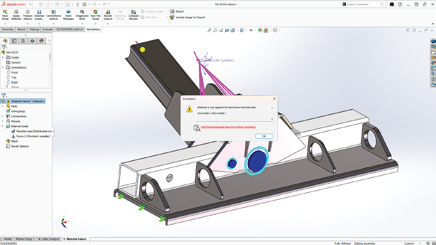
When it comes to the creative process, the 3D Sculptor and 3D Creator roles on the 3DEXPERIENCE platform provide a user-friendly interface that allows you to easily manipulate and shape complex parts. These tools offer a streamlined workflow and powerful CAD capabilities, making the design process more efficient and intuitive. With x3D Sculptor and 3D Creator at your fingertips, the art of crafting intricate shapes becomes a seamless journey.
3D Sculptor, 3D Creator, and the 3DEXPERIENCE Platform
The 3DEXPERIENCE platform roles 3D Sculptor and 3D Creator revolutionize the way designers and engineers approach complex shape design. By harnessing the power of these browser-based functionalities, you can break down intricate concepts into manageable steps, starting with basic shapes and gradually evolving them into sophisticated designs. This streamlined workflow not only enhances design flexibility but also enables quick iteration and realization of creative ideas. With advanced features tailored for various industries, 3D Sculptor and 3D Creator are paving the way for unlocking limitless creativity.
3D Sculptor Enhances Design Flexibility
The 3D Sculptor role simplifies the creation of complex parts by starting from basic shapes and using advanced tools for intricate designs. It allows easy manipulation of compound shapes and complex geometries, ensuring your creative vision is realized. Additionally, access to a variety of Sub-D tools within the xShape app enhances your ability to refine and perfect designs with precision and flexibility. These capabilities empower you to push the boundaries of design, achieving higher levels of complexity and detail.
Create complex parts using basic shapes
Use advanced features for working with compound shapes
With 3D Creator, on the other hand, the focus is on streamlining the design process. This tool provides traditional parametric modeling tools in its xDesign app, allowing you to easily create and modify designs using curves and surfaces. The combination of Sub-D modeling in 3D Sculptor and parametric modeling in 3D Creator gives you the flexibility to mix and match tools as needed, ensuring that you have the right tools for the job.
Provides traditional parametric modeling
Allows for easy creation and modification of designs using curves and surfaces
Offers a seamless workflow with 3D Sculptor
3D Sculptor and 3D Creator for Complex Shapes
The advantages of using 3D Sculptor and 3D Creator for complex shapes are numerous. These tools not only enhance design flexibility but also streamline the design process, saving you time and effort. With their intuitive interfaces and powerful capabilities, you can easily create and modify complex geometries, whether you’re starting from basic shapes or working with compound parts. Additionally, these tools facilitate collaboration in design projects, allowing team members to work together seamlessly and share their ideas.
Simplifying the Creation of Complex Geometries
Creating complex geometries can be a challenging task, but with 3D Sculptor and 3D Creator, it becomes much simpler. These tools provide a range of features and tools specifically designed to simplify the creation of complex shapes, including the use of simple shapes as building blocks. Whether you’re working with compound shapes or intricate parts, you’ll find that these tools offer the flexibility and precision needed to bring your designs to life. By starting with basic shapes and gradually building up the complexity, you can create unique and innovative designs without the limitations of traditional tools.
Enhancing Collaboration in Design Projects
Collaboration is a vital aspect of any design project, and 3D Sculptor and 3D Creator make it easier than ever to work together seamlessly. With these tools, team members can collaborate in real-time, sharing their ideas and making modifications on the fly. This not only speeds up the creative process but also ensures that everyone’s input is taken into account. Whether you’re working on a design project with colleagues or collaborating with clients, 3D Sculptor and 3D Creator provide the necessary tools to enhance collaboration and bring your designs to life.
Step-by-Step Guide to Designing with 3D Sculptor
Designing with 3D Sculptor is a straightforward process that allows you to unleash your creativity and create complex shapes with ease. Here is a step-by-step guide to help you get started:
Start by launching the 3D Sculptor app in your browser.
Choose a basic shape to serve as the foundation for your design.
Use the push and pull technique to manipulate the shape and create the desired complex geometry.
Access additional Sub-D tools in the xShape app to refine and fine-tune your design.
Save your design and export it for further use or collaboration.
Starting Your First Project: Tips and Tricks
To set yourself up for success, start by selecting a basic shape that closely resembles your final design. This simplifies the process and provides a solid base upon which to build. From here, you can push and pull your base to manipulate the shape, adding layers of complexity and detail.
As you progress, don’t hesitate to experiment with different Sub-D tools. These tools are invaluable for refining and perfecting your design, allowing you to achieve the intricate details that will make your project stand out.
Begin with a clear idea of the complex shape you want to create
Start with a basic shape that closely resembles the final design
Utilize the push and pull technique to manipulate the shape and add complexity
Experiment with different Sub-D tools to refine and perfect your design
Advanced Techniques for Refining Your Designs
Once you’ve mastered the basics, it’s time to elevate your designs with advanced techniques. Combining parametric modeling techniques with Sub-D modeling can offer added flexibility and control. Experiment with different surface finishes and textures and discover unique effects that add depth and character to your creations. This hybrid approach allows you to fine-tune your designs with mathematical precision while retaining the creative freedom of Sub-D modeling.
Use advanced Sub-D tools to add intricate details to your design
Combine parametric modeling techniques with Sub-D modeling for added flexibility
Experiment with different surface finishes and textures to enhance the visual appeal of your design
Take advantage of the collaboration features to gather feedback and make adjustments
Frequently Asked Questions
What is a Role on the 3DEXPERIENCE platform?
A Role on the 3DEXPERIENCE platform refers to a set of permissions and capabilities assigned to a user, determining what actions they can perform within the software. Each role is tailored to specific functions or responsibilities, ensuring that users have access only to the tools and features necessary for their tasks. By assigning roles appropriately, organizations can optimize workflow efficiency and data security within the platform.
What are some techniques for designing complex shapes in 3D modeling?
Designing complex shapes requires a combination of creativity and technical skills. Some techniques include starting with basic shapes and gradually building up complexity, using Sub-D modeling tools for organic shapes, and leveraging parametric modeling for precise control over dimensions and features.
How do you ensure manufacturability when designing complex shapes?
When designing complex shapes, it is important to consider manufacturability. By utilizing tools like Manufacturing Definition Creator, you can create 3D and 2D definitions that ensure your design can be manufactured correctly. This helps eliminate potential issues and ensures a smooth transition from design to production.
What software tools are commonly used for designing complex shapes?
There are several software tools commonly used for designing complex shapes, with 3D Sculptor and 3D Creator being popular choices. These browser-based tools offer powerful CAD capabilities and streamlined workflows, making them ideal for tackling the challenges of complex designs and organic shapes.
What are the challenges faced when designing intricate geometries?
Designing intricate geometries can present several challenges. These include maintaining the integrity of the design while adding complexity, ensuring the manufacturability of the final product, and managing the interdependencies between various features and dimensions. However, with the right tools and techniques, these challenges can be overcome.
What role does parametric design play in creating complex shapes?
Parametric design allows designers to manipulate basic shapes and explore different possibilities in creating complex shapes. It provides the flexibility to modify dimensions, curves, and surfaces, making it easier to iterate and refine designs. The parametric approach streamlines the creative process and enables designers to achieve complex shapes efficiently.
Any questions? Need help? Ask one of our experts.
Whether you’re ready to get started or just have a few more questions, you can contact us toll-free:
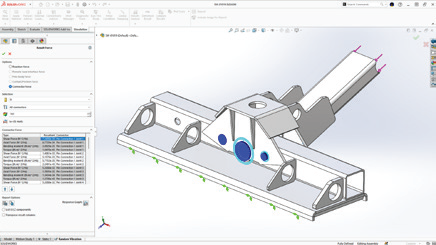
When it comes to 3D printing, the material you choose is just as important as the printer itself. Filament is the thermoplastic feedstock used in fused deposition modeling (FDM) 3D printers. It is a continuous slender plastic thread spooled into a reel, with diameters ranging from 1.75 mm to 2.85 mm. Filament comes in various types, each with its own unique properties.
3D printers use different mechanisms to extrude the filament and build up layers to create your final model.
How Filament Choice Impacts Your 3D Printing Project
The choice of 3D printing filament can have a significant impact on the outcome of your 3D printing project. Different filaments have different properties, such as strength, flexibility, and temperature resistance. Understanding these properties and how they relate to your project is crucial for achieving the desired results.
For example, if you’re printing functional parts that require strength and durability, ABS or PETG would be suitable choices. On the other hand, if you’re creating decorative or artistic pieces, PLA or specialty filaments like wood or even metal may be more appropriate.
Exploring Just a Few Types of Available 3D Printer Filaments
PLA (Polylactic Acid)
PLA is one of the most popular filaments for 3D printing. It is a biodegradable and environmentally friendly filament that is derived from renewable resources such as cornstarch or sugarcane. PLA is easy to print with and offers good dimensional accuracy. It is known for its vibrant colors and smooth surface finish. PLA is commonly used for prototyping, hobbyist projects, and decorative prints. It is compatible with most commercially available FDM printers and can be printed at lower temperatures compared to other filaments.
ABS (Acrylonitrile Butadiene Styrene)
ABS is a popular filament known for its durability and impact resistance. It has a higher melting temperature compared to PLA, making it suitable for functional parts that require strength and toughness. ABS is commonly used in applications such as automotive parts, electronic enclosures, and industrial prototypes. It can be challenging to print with due to its tendency to warp and emit strong fumes during printing. However, with proper printer settings and a heated bed, ABS can produce high-quality prints with excellent mechanical properties.
PET (Polyethylene terephthalate)
PET is a popular 3D printing filament known for its strength and flexibility. Its durability and impact resistance ensure long-lasting printed objects, while its flexibility allows for complex shapes without cracking. Additionally, it offers excellent chemical resistance and is food-safe, making it suitable for kitchen items. PET is easy to print with a lower risk of warping and can be used on most standard 3D printers. Being recyclable, it also provides an eco-friendly option for various 3D printing projects.
PETG (Polyethylene terephthalate glycol)
PETG is a variation of PET that offers improved impact resistance and chemical resistance. It’s a versatile filament known for its balance of strength, flexibility, and temperature resistance. It is commonly used for functional parts, mechanical components, and consumer products that require durability and impact resistance. PETG has excellent layer adhesion, making it ideal for strong and durable prints. Additionally, it is FDA-approved for food contact, making it a popular choice for printing kitchen utensils and containers.
TPU (Thermoplastic polyurethane)
TPU is a flexible filament that is widely used for creating elastic parts and prototypes. It offers excellent resistance to abrasion, chemicals, and oils, making it suitable for applications that require flexibility and durability. TPU is commonly used in industries such as automotive, footwear, and prosthetics. It can be printed with ease on most FDM printers and does not require a heated bed. TPU is available in various shore hardness ratings, allowing for different levels of flexibility and elasticity in prints.
Specialized 3D Printing Filaments
In addition to the common filaments used in 3D printing, there are specialized filaments that offer unique properties for specific applications. These filaments are often infused with different materials to enhance their properties. Some examples of specialized filaments include carbon fiber-infused filaments, which offer high strength and rigidity, and metal-infused filaments, which allow for the printing of metal-like objects. These specialized filaments are commonly used in industries such as aerospace, automotive, and jewelry.
Onyx by Markforged: High Performance Carbon Fiber
Onyx is a high-performance carbon fiber filament developed by Markforged. It combines the strength and rigidity of carbon fiber with the ease of printing with nylon. Onyx is known for its excellent dimensional stability, high strength-to-weight ratio and resistance to heat and chemicals. It is commonly used in industries such as aerospace, automotive, and defense for applications that require lightweight yet strong parts. Onyx can be printed on Markforged 3D printers, which are specifically designed to handle the unique properties of this filament.
Metal 3D Printing: Stainless Steel, Copper, and more
3D printing with metal filaments allows for the creation of metal-like objects without the need for traditional metalworking processes. These filaments are composed of a mixture of metal powder and a binding agent. After printing, the object can be further processed to remove the binding agent and sinter the metal particles together, resulting in a solid metal part.
While an expensive and infrastructure-heavy investment, 3D printing with metal filaments offers the ability to create complex geometries and customized metal parts with good mechanical properties.
Factors to Consider When Selecting a Filament
When choosing a filament for your 3D printing project, consider factors like strength, durability, flexibility, temperature resistance, and printer compatibility. Filaments such as ABS, PETG, or carbon fiber are suitable for strength, while TPU works well for flexibility. For high temperatures, consider polycarbonate. Always remember to check compatibility with your printer’s settings!
Assessing the Strength and Durability Needs of Your Project
When selecting a filament for your 3D printing project, it is essential to assess the strength and durability needs of your project. Consider the intended use of the printed object and the level of stress it will be subjected to. If you require high strength and impact resistance, filaments like ABS, PETG, or carbon fiber-infused filaments may be suitable. These filaments offer excellent mechanical properties and can withstand heavy loads and impacts.
Considering Flexibility and Elasticity for Functional Parts
For functional parts that require flexibility and elasticity, it is important to consider filaments that can meet these requirements. TPU is a popular choice for flexible prints. It offers excellent flexibility and resilience, making it ideal for applications such as phone cases, prosthetics, and wearables. TPE (Thermoplastic elastomer) is another flexible filament that provides a soft and rubber-like texture. It is commonly used for creating gaskets, seals, and other parts that require high flexibility.
Temperature and Environmental Resistance
Temperature and environmental resistance are important considerations when selecting a 3 D printing filament. Different filaments have different temperature ranges at which they perform optimally. For example, PLA can be printed at relatively low temperatures (180-230°C) and is suitable for most everyday applications. On the other hand, filaments like polycarbonate (PC) and polyetherimide (PEI) have higher temperature resistance and can withstand elevated temperatures (up to 340-380°C). These filaments are commonly used in applications that require exceptional heat resistance, such as aerospace components and automotive parts.
Cost-Effectiveness and Availability
Cost-effectiveness and availability are key factors when selecting 3D printing filament. PLA is popular for being affordable and widely available, as well as eco-friendly. PETG is valued for its strength and durability with better impact resistance than PLA. While PLA and PETG are cost-effective and common, ABS and Nylon may be pricier but offer unique strengths. ABS provides high strength and temperature resistance for functional parts, while Nylon offers flexibility and durability for specialized applications like gears. Finding this balance depends heavily on the user, projects, and printing frequency.
Consider how you prefer to source your materials. Are you more comfortable dealing with a consistent supplier, or are the readily available 3D printing filaments on Amazon enough for your needs? It’s important to consider the specific requirements of your project and budget constraints when selecting a 3D printing filament. By balancing cost-effectiveness and availability, you can ensure that you choose the best filament for your 3D printing needs.
Balancing Quality with Budget Constraints
Similarly, choosing the right 3D printing filament involves balancing quality and budget. High-quality filaments offer superior performance but come at a higher cost. Research and comparing brands can help find affordable options with satisfactory results. Reading reviews and seeking recommendations can identify cost-effective choices. Experimenting with different types of filaments can help strike a balance between quality and budget based on project requirements.
Application-Specific Recommendations
Different 3D printing applications require different 3D printing filament types to achieve optimal results. By selecting the right material for your specific application, you can ensure that your 3D prints meet the desired functionality and performance requirements.
Prototyping with Precision: Choosing the Right Material
When it comes to precision prototyping, choosing the right 3D printing filament is crucial to achieve accurate and detailed prints. Different materials offer varying levels of precision and surface finish.
PLA (Polylactic Acid) is a popular choice for precise prototyping due to its low shrinkage and excellent dimensional accuracy. It provides smooth and clean prints, making it ideal for visual models and product prototypes. Additionally, PLA is easy to print with and offers a wide range of colors to choose from.
ABS (Acrylonitrile Butadiene Styrene) is another material suitable for precision prototyping. It offers better temperature resistance and durability compared to PLA, making it suitable for functional prototypes that require strength and impact resistance.
PETG (Polyethylene Terephthalate Glycol) is also a good option for precision prototyping. It offers a balance of strength, flexibility, and dimensional stability, making it suitable for a wide range of applications.
By selecting the right material for precision prototyping, you can ensure that your prints accurately represent your design and meet your quality expectations.
Functional Parts and Mechanical Components: What Works Best?
When it comes to printing functional parts and mechanical components, choosing the right filament is essential to ensure durability and performance. Different materials offer varying mechanical properties and characteristics.
TPU (Thermoplastic Polyurethane) is an excellent choice for parts that require flexibility and resilience. It offers high elasticity and impact resistance, making it suitable for gaskets, seals, and other flexible components.
Nylon is known for its exceptional strength and toughness, making it ideal for functional parts that require durability and high load-bearing capabilities. It also offers good chemical resistance, making it suitable for applications in harsh environments.
ABS (Acrylonitrile Butadiene Styrene) is a versatile material that provides a balance of strength, impact and temperature resistance. It is commonly used for functional parts in various industries, including automotive and aerospace.
By choosing the right filament for functional parts and mechanical components, you can ensure that your 3D prints meet the required performance standards and withstand the intended applications.
Frequently Asked Questions
How does the choice of filament material impact the quality of a 3D printed object?
The choice of 3D printing filament plays a crucial role in determining the quality of a 3D printed object. Different materials have unique properties such as strength, flexibility, and durability, which directly affect the performance and appearance of the printed object. Factors such as layer adhesion, dimensional accuracy, and surface finish are influenced by the filament material used.
How do I determine the best 3D printing filament for my project?
To determine the best filament for your 3D printing project, consider the specific requirements of the print, such as desired strength, flexibility, and temperature resistance. Additionally, take into account the printer compatibility and budget constraints. Conducting research and consulting experienced users can provide valuable insights and recommendations.
Any questions? Need help? Ask one of our experts.
Whether you’re ready to get started or just have a few more questions, you can contact us toll-free:
Option 1: For licenses <1 year expired( Pay 2 Years Forward Upfront )
Get back on track with SOLIDWORKS CAD w/Cloud Services. By paying upfront for the next two years, you not only regain access to the powerful features of SOLIDWORKS but also enjoy cloud services to boost collaboration and efficiency.
Promotion Perks:
No need to worry about backdating and penalties. We’ll waive them for you!
Regain access to your design projects and continue where you left off, without any interruptions.
Option 2: For licenses >1 year expired ( Pay 3 Years Forward Upfront )
If your license has been expired for over a year, we understand the urgency to get back in the game. With this option, you can secure SOLIDWORKS CAD ALC w/Cloud Services.
Promotion Perks:
Our team is here to support your reintegration process, and we’ll waive backdating and penalties for a smooth transition.
Take advantage of the comprehensive SOLIDWORKS suite and unleash your creativity with the latest tools and features.
Option 1: Upgrade to 3DEXPERIENCE SOLIDWORKS
Seamlessly transition from SOLIDWORKS Desktop to 3DEXPERIENCE SOLIDWORKS, and experience a new dimension of design and collaboration. With secure cloud data management, increased collaboration capabilities, and reduced IT administration, 3DEXPERIENCE SOLIDWORKS empowers your team to work smarter and faster.
Option 2: Upgrade to SOLIDWORKS TERM w/Cloud Services
Opt for SOLIDWORKS TERM with Cloud Services, a flexible and convenient option that combines the power of SOLIDWORKS with the benefits of cloud-based solutions. Say goodbye to traditional licensing hassles and welcome easy deployment and automatic updates for a seamless design experience.
Promotion Perks:
This promotion covers both Standalone and Network licenses (SNL), making it suitable for businesses of all sizes.
Take advantage of the promotion price and add as many new licenses (3DEXPERIENCE SOLIDWORKS or SOLIDWORKS TERM w/Cloud Services) as you need on the same Purchase Order, with no limit on extra seats.
Enjoy the promotion discount for 3 years, whether purchased annually or upfront.
Even after the promotion period, you’ll continue to benefit with a 25% discount on successive years.