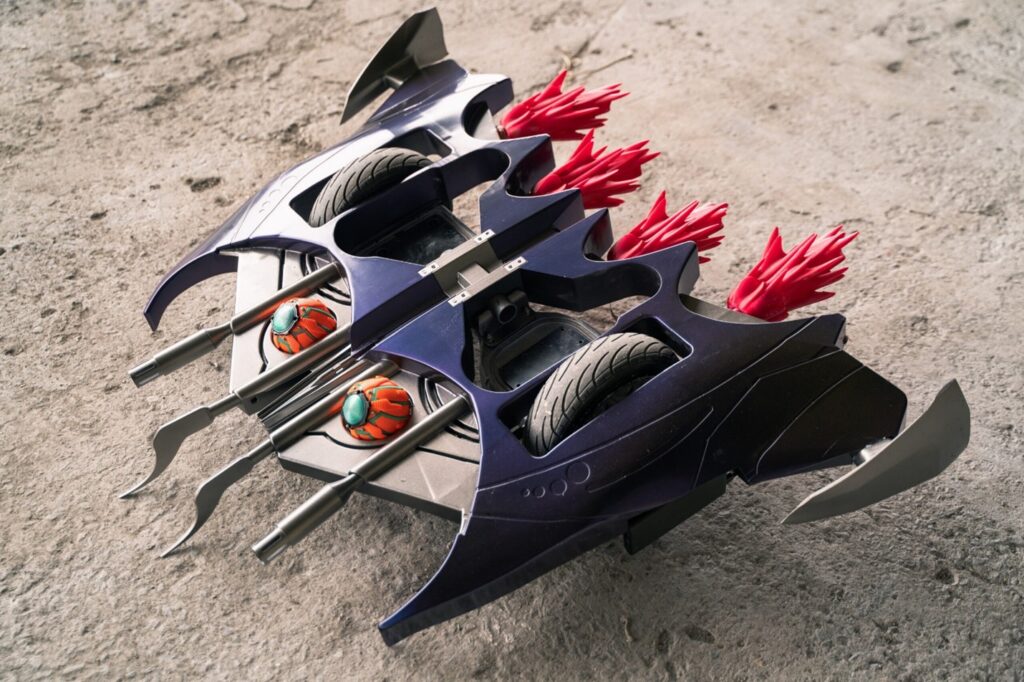
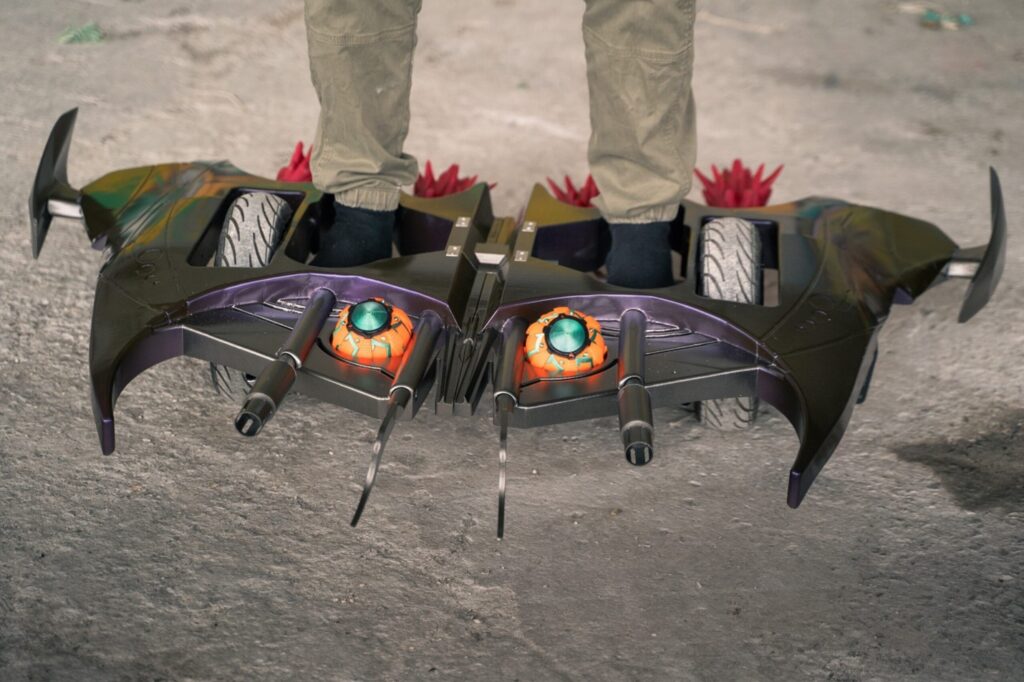
When you think of Spider-Man’s greatest enemies, one name tops the list: the Green Goblin. Created by Marvel Comics legends Stan Lee and Steve Ditko, the Green Goblin (originally Norman Osborn) is a villain who combines tech-savviness and pure chaos to wreak havoc in New York City. Famous for his Pumpkin Bombs, Halloween-themed gadgets, and, of course, his flying Goblin Glider, supervillain Green Goblin soared back into the spotlight in Spider-Man: No Way Home, solidifying his status as one of Spider-Man’s greatest foes for decades.
This glider, a high-speed, gadget-laden board, is as much a part of his character as his eerie, maniacal laugh—making him a favorite for Green Goblin Halloween costumes and an inspiration for creative makers and cosplay fans.
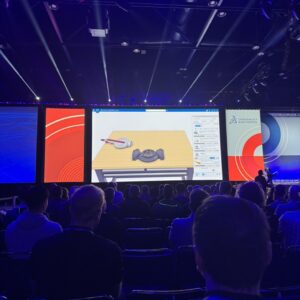
Enter Carlos Reyes, also known on his YouTube and Instagram channels as Carlos 3D, a talented engineer, maker, and SOLIDWORKS for Makers Ambassador, who took on the ultimate Green Goblin cosplay costume project: recreating the Green Goblin’s glider.
Carlos recently appeared on SOLIDWORKS Live to walk us through his process of transforming an ordinary hoverboard into a jaw-dropping replica of the Green Goblin’s iconic glider. The idea for the Green Goblin Glider first took shape when Carlos spotted a used hoverboard at a flea market. With his love for comics, cosplay, and engineering, he immediately recognized its potential as the foundation for a Green Goblin-inspired glider.
Determined to bring his vision to life, Carlos used SOLIDWORKS for Makers tools, including xShape and xDesign, to recreate the glider’s unmistakable comic book aesthetic with incredible detail. xShape’s flexible subdivision (Sub-D) modeling helped him quickly sculpt the glider’s initial form, while xDesign allowed him to refine the details, quickly taking the project from concept to first prototype.
Carlos started by building a base model of the hoverboard. Though he initially had less experience with subdivision modeling, Carlos found that it was an efficient way for him to model curves and edges that would give the glider its distinctive look. With features like mirror symmetry, xShape helped Carlos create the model in a fraction of the time.
One of Carlos’s glider’s standout features is the set of LED-lit flames at the rear, designed to evoke the illusion of a fiery exhaust.
Using xShape, Carlos shaped each flame by hand, creating a spike-like effect that he could modify for a natural, organic look. It was a lot of trial and error, but in the end, Carlos found that working with LED lights inside the flames brought them to life in a way that looked straight out of the comics.
Carlos 3D printed the glider in about 40 pieces using multiple 3D printers. He sticks to basic gray and white base colors for the 3D prints and intricately paints each piece to match the Green Goblin’s signature color scheme. The biggest compliment he receives is when people tell him they would never guess that his cosplay builds were 3D-printed.
Carlos’s Green Goblin glider is a great example of what you can achieve with SOLIDWORKS for Makers if you’re a maker, cosplay designer, or fan of creative engineering projects.
Catch the full SOLIDWORKS Live episode on-demand and dive into Carlos’s creative process. He shares his insights and techniques and shows how he built, printed, and assembled this realistic replica step-by-step. From subdivision modeling in xShape to the details in xDesign, LED integration, and post-processing tips, there’s something for everyone to learn.
Whether you’re a die-hard Spider-Man fan or curious about 3D design, this SOLIDWORKS Live episode brings together engineering and fandom in a fun and inspiring way.
Contact Solidxperts to learn more about SOLIDWORKS for Makers, 3D modeling, and cloud-based design tools for personal use for just $48/USD a year.
Any questions? Need help? Ask one of our experts.
Whether you’re ready to get started or just have a few more questions, you can contact us toll-free:
SOLIDWORKS PDM 2025 introduces a series of user-driven enhancements aimed at making design, collaboration, and performance better than ever. With improvements to part modeling, assemblies, drawings, and data management, this latest release streamlines workflows and boosts productivity for engineers and designers.
New features such as Selection Accelerators for Chamfers, faster interference detection, enhanced 3D dimensioning, and more powerful rendering capabilities improve usability, efficiency, and precision. SOLIDWORKS 2025 also enhances ECAD-MCAD collaboration, electrical and pipe routing, UX/UI refinements, and cloud-based workflows, ensuring a seamless experience across devices and teams.
Introduction
SOLIDWORKS has remained the industry-standard 3D CAD solution, helping designers and engineers create innovative, manufacturable products. Each year, new enhancements are driven by real user feedback, making the software more powerful, intuitive, and flexible.
With SOLIDWORKS 2025, improvements span design and modeling, assemblies, drawings, collaboration, UX, and simulation. This update introduces workflow accelerators, improved performance, and intelligent automation, ensuring users can design faster and more efficiently than ever before.
Let’s explore the top improvements in SOLIDWORKS 2025 and how—thanks to users like you—they help everyone work smarter.
Design and Modeling Enhancements: Faster, Smarter Part Creation
SOLIDWORKS 2025 improves part modeling efficiency with tools that accelerate selections, automate repetitive tasks, and enhance flexibility when designing complex components.
What’s New
New Selection Accelerator for Chamfers – Quickly select inner or outer edges with a streamlined selection toolbar.
Delete Items Below the Rollback Bar – Remove unnecessary features without rolling the bar forward, saving clicks.
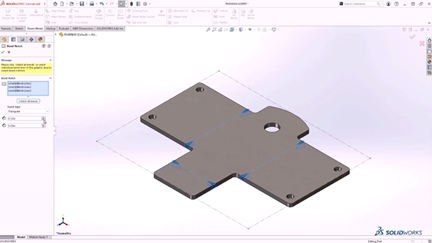
Sheet Metal Bend Notch – Automatically create customizable bend notches for better manufacturability.
Variable Fillet Chain – Achieve smoother edge blending with the Continuous Edge Blend option.
Pattern Reference Geometry – Pattern planes, axes, and reference geometry to simplify skeleton modeling.
Why It Matters
These enhancements reduce manual effort, improve efficiency, and provide greater control over complex part geometry. The new selection tools and streamlined feature management mean fewer clicks—and faster part creation.
Assembly Design: Faster Component Placement and Interference Detection
Assembly design is now quicker and more intuitive, with enhancements that preserve mates, improve interference checks, and accelerate large assembly workflows.
What’s New
Copy Assembly Components with Mates – Duplicate assembly components while preserving advanced and mechanical mates.
Interference Checking for Surface Bodies – Detect interferences between surfaces and solids, even for imported geometry.
Seamless Transition Between LDR and Edit Part – Instantly edit parts in Large Design Review (LDR) mode.
Interference Detection in LDR Mode – Check manufacturability in LDR mode for massive assemblies.
Why It Matters
These features speed up assembly creation, ensure interference-free designs, and enhance collaboration in large-scale projects. The ability to preserve mates when copying reduces errors, while LDR improvements ensure smoother performance in complex assemblies.
Creating detailed, accurate drawings is now faster and more flexible with new features that improve standardization and automate documentation tasks.
What’s New
Multi-Approval Stamps – Enforce company rules by applying multi-approval stamps to drawings.
BOM Quantity Override for Cut Lists – Customize how quantities appear in BOM tables.
Surface Finish Symbols – Ensure ISO 21920 compliance when adding surface finish callouts.
DimXpert Enhancements – Generate 3D model dimensions directly from sketches and support automatic draft dimensions.
Why It Matters
These updates reduce manual adjustments, enforce company-wide drawing standards, and automate dimensioning, helping teams document designs faster and more accurately.
ECAD-MCAD Collaboration: Better PCB Integration
Collaboration between electrical and mechanical engineers is now smoother, thanks to new ECAD-MCAD enhancements.
What’s New
CircuitWorks Available for All SOLIDWORKS Roles – Now accessible in all 3DEXPERIENCE SOLIDWORKS tiers.
Support for Board Outline & Cutout Modifications – Modify PCB outlines from either ECAD or MCAD environments.
Copper Trace Support – Import copper traces and vias directly into SOLIDWORKS for more accurate PCB modeling.
Why It Matters
These updates enhance PCB collaboration, ensure accurate data exchange, and reduce the risk of design inconsistencies between ECAD and MCAD teams.
Photorealistic Rendering via SOLIDWORKS API – Automate rendering workflows using SOLIDWORKS Visualize.
Fast Mode Rendering with DSPBR Engine – Experience real-time interactive ray tracing with Vulkan API.
Export Drawing Views as Blocks – Ensure faster downstream editing in DXF/DWG applications.
glTF Export with DSPBR Support – Generate high-quality 3D assets for cross-platform visualization.
Why It Matters
From automating high-quality renders to improving data exchange between CAD platforms, these improvements help users produce better visuals and manage designs more efficiently.
Performance & UX/UI: Faster, More Intuitive Workflows
SOLIDWORKS 2025 boosts system performance and streamlines user interaction, making everyday tasks smoother and more efficient.
What’s New
Rapid Part Simplification – Simplify parts using the Silhouette Defeature method.
SpeedPak Configurations at the Assembly Level – Create SpeedPak configurations without modifying subassemblies.
AI Command Prediction (Beta) – SOLIDWORKS predicts your next command to accelerate design.
Breadcrumb Selection in LDR Mode – Speed up assembly editing with smarter selections.
Why It Matters
These updates enhance productivity by reducing clicks, simplifying large assembly handling, and introducing AI-powered workflow improvements.
Why Choose SOLIDWORKS 2025?
SOLIDWORKS 2025 isn’t just about new features—it’s about improving the way engineers and designers work.
Talk to our experts for a personalized demo on how SOLIDWORKS 2025 can enhance your workflow. See the new features in action! Let our team show you how these updates can improve your design process. Contact Solidxperts today to upgrade or explore your licensing options!
Check out the previous blogs in our What’s New in SOLIDWORKS 2025 series:
Alongside the SOLIDWORKS PDM 2025 update, DraftSight 2025 introduces a powerful suite of enhancements that redefine efficiency, precision, and collaboration in professional CAD design. This latest version brings STEP file import for seamless 3D integration, DWG-to-DGN export for improved cross-platform compatibility, and an expanded dynamic blocks library to streamline repetitive tasks. Performance and stability have been significantly improved, ensuring smoother workflows, faster drawing manipulation, and enhanced reliability when handling large files.
New automation features, including table auto-filling and table breaks, simplify data management, while the DWG UNITS command eliminates manual conversion errors between measurement systems. Mac users will also benefit from full compatibility with macOS Sonoma, providing a stable and optimized DraftSight experience.
Whether you’re a seasoned DraftSight user or considering a new 2D CAD solution, this update delivers meaningful productivity gains. In this blog, we’ll explore these new features in depth—what’s changed, why it matters, and how DraftSight 2025 can elevate your workflow.
Introduction
DraftSight 2025 is here, bringing a host of powerful new tools and enhancements designed to streamline workflows, improve performance, and enhance collaboration. Whether you’re working in 2D drafting, integrating 3D models, or optimizing large projects, this release offers exciting upgrades that make precision drafting faster, smoother, and smarter.
Let’s explore what’s new in DraftSight 2025—why these updates matter, and how they help you design better than ever.
Importing STEP Files: Bringing 3D to Your Workflow
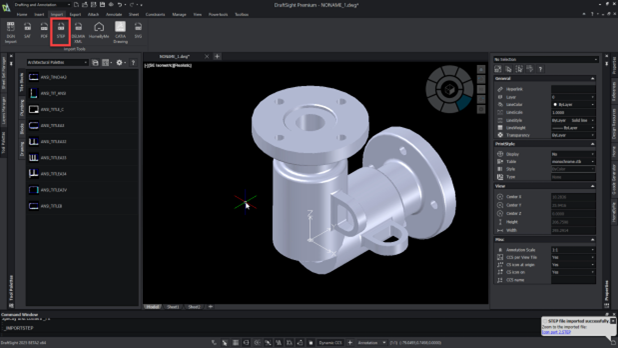
One of the most anticipated updates in DraftSight 2025 is the ability to import STEP files directly into your drawings. This feature allows you to seamlessly integrate complex 3D models into your 2D workspace, making it easier than ever to work with suppliers, partners, and external teams using 3D CAD tools.
What’s New
Import STEP files directly into DraftSight from your local drive
Maintain the integrity of complex 3D model data within a 2D environment
Reduce manual rework by leveraging accurate 3D representations
Why It Matters
Previously, DraftSight users had to convert or redraw 3D models manually—an inefficient and error-prone process. Now, by directly importing STEP files, you can eliminate redundant work, minimize conversion errors, and boost productivity. If you’re working with suppliers who provide parts in 3D formats, this feature will make collaboration significantly easier.
Exporting DWG to DGN: Enhancing Compatibility for Engineers
DraftSight 2025 improves cross-platform collaboration by allowing DWG files to be exported as DGN—a widely used format in civil engineering, architecture, and industrial plant design. If you work with professionals who rely on Bentley MicroStation or other DGN-supported tools, this feature will ensure your files can be shared, edited, and reviewed without compatibility issues.
What’s New
Easily convert DWG files to DGN format
Collaborate seamlessly with teams using MicroStation or other DGN-supported CAD tools
Ensure design accuracy when working across multiple platforms
Why It Matters
File format incompatibility can slow down projects and introduce costly errors. By allowing direct DWG-to-DGN exports, DraftSight 2025 helps ensure smoother collaboration between disciplines, particularly in large infrastructure and industrial projects.
Dynamic Blocks Library: A Faster Way to Work
DraftSight 2025 introduces a ready-to-use library of dynamic blocks, making repetitive drafting tasks easier than ever. Rather than manually redrawing objects like doors, windows, and standard components, you can simply adjust a dynamic block’s parameters to fit your needs.
What’s New
Access a built-in library of commonly used dynamic blocks
Modify block size, shape, and attributes without recreating them
Speed up drawing creation by using adjustable components
Why It Matters
Dynamic blocks reduce repetitive work and ensure consistency across designs. Whether you’re drafting floor plans, mechanical parts, or electrical layouts, this feature lets you quickly adapt standard elements instead of starting from scratch, saving valuable time and effort.
Table Enhancements: Smarter Data Management
Tables in DraftSight 2025 now support auto-filling and table breaks, making it easier to organize, edit, and format structured data within your drawings. If you use tables for bills of materials (BOMs), parts lists, or technical schedules, these updates will make your workflow smoother and more efficient.
What’s New
Auto-fill table cells for quick data entry and consistency
Break large tables into sections to improve readability
Enhance BOMs and part lists for clearer communication
Why It Matters
For industries that rely on detailed tabular data, these improvements save time and reduce errors. You no longer need to manually adjust long tables or re-enter data repeatedly—DraftSight automates the process, so you can focus on the actual design.
DWG UNITS Command: Seamless Unit Conversion
Need to switch between imperial and metric? DraftSight 2025 introduces the DWG UNITS command, allowing you to convert entire drawings between measurement systems instantly.
What’s New
Effortlessly switch between unit systems (metric, imperial, etc.)
Ensure precise scaling when working with global teams
Avoid conversion errors and manual unit adjustments
Why It Matters
Unit conversion issues can cause major inaccuracies, leading to misaligned designs and costly errors. With this new command, DraftSight ensures flawless scaling and precision, making it easier to collaborate with international partners.
Stability and Performance Improvements
DraftSight 2025 isn’t just about new features—it’s also about speed, reliability, and smoother operation. The latest update includes key performance optimizations to keep your workflow fast and frustration-free.
What’s New
Faster drawing view manipulation for large, complex projects
Reduced crash rates for improved reliability
Quicker loading of external reference files
Why It Matters
If you’re working with large assemblies or intricate drawings, you’ll notice a big improvement in responsiveness. These updates ensure that DraftSight stays stable and efficient, even when handling high-demand projects.
macOS Sonoma Support
Mac users can now enjoy seamless compatibility with macOS Sonoma, ensuring DraftSight runs smoothly on Apple’s latest operating system.
What’s New
Run DraftSight 2025 on macOS Sonoma without compatibility issues
Leverage the latest Mac performance optimizations
Enjoy a smooth, stable drafting experience
Why It Matters
If you’re a Mac-based designer, this update means you won’t miss out on DraftSight’s latest tools and enhancements. Sonoma compatibility ensures full access to new features without performance sacrifices.
Why Choose DraftSight 2025?
DraftSight 2025 isn’t just a software update—it’s a productivity powerhouse designed to streamline workflows, improve accuracy, and enhance collaboration for engineers, architects, designers, and drafters.
A Smarter, More Efficient CAD Solution
With every update, DraftSight continues to evolve, offering users cutting-edge tools that improve efficiency, precision, and usability. DraftSight 2025 enhances every aspect of your drafting experience, from seamless 3D integration and better file compatibility to faster drawing manipulation and improved stability.
Expanded 3D Capabilities – Import STEP files directly, integrating complex 3D models into your workflow without third-party conversions.
Seamless Cross-Platform Collaboration – Easily export DWG files to DGN format, ensuring smoother project coordination across different CAD tools.
Faster, More Intuitive Workflows – Use the dynamic blocks library to quickly insert and adjust design elements, saving time on repetitive tasks.
Enhanced Data Management – Auto-fill table cells, break large tables into sections, and organize data more efficiently in your technical drawings.
Greater Drafting Precision – The new DWG UNITS command eliminates manual conversion errors by automatically adjusting measurement units.
Optimized for Performance – Enjoy faster rendering, reduced crash rates, and better handling of large files, ensuring a smoother drafting experience.
Full macOS Sonoma Compatibility – Mac users can now run DraftSight seamlessly, benefiting from Apple’s latest operating system optimizations.
Whether you need a robust 2D CAD tool or a solution with 3D-enhanced capabilities, DraftSight 2025 is designed to help you work faster, smarter, and more efficiently.
If you’re ready to take advantage of these powerful new features, Solidxperts is here to help!
Get in touch with our CAD specialists by filling out the form on this page for expert guidance, personalized training, and insights into how DraftSight 2025 can transform your workflow.
Any questions? Need help? Ask one of our experts.
Whether you’re ready to get started or just have a few more questions, you can contact us toll-free:
SOLIDWORKS PDM 2025 delivers a range of improvements designed to enhance usability, security, and efficiency across engineering and manufacturing workflows. From improved Bill of Materials (BOM) visualization to increased flexibility for caching data, this update makes it easier than ever to manage design files, collaborate across teams, and maintain version control.
New features like a redesigned user interface for better accessibility, improved web performance, and expanded user tracking help streamline everyday operations while ensuring greater control and security. Whether you’re managing thousands of files, working remotely, or overseeing large engineering projects, SOLIDWORKS PDM 2025 delivers powerful upgrades to keep your team productive.
Introduction
Managing product data efficiently is essential for engineering, design, and manufacturing teams. SOLIDWORKS PDM (Product Data Management) is the backbone of collaborative design workflows, ensuring that teams can securely store, track, and manage design data across projects. With SOLIDWORKS PDM 2025, users can expect improved usability, better security, and enhanced performance, making it easier and faster than ever to access, update, and share CAD files. Let’s explore the latest enhancements in SOLIDWORKS PDM 2025 and how they can boost productivity and collaboration.
This blog will break down the latest enhancements—what’s new, why it matters, and how SOLIDWORKS 2025 can optimize your data management workflows.
Improved Bill of Materials Visualization: Easier to Read, Easier to Manage
Understanding assembly structures is crucial for managing complex product designs. SOLIDWORKS PDM 2025 introduces an improved Bill of Materials (BOM) visualization, making it easier to interpret and navigate component relationships.
What’s New
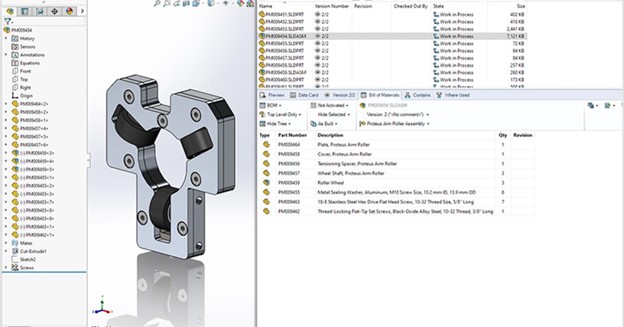
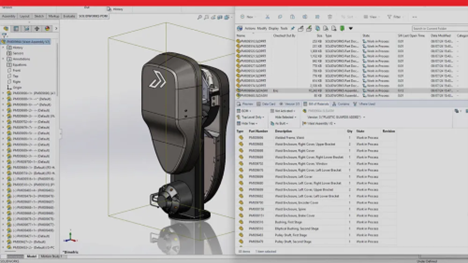
BOM structure now matches the order of the SOLIDWORKS FeatureManager
Clearer visualization of part hierarchies within assemblies
Easier tracking of materials, components, and configurations
Why It Matters
For engineers and manufacturers, a well-structured BOM is key to ensuring accurate production and assembly planning. With a more intuitive layout, teams can quickly verify part dependencies, detect errors, and optimize inventory management.
Increased Flexibility for Caching Data: Faster Access, Less Hassle
Accessing large datasets can be slow, but SOLIDWORKS PDM 2025 now gives users more control over how data is cached. New options allow for faster retrieval of files, ensuring smoother performance when working with large assemblies.
What’s New
Check out files directly from the “Get Latest” dialog
Choose whether to cache the latest revision or a specified version
Optimize storage space and access speed based on project needs
Why It Matters
With greater control over caching settings, users can reduce unnecessary data transfers, speed up loading times, and minimize server load. This is especially beneficial for remote teams and multi-site collaborations.
Better User Experience: A More Intuitive Interface
Navigating SOLIDWORKS PDM is now easier than ever, thanks to UI enhancements that prioritize usability and workflow efficiency.
What’s New
New SOLIDWORKS PDM tab added to the CommandManager toolbar
Access PDM functions without needing the Task Pane
Larger graphics area for an improved design experience
Why It Matters
These improvements allow users to focus more on their design work without constantly switching between windows or navigating through multiple clicks. By simplifying access to key commands, SOLIDWORKS PDM 2025 enhances productivity and reduces workflow interruptions.
Increased User Tracking: Stronger Security and Compliance
Security and compliance remain top priorities, and SOLIDWORKS PDM 2025 introduces expanded user tracking features.
What’s New
Tracks user logins and logouts for better audit trails
More comprehensive record-keeping for compliance and security
Easier identification of who accessed, modified, or approved files
Why It Matters
With enhanced tracking and security measures, businesses can better protect sensitive data, ensure compliance with regulatory standards, and maintain a reliable history of design changes. This is particularly valuable for industries with strict documentation requirements, such as aerospace, medical devices, and automotive manufacturing.
Improved Web 2.0 Performance: Faster, More Flexible Web Access
For teams using the SOLIDWORKS PDM web client, performance and accessibility have been greatly improved in 2025. These updates provide faster browsing speeds, improved file previews, and a smoother user experience.
What’s New
Browse large folders faster, even with thousands of files
Improved file preview performance for quicker document review
Greater flexibility when accessing PDM from a web-based interface
Why It Matters
For users who work remotely or need quick access to design data without a full PDM installation, these web performance improvements ensure seamless access and responsiveness. The ability to navigate large datasets efficiently saves time and enhances overall productivity.
Why Choose SOLIDWORKS PDM 2025?
SOLIDWORKS PDM 2025 isn’t just about managing files—it’s about creating a more connected, efficient, and secure engineering workflow. Having the files and information you need, when and where you need them. Whether you’re a small design team or a global enterprise, these improvements help ensure that your data is always accessible, protected, and optimized for collaboration.
More Efficient BOM Management – Improved visualization for easier part tracking and assembly planning.
Faster File Retrieval – Increased caching flexibility ensures quick access to revisions and large datasets.
Streamlined User Interface – A redesigned UI and new CommandManager integration make working in PDM more intuitive.
Enhanced Security & Audit Trails – Track user logins, logouts, and file modifications for improved oversight.
Better Web Access – Experience faster performance and more responsive browsing in the PDM web client.
SOLIDWORKS 2025 introduces groundbreaking advancements in ECAD, revolutionizing how electrical and mechanical design teams collaborate. With seamless integration on the 3DEXPERIENCE platform, teams can unify electrical and mechanical product structures for a single source of truth.
Key enhancements include dynamic 2D drawings from 3D models, automated splice positioning for harness routing, and powerful tools like CircuitWorks for bidirectional ECAD-MCAD collaboration. These updates also offer enhanced copper trace support for PCBs, precise terminal strip configurations, and accelerated imports of electrical content.
The relationship between electrical and mechanical design is vital for modern product development. With SOLIDWORKS 2025, Dassault Systèmes introduces powerful new features and enhancements to streamline workflows, improve precision, and enhance collaboration across ECAD and MCAD teams. Whether designing complex PCBs or routing intricate harnesses, these updates provide solutions that simplify even the most challenging tasks.
This blog explores how SOLIDWORKS 2025 streamlines complex tasks, saves time and sets a new standard for electrical design.
Unified Product Structures with 3DEXPERIENCE Integration
Managing electrical and mechanical design data in silos can lead to miscommunication, inefficiencies, and errors. SOLIDWORKS 2025 addresses this issue by enabling seamless integration of product structures on the 3DEXPERIENCE platform, creating a unified source of truth.
What’s New
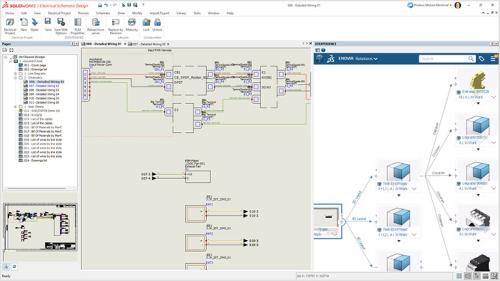
Save Electrical Data: Electrical symbols and product structure data can now be stored directly within 3DEXPERIENCE, alongside mechanical data.
Combined Documentation: Integrate electrical and mechanical product data into a single, cohesive BOM for streamlined project documentation.
Why It Matters
For teams managing both electrical and mechanical elements of a product, this integration eliminates redundant workflows and ensures consistency. Picture a scenario where an electric vehicle’s wiring harness needs to align precisely with the chassis design. With SOLIDWORKS 2025, ECAD and MCAD teams can collaborate effectively, reducing the risk of mismatched designs and costly rework. The ability to combine data in real time enhances productivity and project transparency.
Enhanced Terminal Strip Functionality
Designing terminal strips for electrical schematics often involves handling complex connections and configurations. SOLIDWORKS 2025 simplifies these workflows with new tools that improve flexibility and accuracy.
What’s New
Distributed Terminals: Split a circuit across multiple schematic symbols for better organization and readability.
Pin-Level Control: Select specific pins when adding terminal strips to fine-tune designs.
Why It Matters
These enhancements are particularly valuable for industries that rely on precise electrical panel designs, such as manufacturing and industrial automation. For example, when creating control panels for an assembly line, distributed terminals allow engineers to organize connections efficiently. This reduces confusion during installation and ensures error-free implementation in production.
Accelerated Electrical Content Import
For projects involving diverse manufacturers or complex cable setups, importing electrical data can be a time-consuming bottleneck. SOLIDWORKS 2025’s enhanced import tool solves this issue.
What’s New
Excel-Based Template: Import cable references and manufacturer part information with a customizable Excel template.
Comprehensive Data Inclusion: Incorporate details like cable cores and terminal connections directly into your library.
Why It Matters
Engineers can now build detailed libraries quickly, ensuring that all necessary components are readily available. Imagine managing a project with multiple vendors supplying different cables and connectors. This tool consolidates all relevant data into one platform, reducing manual entry errors and speeding up project setup.
Harness Routing Simplified
Routing electrical harnesses in 3D requires precision, especially when dealing with splices in complex bundles. SOLIDWORKS 2025 introduces automation to streamline this process.
What’s New
Splice Positioning Automation: Automatically position splices along the bundle centerline, ensuring clean and logical routing.
Why It Matters
This feature is a game-changer for industries like automotive and aerospace, where harness routing can involve hundreds of splices. By automating splice positioning, engineers can focus on optimizing the overall design rather than spending hours manually adjusting individual components. This not only saves time but also improves manufacturability.
Dynamic 2D Drawings from 3D Models
Documentation is essential for turning designs into reality. SOLIDWORKS 2025 improves the connection between 3D models and 2D schematics, enabling faster, more accurate drawings.
What’s New
Dynamic Drawing Creation: Automatically generate 2D drawings from 3D models of electrical cabinets or harnesses.
Schematic Linkage: Link 2D drawing components to their corresponding schematic symbols for consistent documentation.
Why It Matters
By automating the creation of 2D drawings, this feature reduces manual effort and ensures that documentation remains aligned with design changes. For example, in the design of an industrial control panel, the ability to link physical layouts to schematics simplifies installation instructions and ensures compatibility across teams.
CircuitWorks and ECAD-MCAD Collaboration
Effective collaboration between ECAD and MCAD teams is vital for designing products that involve both electronic and mechanical components. SOLIDWORKS 2025 enhances this collaboration with expanded CircuitWorks capabilities.
What’s New
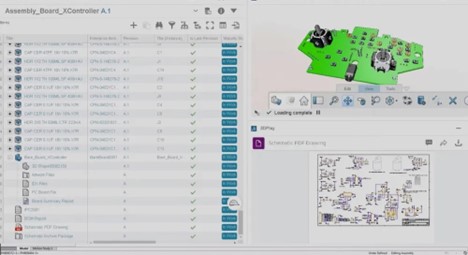
ECAD-MCAD Integration: CircuitWorks is now available in all SOLIDWORKS offerings, enabling bidirectional collaboration.
Shared Libraries: Access a common PCB component library on the 3DEXPERIENCE platform for consistent design standards.
Why It Matters
With tools like CircuitWorks, ECAD, and MCAD teams can seamlessly share data, ensuring that PCBs and mechanical designs align perfectly. For instance, in consumer electronics, where space constraints are critical, this collaboration ensures components fit precisely within their enclosures.
Copper Trace Support for Advanced Simulations
Accurate PCB design requires precise simulation data. SOLIDWORKS 2025 introduces copper trace support to improve analyses like thermal and structural simulations.
What’s New
Copper Feature Import: Include vias, traces, and shapes in your PCB simulations for more accurate results.
Expanded Analysis Capabilities: Perform mass, thermal, structural, and electromagnetic simulations with detailed copper data.
Why It Matters
This feature ensures PCBs meet performance requirements without overengineering. For example, thermal simulations of high-power electronics can now account for copper traces, providing engineers with realistic insights into heat dissipation and overall performance.
Improved Harness Board Documentation
Creating clear, precise manufacturing documentation is critical for harness boards. SOLIDWORKS 2025 simplifies this process with advanced auto-placement and updating capabilities.
What’s New
Auto-Placement of Elements: Tables, dimensions, and balloons are automatically organized for cleaner documentation.
Automatic Updates: Ensure harness documentation reflects the latest design changes without manual intervention.
Why It Matters
Manufacturing teams rely on accurate documentation to build harnesses efficiently. These enhancements reduce errors and ensure production-ready documentation, saving time and costs during assembly.
Why Choose SOLIDWORKS 2025 for ECAD?
SOLIDWORKS 2025 revolutionizes ECAD design with tools that prioritize collaboration, accuracy, and usability. Whether you’re optimizing PCB layouts, managing harness designs, or collaborating on electrical and mechanical systems, these updates simplify the most complex tasks.
Key Benefits
Streamlined Collaboration: Enhanced ECAD-MCAD integration ensures seamless workflows between teams.
Want to see these updates in action? Contact Solidxperts to schedule a demo and learn how these tools can transform your workflows. Together, we’ll shape the future of design.
Any questions? Need help? Ask one of our experts.
Whether you’re ready to get started or just have a few more questions, you can contact us toll-free:

SOLIDWORKS 2025 brings a new era of simulation capabilities, in partnership with the 3DEXPERIENCE platform, redefining how engineers validate designs and optimize workflows. With cutting-edge features like the General Spring Connector, enhanced surface bonding interactions, and performance improvements for large assemblies, this year’s release empowers users to achieve greater accuracy and efficiency in their simulations.
Engineers can now streamline complex setups, precisely analyze plastic warpage, and handle fluid dynamics with ease, all while benefiting from improved usability and faster meshing processes. This blog explores the key simulation upgrades in SOLIDWORKS 2025, offering insights into how these tools transform the engineering experience.
Intro
In the world of engineering and design, simulations are the backbone of validation. They ensure products perform as intended, withstand real-world conditions, and remain cost-effective. With the release of SOLIDWORKS 2025, simulation capabilities have reached new levels, offering more precise results, streamlined workflows, and advanced usability improvements that empower engineers to work smarter, not harder.
This blog explores the transformative enhancements in SOLIDWORKS 2025 Simulation, breaking down the key features and their practical applications. Whether you’re tackling large assemblies, complex geometries, or detailed fluid dynamics, these updates provide a powerful suite of tools to support every stage of the design process.
General Spring Connector: Simplified and Accurate Simulations
Simulation setups can be complex, but SOLIDWORKS 2025 introduces the General Spring Connector, which makes it easier to simulate spring interactions with more customization options than ever before.
What’s New
Custom Spring Properties: Define axial-only, isotropic, or orthotropic spring behaviors to suit your design needs.
Enhanced Compliance: Add custom compliance for greater control over how the spring behaves in different scenarios.
Why It Matters
Springs play a critical role in many mechanical systems, from suspension components to load-bearing structures. The General Spring Connector allows for more realistic simulations of spring behavior without requiring physical prototypes. For instance, engineers designing suspension systems can now test how springs react to various loads and stresses while accounting for unique material properties or configurations. By enabling greater precision in spring simulations, this feature saves time during setup and ensures your models reflect real-world performance.
Enhanced Pin Connector: Precision at Every Step
Connections between components are foundational to any assembly simulation. The improved Pin Connector in SOLIDWORKS 2025 refines this process, delivering better accuracy and performance for complex assemblies.
What’s New
Distributed Connection Type Improvements: Experience improved accuracy when using distributed connections.
Better Performance: Enjoy faster and more reliable simulations of pin-based connections, especially in large assemblies.
Why It Matters
Pin connectors are crucial for analyzing components like hinges, joints, or pivots. With the upgraded Pin Connector, engineers can confidently simulate these critical interactions while maintaining speed and accuracy. For example, in aerospace applications, where safety hinges on the integrity of pinned connections, these improvements provide deeper insights into load distribution and stress points.
Improved Handling of Large Models
Large assemblies often involve hundreds or thousands of components, making simulation setups a daunting task. SOLIDWORKS 2025 introduces tools to simplify and streamline these workflows.
What’s New
Exclude Non-Relevant Components: Quickly remove non-essential parts or bodies from simulations to declutter your workspace.
Focus on Selected Bodies: A new user interface option lets you isolate selected components for faster boundary condition setups.
Why It Matters
These enhancements allow you to focus on the components that matter most, reducing setup time and distractions. Imagine working on a complex machine assembly with hundreds of parts—these tools ensure you can isolate the gearbox, for example, without manually hiding or excluding other components. This targeted focus improves efficiency and helps maintain clarity throughout the simulation process.
Advanced Surface Interactions for Better Results
Accurate bonding between surfaces is essential for reliable simulations. SOLIDWORKS 2025 enhances both Node-to-Surface and Surface-to-Surface Bonded Interactions to improve accuracy and usability.
What’s New
Offset Bonded Interactions: Eliminate gaps between surfaces in mid-surface mesh studies for better results.
Improved Bonding for Complex Surfaces: Achieve more precise bonding on cylindrical, spherical, and conical surfaces for linear studies.
Why It Matters
Surface interactions often determine the success of a simulation. By improving bonded interaction accuracy, these upgrades ensure your models perform more like their real-world counterparts. Whether analyzing pressure vessels, complex geometries, or fatigue scenarios, you’ll experience faster, more reliable results with minimal setup adjustments.
SOLIDWORKS Plastics: Analyze Warpage with Precision
Warpage in plastic parts is a common issue that can lead to costly rework or manufacturing delays. SOLIDWORKS 2025 introduces advanced tools to pinpoint and address the causes of warpage.
What’s New
Break Down Warpage Causes: Analyze warpage by its sources, including unbalanced cooling, material orientation, and non-uniform shrinkage.
Why It Matters
This feature gives engineers greater control over the injection molding process, enabling faster corrections and better part quality. For example, if unbalanced cooling is the primary cause of warpage in a plastic enclosure, engineers can focus their efforts on redesigning the cooling channels, rather than adjusting other unrelated parameters.
SOLIDWORKS Flow Simulation: Speed and Accuracy Combined
Simulating fluid dynamics just became faster and more efficient. SOLIDWORKS 2025 includes performance and accuracy improvements for handling complex geometries and fluid flow challenges.
What’s New
Meshing for Faceted Geometries: Accelerate meshing for imported STL files and tessellated models.
Sink Mark Solver Upgrade: A new solver delivers higher accuracy for predicting sink marks in plastic parts.
Why It Matters
Flow simulations are vital for evaluating designs with fluid flow, such as cooling systems, HVAC components, or aerodynamics. These updates make it easier to handle complex shapes, reducing meshing time while maintaining accuracy. Engineers designing heat exchangers, for instance, can now spend more time optimizing performance rather than troubleshooting simulation issues.
Mesh Performance Upgrades
Meshing is a critical step in any simulation, and SOLIDWORKS 2025 improves performance for assemblies with repeated parts, such as bolts or gears.
What’s New
Faster Meshing for Repeated Parts: Improved handling of curved surfaces in large assemblies with many identical components.
Why It Matters
Large assemblies often include numerous repeating elements that can slow down meshing. This enhancement drastically cuts meshing time, allowing engineers to focus on analysis rather than setup. For example, an automotive engineer simulating an engine block with hundreds of bolts will see significant time savings during the meshing process.
Why Choose SOLIDWORKS 2025 for Simulation?
SOLIDWORKS 2025 Simulation offers a robust suite of upgrades that cater to engineers working on diverse projects.
Key Features
Time-Saving Features: From faster meshing to improved handling of large models, every feature is designed to streamline workflows.
Improved Usability: A cleaner interface and targeted tools reduce complexity, allowing users to focus on engineering, not troubleshooting.
The Solidxperts Advantage
At Solidxperts, we’re committed to helping you unlock the full potential of SOLIDWORKS 2025 Simulation. Our expert team is ready to support you with training, implementation, and ongoing assistance, ensuring your workflows are optimized for success.
Ready to Dive Deeper?
Want to explore the list of simulation upgrades? Download the guide for detailed insights:
Ready to take your designs to the next level? Contact Solidxperts today to schedule a demo and see how these tools can transform your engineering projects. Together, we’ll shape the future of design.
Any questions? Need help? Ask one of our experts.
Whether you’re ready to get started or just have a few more questions, you can contact us toll-free:

The latest updates to SOLIDWORKS browser-based roles for 2025 introduce transformative tools and workflows that redefine accessibility, efficiency, and collaboration in design. From bridging the gap between 2D and 3D design workflows to enabling proactive manufacturability checks, these updates empower designers and engineers to work smarter, not harder.
Highlights include the innovative Picture to Sketch tool, which converts images into editable parametric sketches, and enhanced geometry alignment features for precision modeling. With advanced command search capabilities, streamlined sheet metal design tools, and built-in flexibility, SOLIDWORKS 2025 browser-based roles offer more powerful, accessible solutions for modern design challenges.
Intro
SOLIDWORKS continues to evolve, redefining how teams collaborate, create, and innovate. With the latest updates to SOLIDWORKS browser-based roles, designers and engineers gain new tools to unlock their creativity, streamline workflows, and bring their ideas to life—all from the flexibility of a browser.
This blog continues our SOLIDWORKS 2025 What’ New series, delving into these updates, showcasing the most transformative features and how they elevate your CAD experience. Whether you’re enhancing manufacturability, accelerating workflows, or breaking down barriers between 2D and 3D design, these browser-based roles are the future of agile, accessible design.
Breaking Down the Barriers: Unified Workflows for 2D and 3D Design
The design process often toggles between 2D drawings and 3D models, creating potential inefficiencies. SOLIDWORKS browser-based roles eliminate this hurdle by offering a unified approach, giving you a single source of truth for your projects.
What’s New
Versatile 2D and 3D Workflows: Add views, dimensions, and tolerances in a 2D environment while simultaneously generating 3D annotations for consistency.
Improved Accuracy: Automatically sync 2D and 3D data, ensuring all annotations and views align perfectly across platforms.
Why It Matters
This integration breaks the silos between 2D and 3D workflows, reducing errors and streamlining communication with stakeholders. Whether you’re designing components or documenting manufacturing instructions, this feature saves time while maintaining precision.
Find Commands Faster: Command Search Enhancements
Efficiency is critical in today’s fast-paced design environment. SOLIDWORKS browser-based roles make it easier than ever to locate the tools you need.
What’s New
Intuitive Search: Search for commands by name, tooltip keywords, or synonyms directly from the S-key shortcut menu.
Accessibility: Quickly access commands—even if you’re unsure of the exact name—by using descriptive keywords.
Why It Matters
Navigating through countless menus is a thing of the past. This feature accelerates workflows, reduces frustration, and helps new users adapt to the software more quickly.
From Concept to Creation: Picture to Sketch
Have a hand-drawn concept or a reference image? SOLIDWORKS browser-based roles now enable you to transform ideas into actionable designs with the new Picture to Sketch tool.
What’s New
Image Conversion: Seamlessly convert images into parametric 2D sketches for editing.
Migration Simplified: Trace 2D sketches from other CAD systems for smooth transitions into 3D CAD.
Creative Freedom: Use hand-drawn sketches or screenshots as a starting point to rapidly prototype ideas.
Why It Matters
This tool bridges the gap between imagination and execution, allowing designers to turn rough concepts into polished designs without starting from scratch.
Ensuring Manufacturability with DFM Helper
Design for Manufacturing (DFM) is a critical consideration for any product. With the DFM Helper, SOLIDWORKS browser-based roles provide proactive checks to optimize your designs for production.
What’s New
Customizable Checks: Analyze parameters like part size, wall thickness, and hole specifications to identify potential manufacturing issues.
Error Prevention: Catch critical design flaws early, saving time and reducing costly manufacturing delays.
Why It Matters
By integrating manufacturability checks directly into the design process, DFM Helper ensures that your designs are production-ready from the start.
Advanced Tools for Sheet Metal Design
Sheet metal components are essential in many industries, and SOLIDWORKS browser-based roles enhance their design and documentation with powerful new features.
What’s New
Closed-Corner Feature: Easily close gaps between flanges with customizable joint types (butt, overlap, underlap).
Bend Table Integration: Generate flat patterns with detailed bend information, including order, direction, radius, and more.
Why It Matters:
These tools streamline sheet metal design and improve communication with manufacturing teams, ensuring precise and efficient fabrication.
Align, Modify, and Optimize: Expanded Geometry Tools
Designing freeform shapes and modifying meshes is now faster and more intuitive, thanks to these geometry-focused updates.
What’s New
Align to External Geometry: Reference existing components during subdivision editing for accurate alignment of freeform designs.
Alternate Mesh Modifier Robot: Access mesh modification options directly from a new, intuitive interface.
Why It Matters:
These updates enhance precision and usability, giving designers greater control over complex geometries without interrupting their workflows.
Why Choose SOLIDWORKS Browser-based roles?
SOLIDWORKS browser-based roles redefine accessibility and collaboration, giving you the freedom to work on your designs from any device with a browser. This flexibility removes hardware constraints, making it easier than ever to stay productive.
With advanced features like Picture to Sketch and DFM Helper, you’ll save time, minimize errors, and streamline your workflows. Plus, integrated tools ensure consistency across teams and projects, enabling faster and more effective collaboration.
Ready to Dive Deeper?
Want to explore everything at once? Download the full guide here:
At Solidxperts, we’re here to help you get the most out of these innovative tools. Whether it’s onboarding or expert training, our team is dedicated to your success. Contact Solidxperts today to schedule a demo or learn how browser-based design can revolutionize your workflows.
Let’s shape the future of design together.
Any questions? Need help? Ask one of our experts.
Whether you’re ready to get started or just have a few more questions, you can contact us toll-free:

SOLIDWORKS 2025 delivers an array of new features designed to enhance collaboration, streamline workflows, and elevate design precision. This latest release integrates advanced tools for real-time team connectivity, boosts performance for complex assemblies, and introduces smarter part modeling techniques. Users can also expect improvements in detailing, immersive rendering, and ECAD-MCAD collaboration, ensuring their projects meet the highest standards of efficiency and innovation.
With seamless integration into the 3DEXPERIENCE platform, SOLIDWORKS 2025 sets the stage for a new era of connected design and data management. Whether you’re optimizing workflows or exploring new creative possibilities, this release is tailored to help you achieve more in less time.
Intro
The wait is over—SOLIDWORKS 2025 is here, and it’s designed to push the boundaries of what’s possible in engineering and design. Packed with advanced tools and updates, this release focuses on enhancing collaboration, boosting performance, and delivering precision across every phase of the design-to-production journey.
At Solidxperts, we believe that staying ahead of industry trends means adopting tools that not only keep up but help you lead. With SOLIDWORKS 2025, you’ll find smarter workflows, new levels of connectivity, and features that empower you to take your ideas further.
This blog marks the beginning of a multi-part series, where we’ll dive deeper into the newest features of SOLIDWORKS 2025 over the coming weeks. From part modeling to assembly performance, collaboration tools, and more, we’ll explore how these updates can elevate your projects and streamline your workflows.
Let’s dive into the highlights of what’s new in SOLIDWORKS 2025.
Collaboration Without Boundaries
Innovation thrives in collaboration, and SOLIDWORKS 2025 takes team connectivity to new heights. With improved integration and real-time updates, your projects stay on track—even when your team is working remotely.
What’s New
Instant Updates: Get real-time notifications on file changes, ensuring your team always works with the latest versions, preventing costly errors.
Connected Communities: Share insights, ask questions, and discuss designs directly within the platform—no more juggling external tools.
3DEXPERIENCE PDM Integration: Leverage the power of SOLIDWORKS PDM combined with the 3DEXPERIENCE platform for robust data management and collaborative design.
Why It Matters
Collaboration tools in SOLIDWORKS 2025 streamline communication and ensure everyone, from engineers to stakeholders, stays on the same page. Say goodbye to wasted time and hello to connected productivity.
Precision in Every Part
Design is in the details, and the latest part modeling enhancements in SOLIDWORKS 2025 make achieving precision easier than ever. These updates are designed to reduce manual effort while expanding your creative possibilities.
What’s New
Chamfer Command Accelerators: Select edges faster with intuitive accelerators that save time on repetitive tasks.
Variable Fillets: Create fluid, smooth transitions between edges with continuous blending capabilities.
Sheet Metal Efficiency: Automatically generate bend notches on flat patterns for quicker and more accurate manufacturing setups.
Silhouette Defeature: Simplify complex parts for large assemblies while keeping them linked to the original geometry.

Why It Matters
These tools allow you to focus on design innovation while minimizing repetitive tasks. The new modeling features ensure your designs are not only functional but also manufacturable, saving time and resources down the line.
Assembly Performance Redefined
When working with large assemblies, every second counts. SOLIDWORKS 2025 introduces performance improvements that help you manage complex designs with speed and precision.
What’s New
Top-Level SpeedPak Configurations: Add SpeedPak configurations directly to the top level of assemblies without editing subassemblies.

Faster Mass Properties Calculations: Pre-calculated values for parts streamline mass property analyses in assemblies.
Interference Detection: Identify clashes between surface and solid bodies—even in Large Design Review mode.
Why It Matters
SOLIDWORKS 2025 empowers you to handle massive assemblies efficiently, helping you make decisions faster and maintain tight project timelines.
Elevated Drawing and Detailing
Great designs require clear documentation. With SOLIDWORKS 2025, creating and refining detailed drawings is faster and more intuitive, ensuring your team and partners can bring concepts to life seamlessly.
What’s New
Multi-Approval Stamps: Enforce company rules and add approval stamps on connected devices for better control and accountability.
Custom BOM Quantities: Tailor BOM tables to display QUANTITY or LENGTH x QUANTITY based on your project needs.
Streamlined Layouts: Automatic placement of tables, dimensions, and annotations creates cleaner, more readable drawings.
Why It Matters
Time spent on creating, adjusting, and organizing drawings is now significantly reduced, allowing you to focus on delivering high-quality designs.
A Visual Revolution with Immersive Rendering
Captivating visuals are key to bringing your designs to life, and SOLIDWORKS 2025 is raising the bar with cutting-edge rendering features for Visualize.
What’s New
Automated Rendering: Automate photorealistic renderings using the SOLIDWORKS Visualize API.
Vulkan API Ray Tracing: Leverage advanced GPU technology for real-time, interactive ray tracing that produces stunning visuals faster.
Why It Matters
These enhancements ensure you can present your designs with confidence, whether you’re pitching to stakeholders or showcasing ideas to customers.
Bridging the Gap Between ECAD and MCAD
For products that merge mechanical and electronic components, SOLIDWORKS 2025 introduces tools to ensure seamless integration between ECAD and MCAD workflows.
What’s New
Detailed PCB Imports: Include internal and external copper features in PCB designs for accurate mass and thermal analyses.
CircuitWorks for All: Now universally available, CircuitWorks simplifies ECAD-MCAD collaboration.
Why It Matters
By bridging these traditionally siloed workflows, SOLIDWORKS 2025 enables teams to produce better designs in less time.
Why Choose SOLIDWORKS 2025?
SOLIDWORKS 2025 isn’t just an update; it’s a toolkit for success in a fast-paced, connected world. From collaborative tools to enhanced performance and precision, this version empowers you to deliver designs that stand out.
At Solidxperts, we’re here to help you unlock the full potential of SOLIDWORKS 2025. Our team of experts is ready to guide you through its features, ensure a smooth transition, and provide ongoing support.
Ready to Dive Deeper?
For an in-depth look at these design, collaboration, and data management features and enhancements;
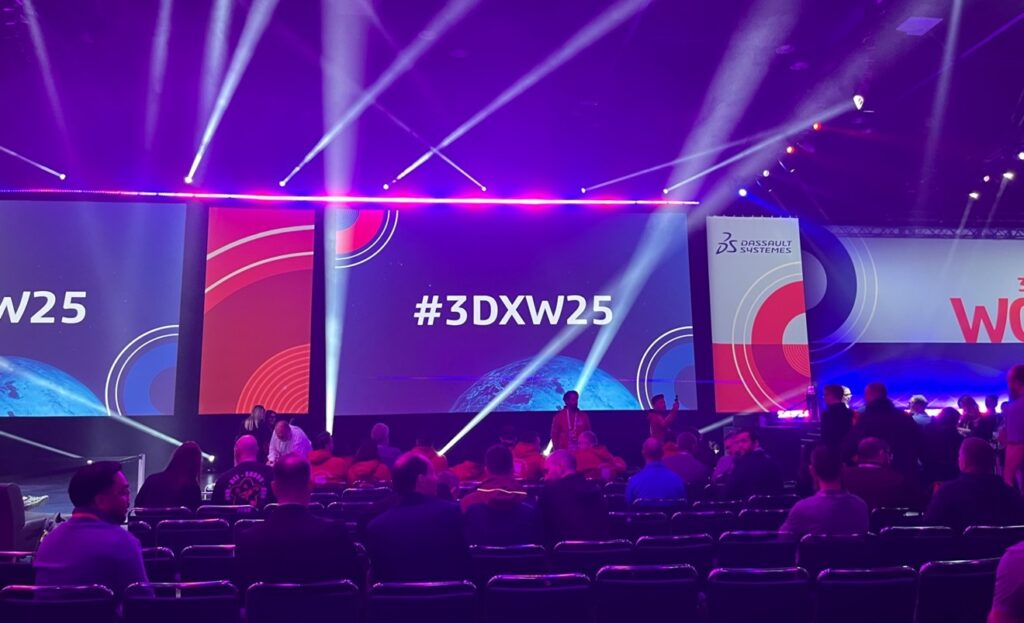
3DEXPERIENCE World is the premier annual CAD convention hosted by Dassault Systèmes, uniting engineers, designers, and innovators from across the globe. This conference offers a unique opportunity to explore groundbreaking technologies, connect with industry leaders, and gain hands-on experience with not only SOLIDWORKS, but the 3DEXPERIENCE platform and the technology both are helping to create. Whether you’re a seasoned professional or just beginning your career in design and engineering, this event provides unparalleled access to knowledge, networking, and inspiration.
Exclusive insights from top keynote speakers and industry experts.
Workshops and breakout sessions covering cutting-edge tools and techniques.
Networking opportunities with peers, leaders, and innovators from around the world.
Live demos of the latest 3D, CAD, and manufacturing solutions.
SO MUCH MORE!
Meet the Keynote Speakers
Marc Raibert – Executive Director of The AI Institute and Founder of Boston Dynamics
Marc Raibert, a lifelong roboticist, has been at the forefront of robotics innovation for over 50 years. As the founder of Boston Dynamics, he led the creation of iconic robots like BigDog, Atlas, and Spot, which revolutionized dynamic mobility. He founded The AI Institute in 2022 to advance intelligent robotics. Raibert’s career highlights include tenure at MIT and Carnegie Mellon University, pioneering dynamic robot research at the Leg Laboratory, and earning accolades like the IEEE Robotics Pioneer Award and the Engelberger Award. His inspiring journey continues to shape the future of robotics and AI.
Karim Rashid – Founder of Karim Rashid, Inc.
Karim Rashid is a globally renowned designer whose work spans over 47 countries and 4,000 designs, from luxury goods to interiors and branding. With over 400 awards to his name, his creations are featured in 20 permanent museum collections, including MoMA and the Pompidou. Rashid’s innovative approach aims to seamlessly integrate design into everyday life, shaping culture and redefining aesthetics. His keynote will explore the intersection of design, technology, and human experience.
A Surprise Special Guest
Spot – The Robotic Platform by Boston Dynamics
Spot, the versatile robotic platform, will make a special appearance at 3DEXPERIENCE World 2025. Known for its dynamic mobility and adaptability, Spot has garnered fame for its ability to navigate diverse environments, carry payloads, and even climb stairs with ease. This particular Spot, nicknamed “One”, has achieved celebrity status, starring in a Billie Eilish music video and even making an appearance in renowned sci-fi franchise, Black Mirror. Don’t miss the chance to see Spot live in action!
Featured Speakers
The conference will also showcase an impressive lineup of presentations from industry experts across diverse fields, each bringing unique perspectives and experiences to the event. Attendees will gain insights into the latest trends, innovative technologies, and practical applications directly from these accomplished professionals, fostering inspiration and knowledge-sharing. Learn from industry leaders, including:
Charles Vincent Barrete – Regional Technical Manager, Asia Pacific, FIELD READY
Matthew Fonte – President, ColdSnap Corp.
Daniel Galante – Designer and Simulation Analyst, CALOI
Ken Mansfield – Senior Mechanical Engineer, Seneca Dairy Systems
Chris Rauch – Chief Product Officer, Dolphin Labs
Sriharsha Sheshanarayana – Co-founder and CTO, Bullwork Mobility
Leandro Timotio da Silva – Product Engineer, CALOI
Gain valuable insights from the thought leaders behind the 3DEXPERIENCE platform, whose expertise and vision have been instrumental in driving the future of design and collaboration. These industry pioneers will share their perspectives on innovation, technology, and the strategies shaping the 3DEXPERIENCE ecosystem.
Gian Paolo Bassi – With over 25 years in the 3D, CAD, and PLM industries, Gian Paolo Bassi drives innovation as 3DEXPERIENCE Works SVP & Customer Role Experience. Previously SOLIDWORKS CEO, he spearheaded groundbreaking developments in cloud-based design. Before Dassault Systèmes, he founded RIWEBB and co-invented multiple patents at ImpactXoft, showcasing his passion for advancing functional modeling and collaboration technologies.
Suchit Jain – Vice President of Strategy & Business Development, Suchit Jain leads the cloud transformation and 3DEXPERIENCE Works expansion of SOLIDWORKS, focusing on product and sales strategies. He also oversees the User Advocacy team, supporting SOLIDWORKS’ passionate global community. A mentor and advocate for startups, Suchit actively engages with innovation hubs like Greentown Labs and MassChallenge, driving collaboration between entrepreneurs and resources. His academic achievements include a bachelor’s degree from IIT Bombay and a master’s degree in Structural Mechanics from USC.
Manish Kumar – With over two decades at SOLIDWORKS, Manish Kumar has been instrumental in driving innovation. As CEO, he leads the synergy between R&D and SOLIDWORKS’ vibrant user community, fostering adoption of the expanding SOLIDWORKS portfolio. From pioneering developments in sketching and modeling to introducing V6 technology, Manish has shaped the future of design. A graduate of IIT Delhi and Harvard University, he is also an artist, woodworker, and avid cricket enthusiast, balancing his professional achievements with personal passions.
Conclusion
3DEXPERIENCE World 2025 promises to be an unforgettable experience, blending technology, creativity, and community. With an incredible lineup of speakers, hands-on workshops, and networking opportunities, it’s the must-attend event for anyone passionate about innovation in engineering and 3D design.
That’s right, it’s that time of year again! 3DEXPERIENCE World 2025 is coming up fast and the Solidxperts team is gearing up to head to Houston, Texas for yet another jammed-packed convention schedule of industry learning, networking, and discovery.
Every year 3DEXPERIENCE World stands as the CAD industry’s premier annual event, highlighting cutting-edge technology, thought leadership, and the latest collaborative tools that fuel our innovation. It offers insightful sessions, hands-on workshops, and countless opportunities to explore industry trends. From advanced design strategies to game-changing SOLIDWORKS tips, this convention has something for everyone.
First Things First: Why Attend?
3DEXPERIENCE World 2025 is more than just an event—it’s an opportunity to immerse yourself in the latest advancements shaping the design and engineering industries. Connect with like-minded professionals, gain insights from industry leaders, and discover groundbreaking tools that can transform the way you work. The energy, innovation, and collaboration at this event are unparalleled, providing the perfect environment to sharpen your skills, expand your professional network, and fuel your creativity.
To help you make the most of your experience, here are just a few sessions we know you won’t want to miss at 3DEXPERIENCE World 2025:
1. Decoding the Mind of a Machine: Exploring Large Language Models & Generative AI
Monday, February 24 | 1:30 PM – 2:15 PM CST
Dive into the fascinating world of Large Language Models (LLMs) and Generative AI in this masterclass designed for all levels. This session offers a comprehensive exploration of the architecture and mechanics behind LLMs, their transformative potential for CAD and design innovation, and the challenges they present—from bias to ethical dilemmas. You’ll leave with a deeper understanding of how these advanced tools are reshaping the future of design.
2. Introduction to Smart Components
Tuesday, February 25 | 11:00 AM – 12:30 PM CST
Smart components revolutionize how you incorporate standard hardware into your designs. This beginner-friendly, hands-on workshop will guide you through creating and using smart components that automatically add fasteners and mounting features to assemblies. By simplifying repetitive tasks, this session will empower you to save time and enhance productivity in your day-to-day design workflows.
3. Data Matters: Preparing SOLIDWORKS Files for a Smooth Save to 3DEXPERIENCE
Tuesday, February 25 | 1:30 PM – 3:00 PM CST
Preparing your SOLIDWORKS data for migration to the 3DEXPERIENCE platform can be daunting—but it doesn’t have to be. This workshop will teach you data cleaning and preparation techniques using the File Preparation Assistant. Learn how to batch save files, organize bookmarks, and update data seamlessly to ensure a smooth transition. Whether you’re a designer or a CAD manager, this session is a must for optimizing workflows.
4. The Latest Features to Enhance Your Drafting Workflows
Wednesday, February 26 | 11:15 AM – 12:15 PM CST
With so many new features rolling out every year, it’s easy to lose track of updates that could transform your work. This intermediate session highlights recent enhancements—from big-ticket innovations to hidden gems—that streamline drafting workflows. Learn tips, tricks, and best practices to make the most of SOLIDWORKS and 3DEXPERIENCE updates.
5. Tips and Techniques: Combining Sub-D Surfacing and Parametric Modeling
Wednesday, February 26 | 4:15 PM – 5:00 PM CST
Discover how to blend the artistic freedom of subdivision surfacing with the precision of parametric modeling. This session will demonstrate how to use SOLIDWORKS 3D Sculptor and 3D Creator to create ergonomically optimized designs efficiently. Perfect for intermediate-level designers, this masterclass provides insights into combining these powerful tools to bring your most ambitious designs to life.
Beyond the Sessions
While the sessions are undoubtedly a highlight, 3DEXPERIENCE World 2025 offers so much more. The interactive expo floor is your chance to see cutting-edge technology and tools in action. Meet exhibitors showcasing the latest innovations and get hands-on with products that could redefine your workflows. Additionally, the keynote speeches from visionary leaders in design and technology will provide inspiration and insight into the future of the industry.
The event also features community meetups and special interest group sessions, where you can dive deeper into topics you’re passionate about and connect with others who share your interests. Whether it’s exploring sustainability in design or learning about the latest in additive manufacturing, these sessions offer something for everyone.
Wrapping It Up
With dozens more sessions than just these 5 that cover a wide range of subjects, 3DEXPERIENCE World 2025 offers opportunities for everyone to grow, learn, and be inspired. From discovering the latest tools to connecting with a passionate community of innovators, this event is your chance to elevate your skills and broaden your horizons. We can’t wait to see you in Houston for what promises to be an unforgettable experience.
Don’t miss your opportunity to be part of this incredible event. Register here and check out the full agenda to start planning your schedule. See you in Texas!
Any questions? Need help? Ask one of our experts.
Whether you’re ready to get started or just have a few more questions, you can contact us toll-free: