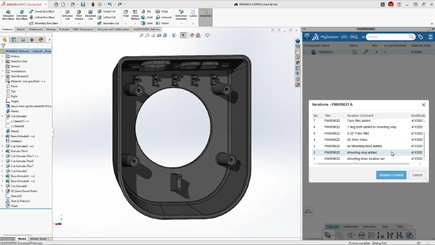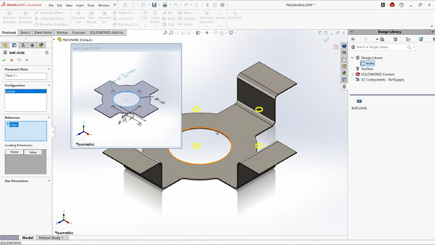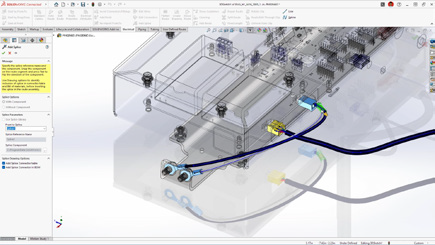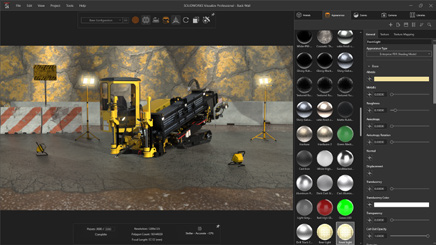
What’s New in SOLIDWORKS 2026? Part 5 – Electrical

BLOG

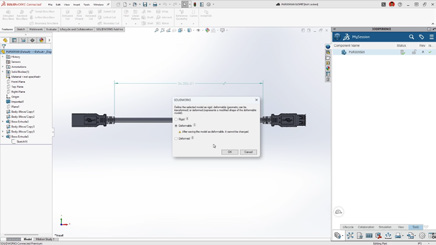
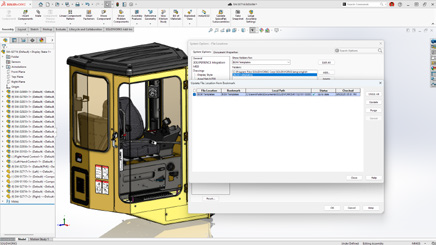
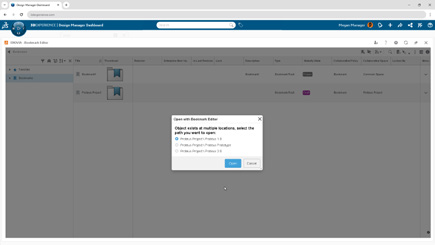
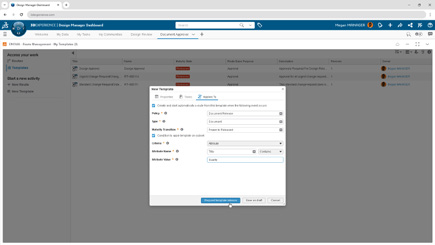
What’s New in SOLIDWORKS 2026? Part 5 – Electrical

[techtips_featured_image_shortcode]

SOLIDWORKS Electrical 2026 introduces powerful improvements across schematic design, routing, collaboration, and documentation. With enhanced library management and stronger ECAD-MCAD connectivity, teams can work faster, reduce errors, and maintain consistency throughout the design process. Below are the ten most impactful enhancements and the benefits they deliver.

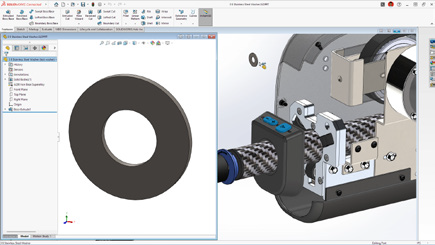
1. Accessory Parts Assigned Directly to Terminals or Circuits

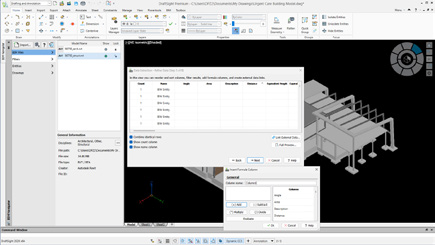
Accessory components such as fuses, pins, sockets, seals, and plugs can now be linked directly to terminals or circuits in 2D. This simplifies bills of materials, sharpens assembly instructions, and prevents miscommunication during manufacturing.

What's New in SOLIDWORKS? P.5.1

Benefit: Create more complete, accurate electrical documentation without needing to model every accessory.

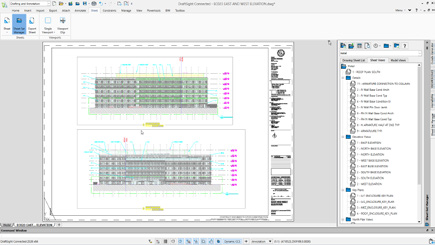
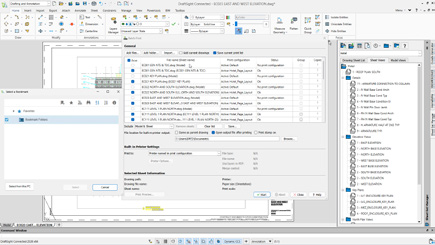
2. More Flexible PDF Export

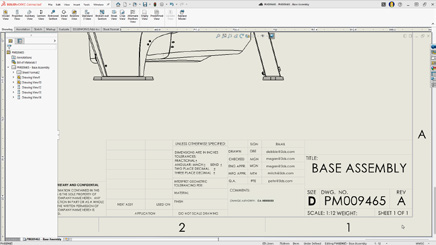
New PDF export options let you organize output by project, book, or page while automatically adjusting page orientation.

What's New in SOLIDWORKS? P.5.2

Benefit: Produce clear, well-structured PDFs with minimal manual formatting.

3. Faster Manufacturer Part and Cable Reference Import

Direct Excel import for manufacturer parts and cable references streamlines library creation, and multi-item entry for circuits, terminals, and cable cores accelerates setup.

What's New in SOLIDWORKS? P.5.3

Benefit: Build and maintain precise libraries with significantly less effort.

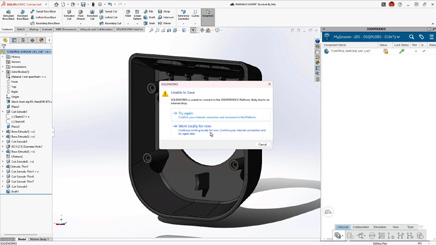
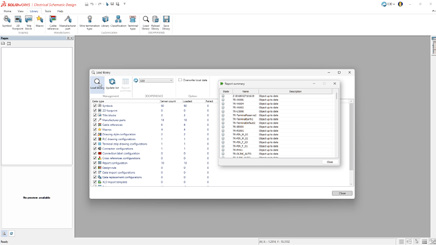
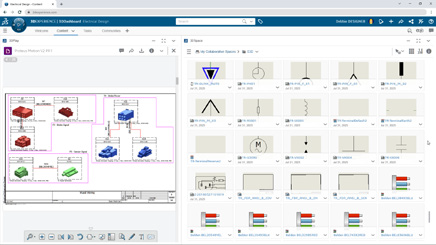
4. Load and Reload From 3DEXPERIENCE Libraries

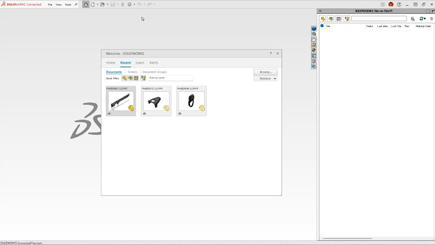
Teams can now load and reload electrical libraries directly from the 3DEXPERIENCE platform, simplifying updates and ensuring shared content remains aligned.

What's New in SOLIDWORKS? P.5.4

Benefit: Strengthen collaboration and reduce inconsistencies with centralized library management.

5. Save Local Libraries to 3DEXPERIENCE

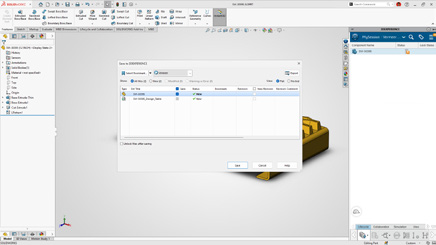
Users can contribute local libraries back to the platform to keep content unified across the organization.

What's New in SOLIDWORKS? P.5.5

Benefit: Eliminate redundant work and maintain standardized electrical content across teams.

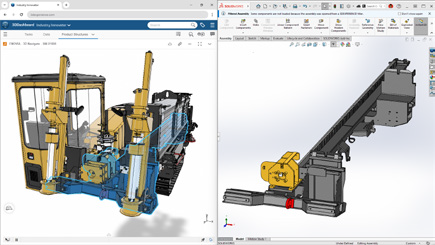
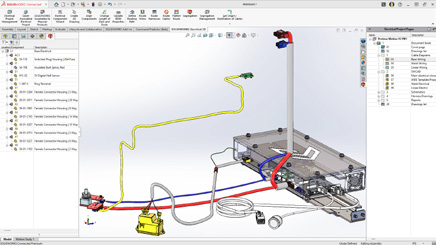
6. New Role: SOLIDWORKS Electrical 3D Augmented

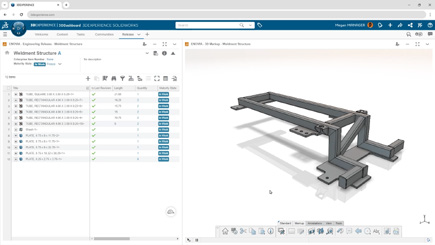
This new role deepens the connection between 3D CAD and Electrical Schematic on the 3DEXPERIENCE platform. Users can place components in 3D, route wires and cables automatically, and generate production-ready outputs such as wire lengths and harness drawings.

What's New in SOLIDWORKS? P.5.6

Benefit: Align schematic and 3D workflows for highly accurate routing and documentation.

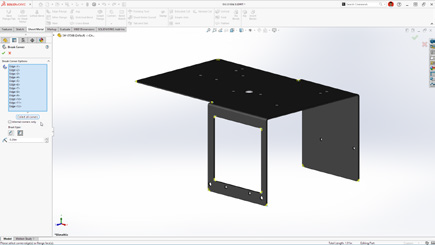
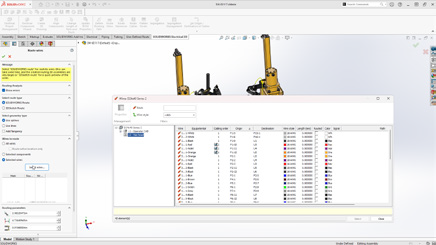
7. Route Wires Property Manager Enhancement

Harness design gains precision with the ability to route individual wires or groups of wires directly through the Route Wires property manager.

What's New in SOLIDWORKS? P.5.7

Benefit: Improve control and flexibility during complex harness routing.

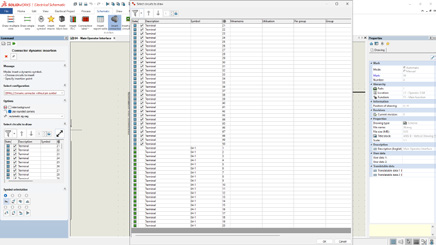
8. Dynamic Connector Insertion

Connector insertion is faster and more intuitive with direct symbol access, detailed circuit selection, and improved sorting and filtering options.

What's New in SOLIDWORKS? P.5.8

Benefit: Insert and manage connectors with greater accuracy and efficiency.

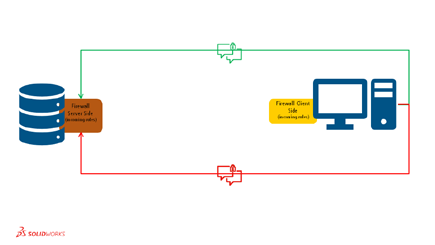
9. Collaborative Server Enhancements

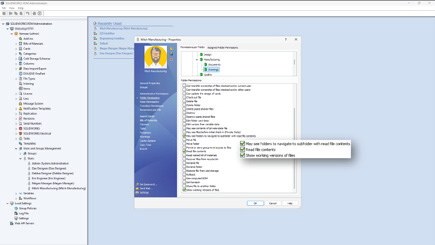
All server communication is now initiated from the client side, simplifying firewall requirements and supporting modern IT security standards.

What's New in SOLIDWORKS? P.5.9

Benefit: Enhance network security and streamline IT integration.

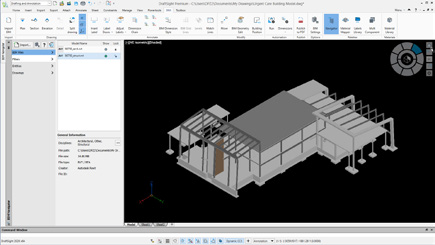
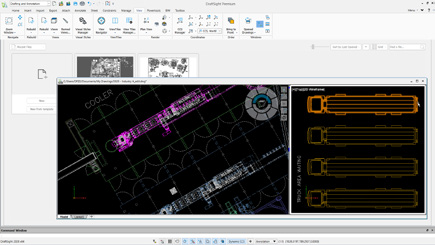
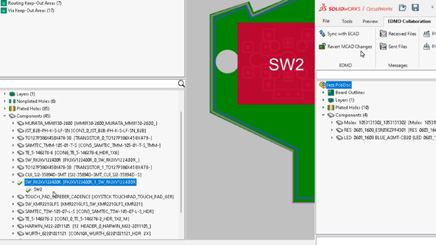
10. Improved ECAD-MCAD Collaboration With IDX 3.0

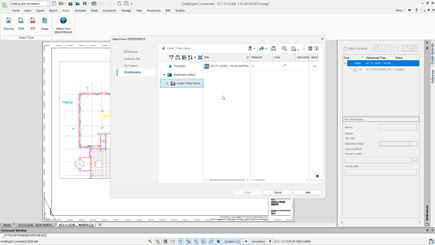
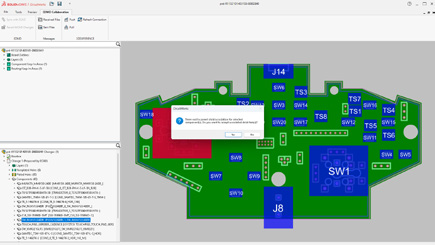
CircuitWorks now supports IDX 3.0, enabling richer data exchange including parent-child relationships for keep-in, keep-out, PTH, and NPTH attributes. Users can also review and reverse MCAD changes before applying updates.

What's New in SOLIDWORKS? P.5.10

Benefit: Reduce errors, minimize rework, and accelerate design cycles through smarter cross-discipline collaboration.

Key Takeaways for Electrical Design Teams

With stronger tools for libraries, routing, connector management, and ECAD-MCAD collaboration, SOLIDWORKS Electrical 2026 helps teams deliver higher-quality electrical designs more efficiently. These enhancements are built to reduce duplicate work, streamline communication, and keep projects aligned from concept to final documentation.

Ready to take your electrical design workflows further? Our team is here to help you explore every new capability.


Michael Habrich

3DEXPERIENCE Specialist

LinkedIn

X_green_halo

Any questions? Need help? Ask one of our experts.

Whether you’re ready to get started or just have a few more questions, you can contact us toll-free:
    What’s New in SOLIDWORKS 2026? Part 4 – PDM

    BLOG

    What’s New in SOLIDWORKS 2026? Part 4 – Simulation

    [techtips_featured_image_shortcode]

    SOLIDWORKS Simulation 2026 introduces a powerful suite of updates across Structural, Plastics, and Flow Simulation. From smarter load definitions and refined diagnostics to enhanced thermal analysis and molding predictions, these improvements give engineers greater control, faster feedback, and more realistic results.

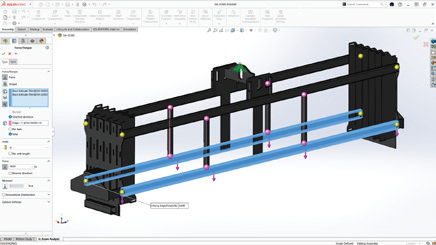
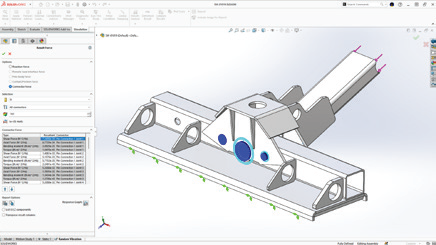
    1. Force Options for Beams

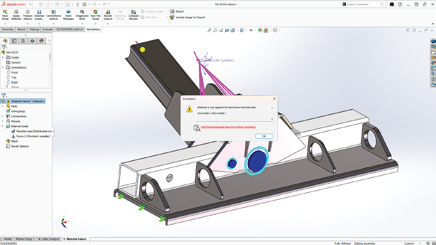
    Engineers can now define beam forces as Per Item or Total, providing more flexibility and realism when applying structural loads.

    SOLIDWORKS 2026 - P.4.1
    Benefit: Achieve precise control to accurately represent real-world loading conditions.

    2. Validity Check Improvements

    Simulation setup is faster and more reliable, with clearer alerts for missing materials, invalid mesh controls, or incomplete fixtures. Streamlined messages and one-click deselection make troubleshooting easier.

    SOLIDWORKS 2026 - P.4.2
    Benefit: Resolve setup issues quickly and ensure higher simulation accuracy.

    3. Pin Connector Forces in Random Vibration

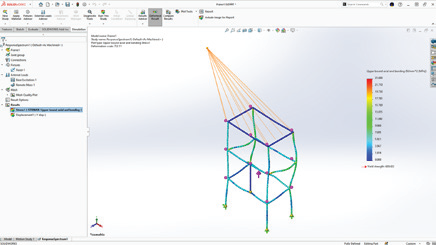
    Random vibration studies now include detailed force breakdowns, shear, axial, bending, and torque, at pin connectors.

    SOLIDWORKS 2026 - P.4.3
    Benefit: Capture realistic joint behavior for improved design confidence.

    4. Angular Displacement Plot Options

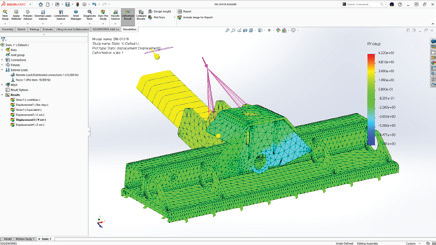
    Angular rotation can now be displayed in degrees or radians, aligning results with engineering standards or project requirements.

    SOLIDWORKS 2026 - P.4.4
    Benefit: Gain flexibility in interpreting and reporting displacement data.

    5. Shell Improvements

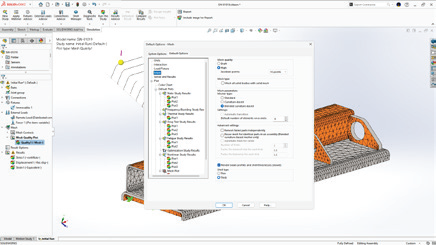
    Shell workflows are enhanced with new global defaults for thick or thin shells and the ability to apply distributed remote loads or mass along shell edges.

    SOLIDWORKS 2026 - P.4.5
    Benefit: Reduce setup time while improving accuracy in complex shell models.

    6. Component Explorer Enhancements

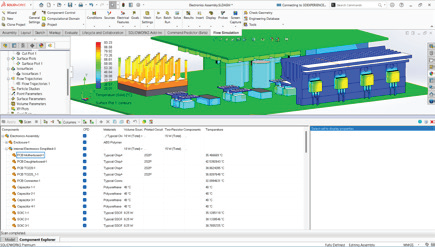
    Thermal analysis is more intuitive with new temperature and surface source columns in the Component Explorer, allowing quick identification of overheating areas or imbalanced heat sources.

    SOLIDWORKS 2026 - P.4.6
    Benefit: Perform faster, clearer thermal assessments at a glance.

    7. Fill Thin Slot for Thermal Modeling

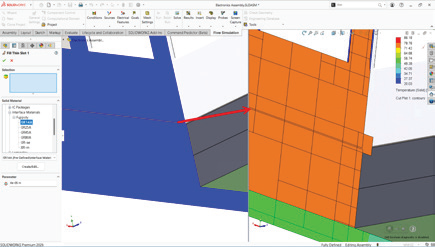
    Automatically fill thin slots with defined materials to better simulate heat transfer in compact or bonded assemblies.

    SOLIDWORKS 2026 - P.4.7
    Benefit: Produce more realistic and reliable thermal simulation results.

    8. Edge-Based Air Vent Definition

    Define Air Vent boundary conditions directly on model edges for mold simulations, applicable to both cavity and runner domains.

    SOLIDWORKS 2026 - P.4.8
    Benefit: Improve venting accuracy and mold flow predictions.

    9. Remote Mass in Response Spectrum

    Assign remote masses to represent components not meshed in the study, ensuring their influence is accurately considered.

    SOLIDWORKS 2026 - P.4.9
    Benefit: Streamline simulation setup while maintaining result precision.

    10. Post-Processing Enhancements in Plastics

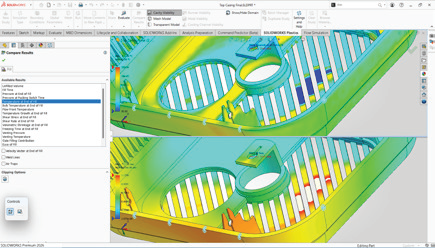
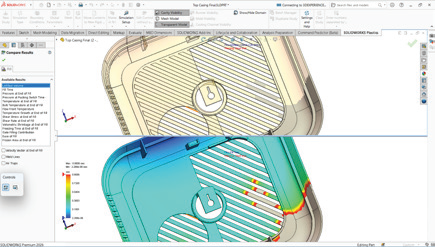
    A new Unfilled Volume plot complements short-shot predictions, allowing quick identification of incomplete injection zones.

    SOLIDWORKS 2026 - P.4.10
    Benefit: Detect and address molding issues faster for improved manufacturability.

    It’s Now your Turn to Harness the Full Power of SOLIDWORKS 2026

    From beam loading flexibility to smarter diagnostics and enhanced plastics visualization, SOLIDWORKS Simulation 2026 advances simulation accuracy and efficiency. These top 10 enhancements empower engineers to handle more complex scenarios, troubleshoot faster, and deliver designs with greater confidence.

    At Solidxperts, our Simulation Specialists help you unlock the full potential of SOLIDWORKS Simulation, from setup and validation to advanced analysis and automation. Whether upgrading to 2026 or streamlining complex studies, our experts will help you.


    Michael Habrich

    3DEXPERIENCE Specialist

    LinkedIn

    X_green_halo

    Any questions? Need help? Ask one of our experts.

    Whether you’re ready to get started or just have a few more questions, you can contact us toll-free:
      What’s New in SOLIDWORKS 2026? Part 2 – Collaboration and Data Management

      BLOG

      What’s New in SOLIDWORKS 2026? Part 2 – Collaboration and Data Management

      [techtips_featured_image_shortcode]

      SOLIDWORKS 2026 delivers a wave of powerful enhancements designed to accelerate collaboration, streamline data management, and strengthen connectivity across design teams. From AI-driven support to enterprise-grade approval workflows, every improvement empowers engineers, designers, and manufacturers to work faster, smarter, and more seamlessly together.

      Top 10 Enhancements You Need to Know

      1. AURA Integration in 3DSwym

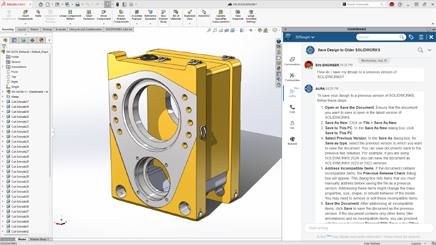
      AI meets collaboration. With AURA integrated directly into 3DSwym, users can instantly summarize posts, wikis, and Q&As or pull in insights from entire discussions to drive smarter conversations.

      What's new in SOLIDWORKS? P. 2.1
      These enhancements deliver faster insights and more informed collaboration with less manual searching.

      2. Collaboration Directly Inside SOLIDWORKS

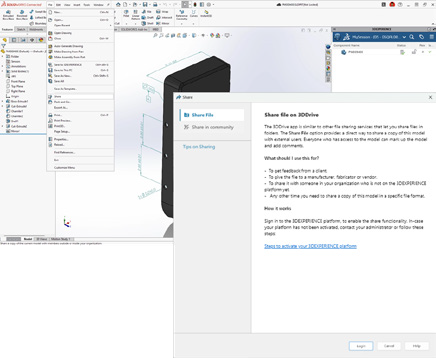
      Work together without ever leaving your design space. Collaborate through the SOLIDWORKS User Forum, share files via 3DDrive and 3DSwym, and eliminate the need for conversions or third-party tools.

      What's new in SOLIDWORKS? P. 2.2
      These enhancements deliver smoother teamwork and more efficient communication with less switching between tools.

      3. Drawing Stamping with Maturity Status

      Simplify change management with automatic maturity status stamps. User names and emails are embedded in drawings for full traceability and accountability throughout the design lifecycle.

      What's new in SOLIDWORKS? P. 2.3
      These enhancements deliver clearer documentation and more reliable approvals with less manual tracking.

      4. Cut List Management on the 3DEXPERIENCE Platform

      Cut list data can now be fully managed on the platform, enabling tighter integration between EBOM and MBOM.

      What's new in SOLIDWORKS? P. 2.4
      These enhancements deliver better alignment between design and manufacturing with less data re-entry.

      5. Recent Files by Active Tenant

      For teams managing multiple tenants, SOLIDWORKS 2026 now filters your recent files to show only those from the active tenant.

      What's new in SOLIDWORKS? P. 2.5
      These enhancements deliver cleaner organization and faster access with less confusion.

      6. Excel File Management for Design Tables

      Design table management is now more reliable thanks to Excel file support on the 3DEXPERIENCE platform. This ensures version consistency, better automation, and stronger data integrity.

      What's new in SOLIDWORKS? P. 2.6
      These enhancements deliver greater consistency and more reliable design automation with less manual version control.

      7. Support for Deformable Components

      Easily switch between rigid and deformed part states in assemblies for improved accuracy and flexibility.

      What's new in SOLIDWORKS? P. 2.7
      These enhancements deliver faster detailing and more accurate assemblies with less manual effort.

      8. Automatic Bookmark Content Updates

      Bookmarks now update automatically each session, ensuring you always access the latest design data, no manual refresh needed.

      What's new in SOLIDWORKS? P. 2.8
      These enhancements deliver up-to-date project information with less time spent managing data.

      9. Enhanced Bookmark Editor

      A redesigned Bookmark Editor delivers faster navigation and smarter selection when multiple bookmarks exist.

      What's new in SOLIDWORKS? P. 2.9
      These enhancements deliver clearer navigation and more accurate project organization with less manual searching.

      10. Enterprise Document Maturity Routing & Approval

      Large organizations gain new governance power with automated approval workflows tied to document maturity. Predefined routes trigger automatically for consistent, traceable, and compliant approvals.

      What's new in SOLIDWORKS? P. 2.10
      These enhancements deliver stronger governance and more reliable approvals with less administrative overhead.

      A New Standard for Collaboration and Data Management

      SOLIDWORKS 2026 builds on its legacy of innovation with a sharper focus on collaboration, automation, and traceability. These ten enhancements don’t just make design faster, they make teamwork more intelligent, connected, and efficient across every stage of product development.

      Join our official SOLIDWORKS 2026 launch to see these new features in action and get your questions answered by our experts!


      Michael Habrich

      3DEXPERIENCE Specialist

      LinkedIn

      X_green_halo

      Any questions? Need help? Ask one of our experts.

      Whether you’re ready to get started or just have a few more questions, you can contact us toll-free:
        What’s New in SOLIDWORKS 2026? Part 1 – Design

        BLOG

        What’s New in SOLIDWORKS 2026? Part 1 – Design

        [techtips_featured_image_shortcode]

        SOLIDWORKS 2026 continues the trend of making design faster, smarter, and more connected. With AI-powered tools, streamlined workflows, and deeper collaboration features, this release is all about helping engineers and designers work more efficiently while maintaining accuracy and flexibility.

        Here are the Top 10 Enhancements you need to know:

        1. AI-Powered Design and Detailing

        Artificial intelligence is making a real impact in everyday CAD workflows:

        • Automated drawing creation with AI-driven views, hole callouts, dimensioning, detailing, and even sheet format selection.

        • AI assembly recognition can now automatically detect and insert fastener-like components (nuts, bolts, washers), reducing repetitive tasks and improving assembly accuracy.

        These enhancements deliver faster detailing and more accurate assemblies with less manual effort.

        What's New in SOLIDWORKS 2026 - Design 1

        2. Large Assembly Performance

        Large assemblies are now easier to manage:

        • Open massive designs faster by filtering only what you need from the 3DEXPERIENCE platform.

        • Skip rebuilds when only cosmetic changes are made.

        • Disable auto-resolve for lightweight components to improve responsiveness.

        Together, these updates create smarter workflows that keep even the largest projects running smoothly.

        What's New in SOLIDWORKS 2026 - Design 2

        3. Improved User Experience

        • Offline mode ensures uninterrupted productivity during internet disruptions.

        • A redesigned UI highlights common commands, helping new users get up to speed quickly.

        • Command Search now includes an expanded, customizable set of keywords.

        The result is a smoother learning curve and less frustration for both new and experienced users.

        What's New in SOLIDWORKS 2026 - Design 3

        4. Streamlined Part Design

        • Define a custom start point for sheet metal base flanges.

        • Break internal corners on folded geometry.

        • Quickly create square sketch geometry in one click.

        • Track maturity changes and drawing history with Evaluated Attributes.

        These improvements enable faster sketching and greater flexibility in sheet metal design.

        What's New in SOLIDWORKS 2026 - Design 4

        5. Collaboration & Data Management

        • Share designs directly via 3DDrive and 3DSwym.

        • Update files to the latest version on the 3DEXPERIENCE platform with a single action.

        • Access the SOLIDWORKS User Forum from within the software.

        With these tools, staying in sync with your team and your data has never been easier.

        What's New in SOLIDWORKS 2026 - Design 5

        6. Drawing Detailing & MBD

        • Insert Family Tables into drawings for configuration details.

        • Use magnetic lines to align not just balloons, but notes, weld symbols, and other annotations.

        • Propagate DimXpert dimensions to library features and selectively manage annotation visibility.

         This gives designers more control and clarity when documenting their designs.

        What's New in SOLIDWORKS 2026 - Design 6

        7. Routing, Electrical, and Piping

        • Combine routing BOMs across subassemblies for a clearer overall materials list.

        • Place clips, mounts, and hangers directly in assemblies for flexible routing.

        • Visual indicators help guide splice placement in harnesses and wire bundles.

        This gives designers more control and clarity when documenting their designs.

        What's New in SOLIDWORKS 2026 - Design 7

        8. Rendering Enhancements

        • Control tessellation for a balance of geometry quality and performance.

        • Improved denoising in CPU mode reduces render noise in fewer passes.

        • Expanded format support with PBR materials in USDZ and glTF.

         This gives designers more control and clarity when documenting their designs.

        What's New in SOLIDWORKS 2026 - Design 8

        9. ECAD/MCAD Collaboration

        • Track parent/child PCB data like keep-in, keep-out, plated and non-plated holes.

        • Use CircuitWorks™ with IDX 3.0 support to review and even undo MCAD changes before final ECAD updates.

         This gives designers more control and clarity when documenting their designs.

        What's New in SOLIDWORKS 2026 - Design 9

        10. Import/Export

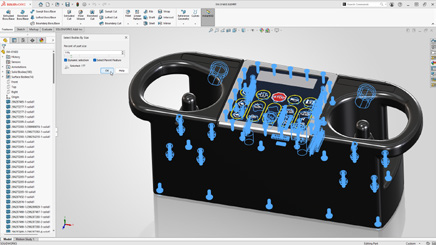
        • Simplify complex multibody parts faster by using advanced selection tools to efficiently isolate and manage bodies based on similarity or size.

        • Share assemblies saved on the 3DEXPERIENCE platform using the Export as Package option in the Share dialog box.

        • Streamline exports by choosing whether to include drawings in your package, for greater control.

         This gives designers more control and clarity when documenting their designs.

        What's New in SOLIDWORKS 2026 - Design 10

        Final Thoughts

        With AI-powered automation, large assembly improvements, smarter part tools, and seamless collaboration, SOLIDWORKS 2026 makes it easier than ever to move from concept to finished product. Whether you’re creating complex assemblies, detailing drawings, or collaborating across disciplines, this release delivers tools to help you work smarter, faster, and with greater confidence.

        Take your designs to the next level with SOLIDWORKS 2026. Contact us today to unlock smarter, faster, AI-powered engineering.


        Michael Habrich

        3DEXPERIENCE Specialist

        LinkedIn

        X_green_halo

        Any questions? Need help? Ask one of our experts.

        Whether you’re ready to get started or just have a few more questions, you can contact us toll-free:
          What’s New in SOLIDWORKS 2026? Part 3 – PDM

          BLOG

          What’s New in SOLIDWORKS 2026? Part 3 – PDM

          [techtips_featured_image_shortcode]

          SOLIDWORKS PDM 2026 delivers a strong set of enhancements focused on data security, workflow efficiency, and ease of use. Whether you’re managing thousands of files or just ensuring your projects stay safe and organized, these improvements help teams work more reliably and confidently.

          Here are the Top 10 Enhancements you need to know:

          1. Automatic File Recovery

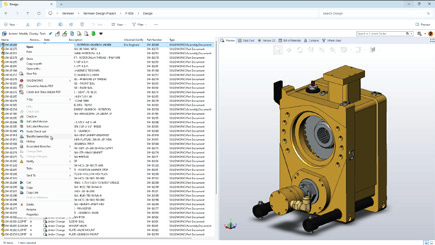
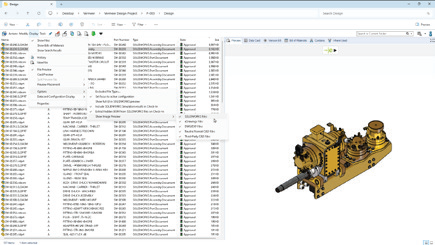
          Checked-out files are safer than ever. PDM now automatically creates backups of modified files on the archive server, so they can be recovered in case of hardware failure or user absence.

          What's New in SOLIDWORKS? P.3.1
          Benefit: Avoid costly rework and ensure critical design changes are never lost.

          2. Archived Workflows for Cleaner Administration

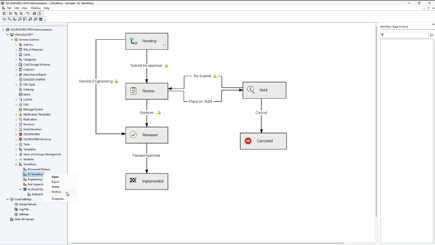
          Keep the Admin Tool clutter-free by archiving unused workflows. This prevents outdated or incorrect workflows from being used, while making it easier for admins to manage active processes.

          What's New in SOLIDWORKS? P.3.2
          Benefit: Simplify administration and reduce errors with streamlined workflow management.

          3. Granular Folder Access Control

          New access rules allow you to grant visibility to subfolders without exposing parent folders. This gives you more precision in defining user rights while keeping sensitive data protected.

          What's New in SOLIDWORKS? P.3.3
          Benefit: Collaborate securely without compromising confidentiality.

          4. Static Previews for Third-Party CAD Files

          Save time by viewing static image previews of third-party CAD data directly in PDM. No need to open each file to confirm its contents.

          What's New in SOLIDWORKS? P.3.4
          Benefit: Faster file identification across mixed CAD environments.

          5. Smarter BOM Management in Web2

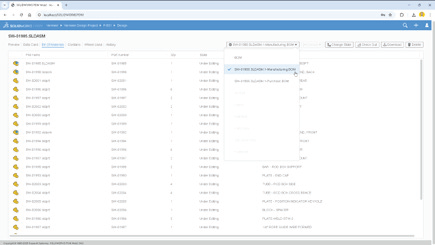
          Named BOMs can now be viewed and edited directly in the Web2 client. A collapsible variables panel helps maximize workspace, especially on smaller screens.

          What's New in SOLIDWORKS? P.3.5
          Benefit: Manage BOMs from anywhere with a more efficient and user-friendly interface.

          6. Stronger Security With AES-256 Encryption

          Data transfers are now protected with AES-256 encryption, bringing SOLIDWORKS PDM in line with stricter modern cybersecurity requirements.

          What's New in SOLIDWORKS? P.3.6
          Benefit: Ensure compliance and safeguard sensitive intellectual property.

          7. Modern Authentication With Kerberos Support

          PDM adds Kerberos authentication to its existing NTLM and NTLMv2 protocols, making it easier to integrate with enterprise Single Sign-On (SSO) and modern Windows environments.

          What's New in SOLIDWORKS? P.3.7
          Benefit: Seamlessly connect PDM to enterprise IT systems while improving login security.

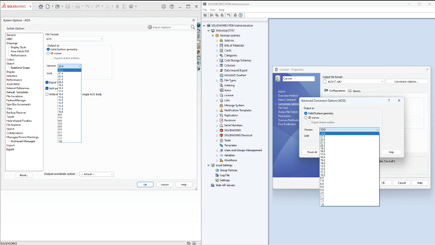
          8. Smarter File Version Upgrades

          The File Version Upgrade Tool has been enhanced with more control options and a simplified interface. Users can decide which files to upgrade and how, with better progress tracking along the way.

          What's New in SOLIDWORKS? P.3.8
          Benefit: Reduce upgrade risks and keep projects running smoothly during version transitions.

          9. Expanded File Conversion Options

          Convert Task options are more powerful than ever. You can now specify Parasolid® or ACIS® versions and use advanced scripting for DraftSight® and Office-to-PDF conversions.

          What's New in SOLIDWORKS? P.3.9
          Benefit: Greater flexibility when collaborating with partners and suppliers using different formats.

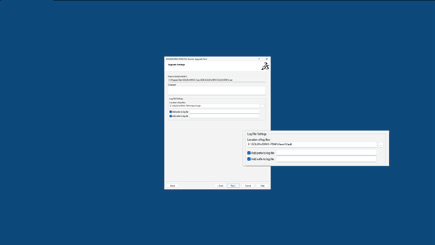
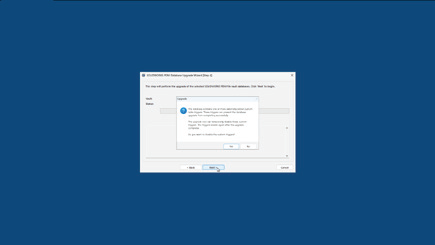
          10. Streamlined Database Upgrades

          The Database Upgrade Wizard has been redesigned with clearer reporting, improved efficiency, and better error handling. Admins can now complete upgrades with more confidence and less downtime.

          What's New in SOLIDWORKS? P.3.10
          Benefit: Faster, more reliable upgrades that keep your system stable.

          Smarter, Safer, Stronger. PDM 2026 Sets a New Standard.

          With SOLIDWORKS PDM 2026, data is safer, workflows are cleaner, and administration is easier. From automatic file recovery to enterprise-grade encryption and authentication, these top 10 enhancements give teams the tools they need to manage design data securely and efficiently.

          Want to see how these updates can transform your setup? Let’s start the conversation.


          Michael Habrich

          3DEXPERIENCE Specialist

          LinkedIn

          X_green_halo

          Any questions? Need help? Ask one of our experts.

          Whether you’re ready to get started or just have a few more questions, you can contact us toll-free:
            SOLIDWORKS AI: The Future of CAD is Already Here

            BLOG

            SOLIDWORKS AI: The Future of CAD is Already Here

            [techtips_featured_image_shortcode]

            When we talk about AI, certain fears arise: could AI replace the engineer or the designer? The answer is no. Dassault Systèmes’ philosophy is very clear: AI does not replace, it enhances. After 11 years at S0lidxperts and more than 15 years of using SOLIDWORKS, I am well aware of this fact.

            SOLIDWORKS, one of the most trusted CAD platforms globally, has already begun integrating AI-driven tools that assist engineers in reducing repetitive tasks, improving design quality, and accelerating time-to-market. Through the 3DEXPERIENCE platform, Dassault Systèmes is also paving the way for AI-powered collaboration and predictive design in the cloud.

            In this article, we’ll explore how AI is shaping the present and future of SOLIDWORKS, highlight the business benefits, and share how Solidxperts, over 40 years in the industry and more than 25 years as a SOLIDWORKS partner, supports companies in embracing this transformation.

            1. AI in SOLIDWORKS: An Engineer’s New Ally

            Dassault Systèmes’ vision has always been clear: AI does not replace engineers. It enhances their capabilities. For decades, SOLIDWORKS has incorporated automation features designed to simplify CAD workflows:

            • Smart Mates for automatic assembly constraints.

            • Command Prediction suggesting the most likely next tool.

            These were early steps toward intelligent CAD. Today, SOLIDWORKS goes further with AI-driven assistants like Design Assistant, and cloud-based tools powered by machine learning through the 3DEXPERIENCE platform.

            The philosophy is simple: let AI handle the repetitive and time-consuming tasks, so engineers can focus on innovation, creativity, and solving real engineering challenges.

            2. Current AI-Driven Features in SOLIDWORKS

            a) Design Assistant

            • Mate Helper and Selection Helper: automatically detects similar components and applies constraints, drastically reducing clicks in large assemblies.

            • Example: When assembling dozens of fasteners, Design Assistant identifies similar geometry and instantly applies consistent mates.

            b) Automatic Drawings (SOLIDWORKS 2025)

            • Automatically generates 2D drawings from 3D models.

            • Ensures compliance with drawing standards.

            • Saves significant time in documentation, especially for design offices managing large projects.

            c) Fastener Recognition (FD03)

            • Automatically detects standard fasteners in assemblies.

            • Applies appropriate mates without manual intervention.

            • Direct impact: reduced errors, fewer repetitive operations.

            d) AURA: The Conversational AI Assistant

            • Integrated into the 3DEXPERIENCE platform.

            • Provides contextual guidance to users, learns from workflows, and offers predictive insights.

            • Example: guiding new users through advanced features or assisting with design standards.

            3. The Future of AI in SOLIDWORKS: A Roadmap

            Dassault Systèmes continues to push boundaries, and the AI roadmap promises groundbreaking advancements:

            • Mesh to Parametric Conversion (Reverse Engineering): AI will streamline converting mesh files into fully parametric models, accelerating reverse engineering processes.

            • AI-Optimized Assemblies: Automatic detection of redundant constraints, performance optimization, and manufacturability checks.

            • AI-Generated Photorealistic Renders: Leveraging generative AI to instantly create marketing-ready visuals without lengthy manual rendering.

            • xDesign and Cloud-Ready AI: The 3DEXPERIENCE xDesign app represents the next generation of CAD: cloud-based, AI-enhanced, and fully collaborative.

            • Vision: Predictive, Collaborative CAD: An environment where the system anticipates design intent, suggests optimizations, and improves with each project.

            4. Strategic Benefits for Companies

            Adopting AI in SOLIDWORKS is not just about convenience—it drives measurable business impact:

            • Productivity: Significant time savings through automation of repetitive tasks.

            • Quality: Consistent designs, fewer human errors, and adherence to standards.

            • Innovation: Engineers gain more time to focus on R&D and creative problem-solving.

            • Competitiveness: Faster time-to-market and optimized workflows lead to a competitive edge.

            Use Cases:

            • Design offices managing large assemblies save hours on constraints.

            • Manufacturers preparing technical documentation see accelerated drawing creation.

            • Teams leveraging AURA gain training efficiency and reduced onboarding time.

            5. Data Security and Confidentiality

            AI adoption often raises concerns about data protection. Dassault Systèmes has addressed this head-on:

            • Your proprietary data is not shared or trained externally without explicit consent.

            • Companies can configure private AI models trained on their own part libraries and workflows.

            • This ensures both innovation and confidentiality which is critical for SMEs and global enterprises alike.

            6. Solidxperts: 40 Years of Experience, Always Evolving with AI

            The evolution of Solidxperts over the past four decades reflects the same philosophy as SOLIDWORKS: constant growth, adaptation, and customer focus.

            • 1998: Solidxperts opened its main office in Montreal, introducing clients to SOLIDWORKS back then, delivered on physical CDs.

            • Today: Solidxperts delivers the full Dassault Systèmes portfolio, from SOLIDWORKS to the cloud-based 3DEXPERIENCE platform, supporting every step of the design-to-manufacturing journey.

            • Values: transparency, dedication to customer success, and a personalized approach embedded in every interaction.

            • Expansion: with offices in Quebec City (QC) and Nashua (NH), Solidxperts serves engineers and businesses across Eastern Canada and New England.

            This long-term experience positions Solidxperts as the partner of choice for companies looking to adopt AI-powered CAD and manufacturing solutions.

            The Future is Now with SOLIDWORKS AI

            Artificial Intelligence is no longer an abstract concept. Iit is already part of the tools engineers use daily in SOLIDWORKS. From automated mates to predictive design and cloud collaboration, AI is redefining the engineering experience.

            For businesses, embracing AI in SOLIDWORKS means:

            • Faster workflows

            • Fewer errors

            • More time for innovation

            • Stronger market competitiveness

            At Solidxperts, we’ve supported thousands of engineers and companies for over 25 years with SOLIDWORKS, and we are ready to help you take the next step: integrating AI into your design and manufacturing workflows.

            Contact our experts today to schedule a personalized demo and discover how AI in SOLIDWORKS can transform your business.


            Alain

            Alain Provost

            Senior Technical Sales Executive

            X_green_halo

            Any questions? Need help? Ask one of our experts.

            Whether you’re ready to get started or just have a few more questions, you can contact us toll-free:
              Making Sense of Collaborative Spaces in 3DEXPERIENCE

              BLOG

              Making Sense of Collaborative Spaces in 3DEXPERIENCE

              [techtips_featured_image_shortcode]

              If you’re new to the 3DEXPERIENCE platform, you’ve probably run into questions about Collaborative Spaces such as how they work, how visible they are, and who gets access. You’re not alone! At first glance, visibility settings and permissions can feel a little tricky, but once you understand the basics, managing Collaborative Spaces becomes much simpler. Let’s break it down together.

              What Exactly Is a Collaborative Space?

              Think of a Collaborative Space as a secure vault for your data. It’s not just where files live. It’s also how you control who sees what, and who can do what, with your designs.

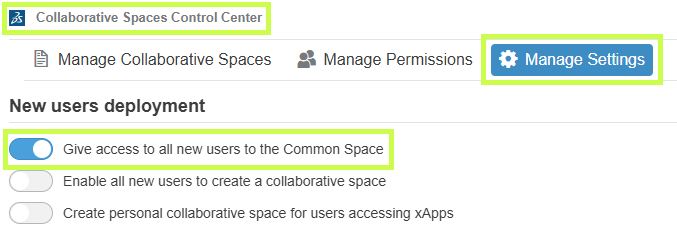
              Every new platform starts with one by default: the Common Space. This is often used for templates or standard component libraries. Administrators can open it up or lock it down depending on the needs of the team.

              3DEXPERIENCE Collaborative Spaces - Manage Settings

              Pro tip: You’ll likely create additional spaces as your projects grow, but resist the urge to treat them like folders. Collaborative Spaces are not meant for organizing data. They’re meant for controlling access and visibility.

              For many companies, just two spaces (Common Space and Design Space) are enough. If you’re working across multiple divisions or sharing with external partners, you might need more.

              Visibility: Who Sees What?

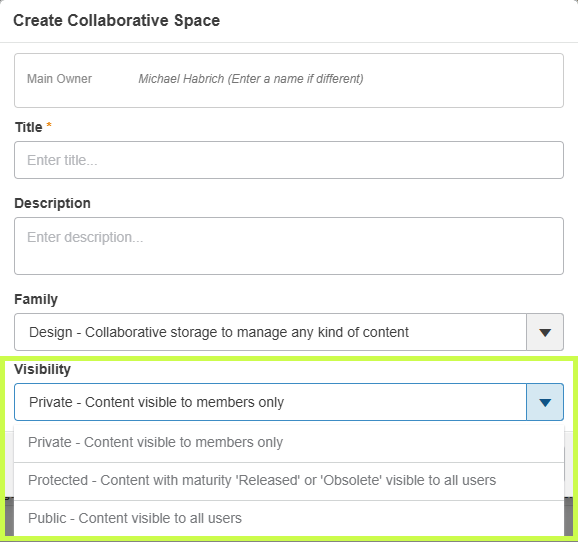
              When creating a Collaborative Space, one of the first choices you’ll make is its visibility setting. Don’t worry, you can always adjust it later.

              Collaborative Spaces in 3DEXPERIENCE - Visibility

              Here’s the quick rundown:

              • Private – Only members you invite can access the data. Perfect for sensitive projects or limited teams.

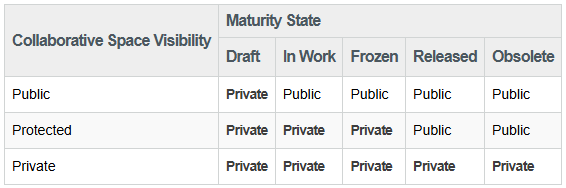
              • Protected – Data starts private, but once it’s released or obsolete, it becomes visible beyond the team. Great for controlling design maturity while keeping transparency later on.

              • Public – Everyone, inside and outside your organization, can see the data. Best for shared standards and libraries.

              Collaborative Spaces in 3DEXPERIENCE - Table

              Important: If you switch a space to Public, everything inside it becomes public too. Combine visibility with maturity states to get the right balance of security and openness.

              Permissions: Defining Roles in a Space

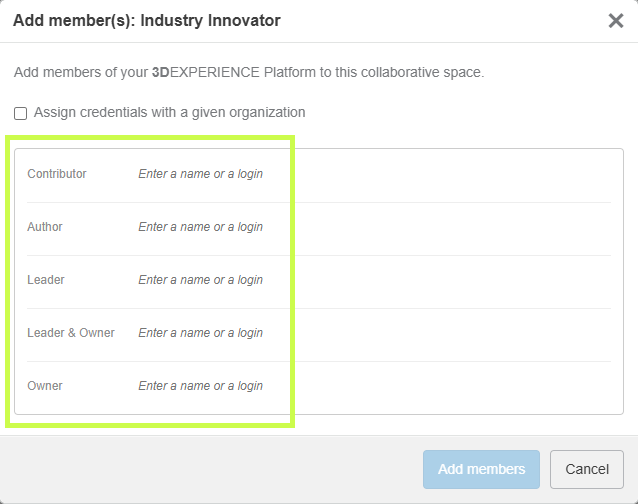
              Once your Collaborative Space is ready, it’s time to decide who gets to do what. This is managed through permission levels, and each role builds on the one before it.

              Here’s the spectrum, from least to most control:

              • Public Reader – Can only view shared data. A good role for contractors or suppliers (not depicted).

              • Reader – Can view data in public spaces and any private spaces they’re invited to (not depicted).

              • Contributor – Can add objects that complement data (comments, discussions), but can’t change core files.

              • Author – Can create and modify designs, but not release them.

              • Leader – Full control of content: can change maturity states, manage templates, and guide the team.

              • Owner – Administrative power. Can manage members, set permissions, and configure the space itself.

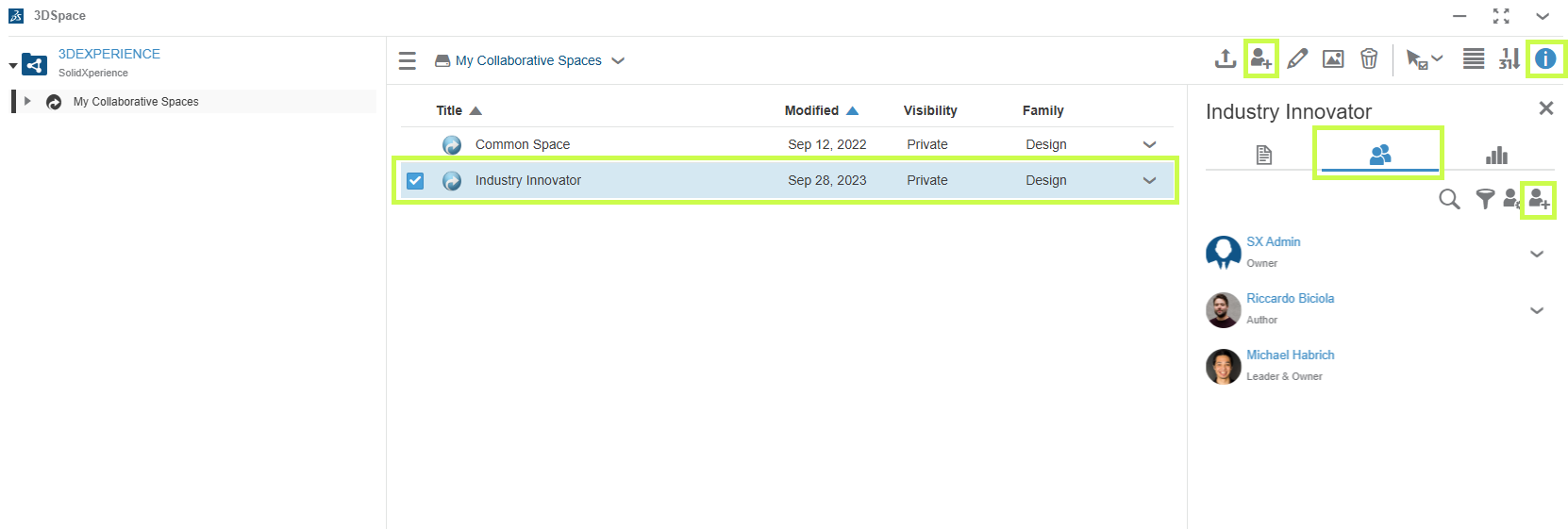
              To check or adjust permissions, just open the 3DSpace app, select your Collaborative Space, and review the Members tab.

              Collaborative Spaces in 3DEXPERIENCE - Members tab

              Collaborative Spaces in 3DEXPERIENCE - Add Members

              Bringing It All Together

              Collaborative Spaces are at the heart of data management in 3DEXPERIENCE. By combining the right visibility settings with clear permission roles, you can keep your projects secure, your teams aligned, and your workflows smooth.

              At Solidxperts, we know that these details can make the difference between confusion and confidence. If you’re ready to explore more, check out our other tips and tutorials or reach out to our team directly. We’re here to help you unlock the full potential of 3DEXPERIENCE.


              Michael Habrich

              3DEXPERIENCE Specialist

              X_green_halo

              Any questions? Need help? Ask one of our experts.

              Whether you’re ready to get started or just have a few more questions, you can contact us toll-free:
                The Role of CAD Softwares in the Manufacturing Chain

                BLOG

                The Role of SOLIDWORKS CAD Software for Manufacturing in the Digital Manufacturing Chain

                [techtips_featured_image_shortcode]

                When we talk about digital transformation in manufacturing, we often picture smart factories, IoT, robotics, or even artificial intelligence. Yet, there’s a critical, and sometimes underestimated, stage that initiates this transformation: the digital design of products using CAD software for manufacturing. This is precisely where SOLIDWORKS comes in.

                Developed by Dassault Systèmes, SOLIDWORKS has long been a key player in the world of Computer-Aided Design (CAD). But today, its role extends well beyond drafting and modeling. As powerful CAD software for manufacturing, SOLIDWORKS sits at the core of the digital manufacturing chain, acting as a bridge between creativity and production, and integrating with data management, simulation, process automation, and enterprise systems.

                At Solidxpets, we help businesses implement these technologies across their operations. With the hands-on support of our experts, you can count on real-world guidance for deploying the full SOLIDWORKS portfolio.

                From 3D Modeling to the Shop Floor: A Seamless Transition with CAD Software for Manufacturing

                While 3D modeling is already a step toward digitization, it becomes far more powerful when integrated with the rest of the production workflow. That’s why a fully connected digital chain, from design to delivery, is so vital.

                With the 3DEXPERIENCE® Works platform, SOLIDWORKS becomes more than a design tool. It is a collaborative hub that connects departments, suppliers, customers, and even machines. As CAD software for manufacturing, it ensures your designs flow seamlessly into production.

                This connectivity leads to:

                • Shorter lead times

                • Improved decision traceability

                • Clearer interdepartmental communication

                • Enhanced agility

                Smart 3D Modeling and Integrated Simulation in CAD Software for Manufacturing

                SOLIDWORKS provides robust parametric 3D modeling tools, enabling precise control over parts, assemblies, and configurations. These models can be easily reused, modified, and scaled.

                The real game-changer is simulation. With SOLIDWORKS Simulation, a core component of CAD software for manufacturing, engineers can:

                • Test structural integrity under load

                • Predict deformation and failure

                • Analyze fluid dynamics and airflow

                • Evaluate thermal performance

                All of this happens before manufacturing begins, drastically reducing prototypes, costly rework, and delays.

                Connected, Flexible Manufacturing Tools Powered by CAD Software for Manufacturing

                The 3DEXPERIENCE® Works portfolio includes purpose-built tools for the factory floor:

                • Shop Floor Programmer: Allows CNC programmers to create and simulate 2.5- and 3-axis toolpaths, generate wire EDM operations, and detect potential collisions during production.

                • Robot Programmer: Enables fast and easy programming, simulation, and deployment of robotic routines without disrupting current production lines.

                • Factory Simulation Engineer: Simulates plant layouts and production flow using 2D, 3D, or point cloud environments, helping optimize floor space and logistics.

                Together, these tools form a closed-loop ecosystem between design and manufacturing, ensuring continuous feedback and real-time synchronization.

                Collaboration and File Management: A Strategic Necessity in CAD Software for Manufacturing

                In manufacturing, engineering data is a strategic asset. Managing this data becomes increasingly complex with more iterations, collaborators, and file versions.

                With SOLIDWORKS PDM and the 3DEXPERIENCE platform, both integral to modern CAD software for manufacturing, companies can:

                • Centralize all product data

                • Control revisions and user access

                • Collaborate securely via the cloud

                • Track every design change, comment, and approval

                This level of traceability is essential, especially in highly regulated industries like aerospace, medical devices, or defense.

                ERP Integration with CAD Software for Manufacturing: Real-Time Data Flow Across the Business

                Enterprise Resource Planning (ERP) systems are at the heart of business decision-making. Yet in many organizations, CAD remains disconnected from the main information system.

                Integrating SOLIDWORKS CAD software for manufacturing with ERP software like SAP, Oracle, or Microsoft Dynamics allows for:

                • Automatic transfer of Bill of Materials (BOMs)

                • Real-time work order generation

                • Cost estimation based on materials and machine time

                • Elimination of redundant data entry

                This creates a direct link between design and operations, boosting organizational responsiveness and reducing costly delays.

                At Solidxperts, we offer proven connectors and services for integrating SOLIDWORKS with leading ERP systems so your business runs smoother from day one.

                Cloud Solutions for Distributed Teams Using CAD Software for Manufacturing

                As remote and hybrid work models become standard, secure and flexible cloud access to CAD data is more critical than ever.

                The 3DEXPERIENCE platform provides centralized, cloud-based project spaces with:

                • Anytime, anywhere access to design files

                • Real-time collaboration

                • Browser-based viewing and markup

                • Built-in security and automatic backups

                For teams using CAD software for manufacturing, this means faster decision-making, improved communication, and a single source of truth for every stakeholder.

                Automating Business Processes with CAD Software for Manufacturing

                Beyond CAD, the 3DEXPERIENCE platform empowers users to digitize business workflows such as design validation, quality approvals, and production launches.

                With low-code and no-code tools, you can:

                • Build simple, intuitive apps for non-technical staff

                • Automate approval workflows

                • Eliminate repetitive manual tasks

                By embedding automation into CAD software for manufacturing, companies can save time, reduce errors, and accelerate product launches.

                People Matter: Training and Expert Support for CAD Software for Manufacturing

                A digital manufacturing chain is only as strong as the people behind it. Even the most powerful tools are ineffective without proper training and adoption.

                That’s why Solidxperts offers:

                • Certified training on SOLIDWORKS and 3DEXPERIENCE

                • In-depth audits to identify process improvement opportunities

                • Bilingual technical support based in North America

                • Pilot projects to support change management

                The best CAD software for manufacturing is only as good as its users, and the right training ensures you get maximum value from your investment.

                Conclusion: The Role of SOLIDWORKS CAD Software for Manufacturing in the Digital Manufacturing Chain

                SOLIDWORKS is far more than a design tool. It is a foundational element in the digital manufacturing chain, enabling companies to innovate, streamline production, and stay competitive in an evolving market. By connecting SOLIDWORKS CAD software for manufacturing with the 3DEXPERIENCE® Works platform, businesses gain access to simulation, cloud collaboration, manufacturing tools, and process automation, all within one agile, integrated ecosystem. This strategic integration empowers organizations to work smarter, adapt faster, and achieve long-term success in the era of Industry 4.0.

                At Solidxperts, we believe this transition must be strategic, personalized, and scalable. In other words, tailored to your company’s unique reality. Ready to take the next step? Contact our experts.


                Alain

                Alain Provost

                Senior Technical Sales Executive

                X_green_halo

                Any questions? Need help? Ask one of our experts.

                Whether you’re ready to get started or just have a few more questions, you can contact us toll-free:
                  SOLIDWORKS Biomedical Applications are Shaping the Future of Medecine

                  BLOG

                  SOLIDWORKS Biomedical Applications are Shaping the Future of Medecine

                  [techtips_featured_image_shortcode]

                  Biomaterial Modelling with SOLIDWORKS

                  Biomaterial modeling with SOLIDWORKS has evolved into a powerful tool for various biomedical applications, including the production of custom 3D anatomical models, medical implants, and scaffolds. It enhances the design and fabrication process for biomaterials used in dental, medical, and biomedical engineering by offering precision, customization, and integration with 3D printing.

                  What Are Biomaterials?

                  Biomaterials are special materials designed to interact with the living systems of the human body. They can be natural or synthetic, and they are used to repair, replace, or support damaged tissues and organs.

                  They are fabricated from various materials that interact safely with the body, such as metals, ceramics, plastics, and tissues. Some of these materials are degradable and can be absorbed by the body over time as our body already contains particles of materials like magnesium and iron. Others are non-degradable, such as titanium and chromium, and will remain permanently in the body.

                  Imagine materials that can mimic bones, heal wounds, or even deliver medicine right where it’s needed. That’s the power of biomaterials!

                  Where Are Biomaterials Used?

                  Biomaterials are used in many lifesaving and life-enhancing fields, such as:

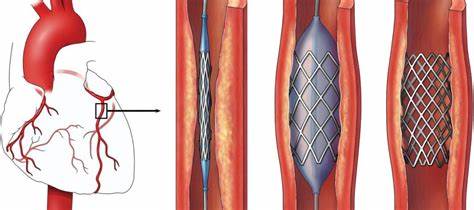
                  • Medicine: Artificial joints, heart valves, dental implants
                  • Tissue Engineering: Scaffolds that help grow new skin, bones, or cartilage
                  • Drug Delivery: Tiny devices that release medicine slowly inside the body
                  • Diagnostics: Sensors that detect diseases at early stages

                  Why Are Biomaterials Important?

                  Biomaterials are revolutionizing healthcare by making treatments more effective, safer, and personalized.

                  • They help people walk again with implants
                  • They enable faster healing with smart bandages
                  • They help people live longer with advanced medical devices

                  In the future, biomaterials will play an even bigger role in improving quality of life and solving medical challenges.

                  Biomaterials bring together biology, engineering, and innovation to heal and improve human lives. They are truly materials for a better and safer future.

                  Exploring Biomedical Modeling Capabilities in SOLIDWORKS

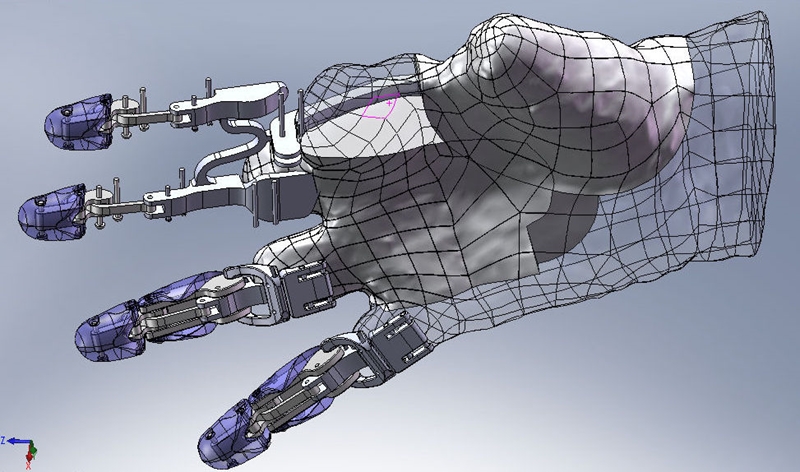
                  SolidWorks helps engineers and designers create 3D models of objects before manufacturing them.

                  SolidWorks Biomedical Innovation - Hand 3D modelling

                  When it comes to biomaterials, SOLIDWORKS is essential because it makes designing medical devices and implants faster, easier, and more accurate.

                  Moreover, it makes biomaterials design smart, efficient, and innovative, helping doctors and engineers create life-changing medical devices that improve and save lives.

                  How Medical Device Design Enhances Patient-Specific Solutions?

                  1. Bringing Ideas to Life in 3D

                  Imagine a doctor needs a special bone implant for a patient. With SOLIDWORKS, we can design the exact shape and size of the implant on the computer, just like building something in 3D, before making it. This ensures better fit and comfort for the patient, making dreams come true.

                  2. Testing Before Making

                  SOLIDWORKS lets us simulate how strong and safe the biomaterial design is. For example, checking if an artificial joint can handle walking, running, or lifting. This helps avoid mistakes and ensures the device won’t fail inside the body.

                  3. Saving Time and Money

                  Instead of making many physical prototypes to test, we can test and improve designs on the computer. This makes the whole process faster and more cost-effective, bringing new medical solutions to patients quickly.

                  4. Easy to Make with 3D Printing

                  Once we finish designing biomaterials in SOLIDWORKS, we can send the design to a 3D printer and manufacture it using biocompatible materials. This is ideal for custom-made implants like dental pieces, bone scaffolds, and prosthetics.

                  SolidWorks Biomedical Innovation

                  Role of SOLIDWORKS in Biomaterials Design and Fabrication

                  1. 3D Modeling of Biomedical Implants and Devices

                  SOLIDWORKS offers advanced 3D modeling tools that allow engineers and researchers to create precise models of medical implants, prosthetics, and tissue scaffolds. Its parametric design feature enables easy modifications and iterations, which is critical for designing customized implants tailored to individual patients, such as orthopedic implants and dental prosthetics.

                  By using patient-specific data from CT or MRI scans, SOLIDWORKS can generate highly accurate models that ensure better fit and functionality.

                  2. Simulation and Analysis of Biomaterial Properties

                  SOLIDWORKS includes powerful tools like SOLIDWORKS Simulation and SOLIDWORKS Flow Simulation to analyze mechanical properties such as:

                  • Stress and strain distribution
                  • Fatigue life prediction
                  • Thermal and fluid flow analysis (e.g., blood flow in vascular implants)

                  These simulations are crucial to ensure biomaterials withstand physiological loads and perform effectively under real-life conditions. Simulating these scenarios reduces risks, time, and cost.

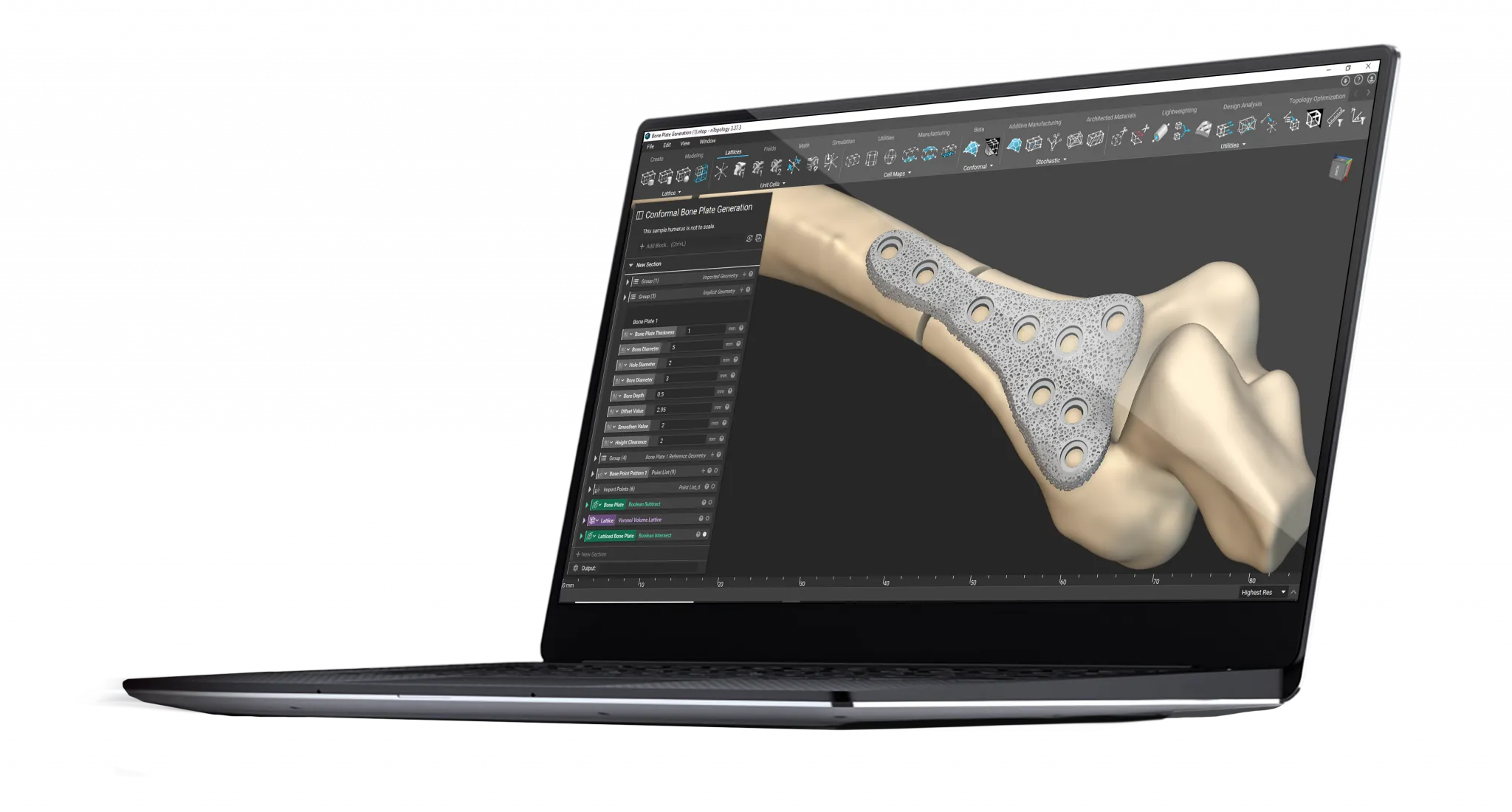
                  3. Topology Optimization for Lightweight and Strong Structures

                  In orthopedic and dental fields, biomaterials must be lightweight yet strong. SOLIDWORKS’ topology optimization tools enable the creation of lattice and porous structures, essential for bone scaffolds that promote tissue growth while maintaining strength.

                  These optimized designs mimic natural bone architecture, ensuring biocompatibility and successful integration.

                  4. Integration with Additive Manufacturing (3D Printing)

                  Many biomaterial devices are fabricated using 3D printing technologies. SOLIDWORKS supports export formats (e.g., STL) compatible with 3D printers, allowing direct fabrication of complex geometries with biocompatible materials like titanium alloys, biodegradable polymers, and hydrogels.

                  This integration accelerates prototyping and production, supporting rapid innovation in biomedical engineering.

                  Linking 3D Scans to SOLIDWORKS

                  Linking 3D scans to SOIDWORKS is critical in biomaterial applications for several reasons:

                  1. Enhanced Design Accuracy

                  • Precise Anatomical Models: 3D scans offer highly accurate anatomical representations, directly imported into SOLIDWORKS for perfectly fitted medical devices.
                  • Detailed Surface Modeling: SOLIDWORKS’ ScanTo3D functionality converts scanned data into detailed surface models, essential for complex biomaterial designs.

                  2. Streamlined Workflow

                  • Efficient Data Integration: Seamless integration of 3D scans into SOLIDWORKS reduces manual effort and time.
                  • Automated Processes: Tools like Mesh Prep Wizard and Surface Wizard automate scan-to-CAD conversion, enhancing productivity.

                  3. Improved Collaboration

                  • Shared Data: Easy sharing of accurate data fosters collaboration among engineers, designers, and medical professionals.
                  • Documentation and Communication: SOLIDWORKS helps create comprehensive documentation, simplifying communication of design intent.

                  4. Benefits for Doctors and Patients

                  • Customized Medical Devices: Doctors can design custom-fit implants and prosthetics with higher precision and lower error rates.
                  • Enhanced Surgical Planning: Accurate 3D models allow for better pre-surgical planning, reducing risks and improving patient outcomes.

                  The Impact of SOLIDWORKS Biomedical Solutions on the Future of Healthcare

                  In conclusion, SOLIDWOKRS biomedical applications are revolutionizing the healthcare landscape. By empowering engineers, researchers, and clinicians to design, test, and manufacture complex medical devices and biomaterial structures, SOLIDWORKS enables the creation of safe, effective, and patient-specific solutions.

                  Whether it’s simulating bone implants, developing tissue scaffolds, or customizing drug delivery devices, SOLIDWORKS biomedical technology plays a vital role in enhancing human health. With continued advancements, SOLIDWORKS will remain at the forefront of biomaterial innovation, bridging engineering and medicine to improve lives globally.

                  To explore how SOLIDWORKS biomedical solutions can support your next medical innovation, contact our experts today for guidance and collaboration.

                  X_green_halo

                  Any questions? Need help? Ask one of our experts.

                  Whether you’re ready to get started or just have a few more questions, you can contact us toll-free:
                    Elevate Your Business with Solidxperts Optimization Services

                    BLOG

                    Elevate Your Business with Solidxperts Optimization Services

                    [techtips_featured_image_shortcode]

                    Maximizing the potential of your SOLIDWORKS CAD solutions starts with having the right partner by your side—someone who truly understands your unique design needs. That’s where we come in. Solidxperts optimization services aren’t just about technical fixes; they’re about finding solutions that work for you. We’ll help you streamline your engineering workflow, eliminate those frustrating traditional licensing hassles or SNL setup headaches, help you iron out your workflows, and boost your team’s collaboration capabilities with the latest tools and secure cloud solutions. No matter the size of your business or the complexity of your challenges, our tailored approach makes sure you get the most out of your 3D design solutions.

                    Let’s work together to transform your operations, drive innovation, and take your designs to the next level!


                    What Are Solidxperts Optimization Services?

                    Solidxperts optimization services combine expert process and workflow consulting, streamlined IT administration, and cutting-edge tools like SOLIDWORKS CAD, PDM, and our full range of 3D printers to elevate your engineering workflow and product development cycle.


                    Your Optimization Partner

                    Our SOLIDWORKS certified specialists work directly within your company, conducting a thorough analysis of the working methods across each of your departments. Their detailed evaluation ensures that no aspect is overlooked, identifying opportunities for workflow streamlining, CAD technique improvements, and improved alignment between your processes and business objectives.


                    A business professional in a suit interacts with a glowing network of interconnected icons representing processes, data, cloud storage, teamwork, and analytics, symbolizing workflow optimization, digital transformation, and technological innovation.


                    Once the evaluation is complete, you’ll receive a detailed Recommendations Report, providing actionable insights to help you maximize the value of your 3D modeling and additive manufacturing investments. With this roadmap in hand, you’ll gain clarity on how to implement cutting-edge methodologies designed to improve your ROI and enhance overall operational performance.

                    From improving product data management to providing new possibilities for design through additive manufacturing, experience streamlined engineering workflow and take your operations to the next level.


                    What Makes Solidxperts Optimization Services a Convenient Option?

                    Solidxperts provides a convenient option for businesses looking to avoid upfront complications and secure extra seats for growing teams. By eliminating the chaotic urgency often associated with implementing new tools and maximizing ROIs, we guarantee a smooth transition with minimal disruption to your workflows.


                    How Does Solidxperts Support Businesses Across Canada and Beyond?

                    With its main office in Montreal, Canada, and additional teams in Markham, Ontario, and Nashua, NH (USA), Solidxperts serves clients throughout North America. Whether you need help with network licenses, cloud services, or advanced 3D printing solutions, our team ensures a seamless design experience through personalized support and localized expertise.


                    Welcome to a New Dimension of Design

                    With the power of SOLIDWORKS CAD alongside our full suite of additive manufacturing solutions, you can revolutionize your entire design-to-manufacturing workflow. Imagine having the tools to move effortlessly from concept to production, reducing bottlenecks and enhancing efficiency at every step.


                    From the first steps of design, where ideas take shape, to advanced prototyping and seamless iteration, our optimization services provide the support and expertise you need to bring your vision to life. Whether you’re refining a single product or scaling operations, our solutions ensure your designs transition smoothly from digital models to fully integrated, operational outputs. Together, we’ll transform your processes, allowing you to innovate faster, reduce costs, and stay ahead of the competition.


                    Comprehensive Solutions: From SOLIDWORKS to PDM and Beyond

                    We’re here to ensure our clients have access to the advantage of the comprehensive SOLIDWORKS suite. From secure cloud integration to reintegration processes, we provide robust tools that welcome easy deployment, promotion perks, and simplify complex workflows without the worry of backdating issues.


                    Can Product Data Management Improve Engineering Workflows?

                    Product data management (PDM) is essential for modern businesses aiming to optimize collaboration and reduce redundancies. Solidxperts’ PDM solutions and services enhance collaboration capabilities, streamline data access, and centralize information, ensuring efficient communication across teams and projects.


                    Solidxperts for CAD Consulting

                    At Solidxperts, we help you unlock the full potential of SOLIDWORKS with access to the latest tools, automatic updates, and expert consulting services, all backed by our industry-leading optimization solutions. From setting up secure cloud data management to ensuring easy deployment, we simplify your engineering workflow while easing the burden of IT administration, allowing you to focus on what matters most — designing and innovating.


                    Why Businesses Across Canada Trust Solidxperts

                    Across Canada, we are recognized for our dedication to providing reliable, innovative engineering solutions. Whether it’s SOLIDWORKS CAD, cloud services, or IT administration, we tailor our services to meet the unique needs of businesses of all sizes.


                    From Nashua to Markham: Regional Expertise

                    With teams in Nashua, NH, and Markham, Ontario, Solidxperts provides tailored, local support to clients. This proximity ensures quick responses, efficient service, and consistent access to SOLIDWORKS CAD expertise.


                    Discover Our Promotions

                    Looking to get the most out of your investment in engineering solutions? At Solidxperts, we offer a range of promotion discounts tailored to meet diverse business needs. Whether you’re acquiring new licenses or taking advantage of the promotion price for bundled solutions, we make it easy to enhance your operations. Simply submit a purchase order during a promotion period to unlock these benefits. Visit our Promotions Page to explore all available offers.


                    Ready to Elevate Your Business?

                    Whether you’re a team of SOLIDWORKS veterans or just starting your journey into 3D design, we’re here to help you unlock your full potential. Together, let’s enhance productivity and efficiency across your entire enterprise with tailored solutions that fit your unique business needs.

                    Contact Solidxperts today, and together, we’ll create a smarter, more efficient future for your business.

                    The Value of Cloud-Based Solutions

                    Both SOLIDWORKS PDM and the 3DEXPERIENCE platform offer cloud-based options, enabling remote teams to collaborate seamlessly. By supporting mobile access and reducing the need for physical servers, cloud integration enhances team members’ ability to access the most current design data.


                    Comparing Costs

                    For smaller organizations, SOLIDWORKS PDM is a cost-effective solution, offering basic data management features that integrate with SOLIDWORKS. PLM requires a higher initial investment but pays off with lifecycle management of product data across departments, improving long-term productivity.


                    Wrapping Up: Choosing the Right Solution

                    Choosing between SOLIDWORKS PDM vs. PLM on the 3DEXPERIENCE platform depends on your organization’s specific needs. For CAD-centric teams, PDM provides a robust data management system. For teams needing product lifecycle management solutions that encompass every phase of the product development process, the 3DEXPERIENCE platform is an ideal solution.


                    Ready to Get Started?

                    SOLIDWORKS 2025 is packed with tools and enhancements to make your design process faster, smarter, and more collaborative. For a quick reference, download the enhancement flyer here and explore more demo videos on the official SOLIDWORKS webpage.

                    Don’t wait—get ready to elevate your designs with SOLIDWORKS 2025!

                    X_green_halo

                    Any questions? Need help? Ask one of our experts.

                    Whether you’re ready to get started or just have a few more questions, you can contact us toll-free:
                        Download

                          Download

                            Download