3DEXPERIENCE Marketplace: Transforming Supply Chains

BLOG

3DEXPERIENCE Marketplace: Transforming Supply Chains

[techtips_featured_image_shortcode]

The 3DEXPERIENCE Marketplace is revolutionizing supply chain management by offering businesses seamless access to on-demand manufacturing. Whether you’re sourcing CNC machining, injection molding, or sheet metal services, this powerful app empowers businesses to simplify procurement, enhance productivity, and access a global network of industrial manufacturing service providers.


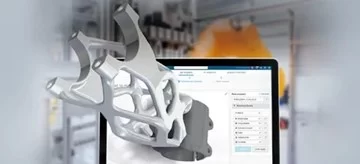
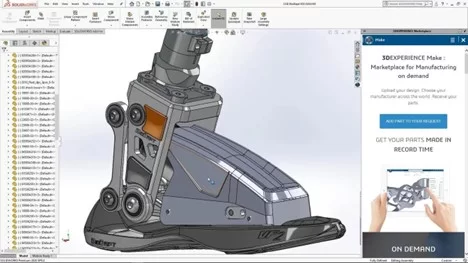
A SOLIDWORKS CAD interface showing a detailed mechanical assembly alongside the 3DEXPERIENCE Marketplace task pane, highlighting the options for on-demand manufacturing services.


What is the 3DEXPERIENCE Marketplace?

The 3DEXPERIENCE Marketplace is an app on the 3DEXPERIENCE platform developed by Dassault to support the full product innovation process. It enables production planners and engineers to source industrial manufacturing service providers for tasks like CNC, printing, and finishing.


Why Choose the Marketplace for Your Supply Chain Management?

  • Access a broad range of services, including CNC machining and injection tasks.
  • Work with vetted qualified suppliers under a secure NDA.
  • Benefit from streamlined communication via integrated email and messaging tools.


How Does the Marketplace Streamline Supply Chains?

Through a user-friendly task pane built directly into your familiar SOLIDWORKS CAD environment, the platform allows instant connection to a vast network of service providers. By centralizing the entire process within one platform, businesses can manage everything from rapid ideation to production without leaving their design environment. For instance, you can submit project requirements, review quotes, and finalize orders—all within a streamlined workflow. This reduces delays, ensures clear communication, and accelerates the transition from concept to product.


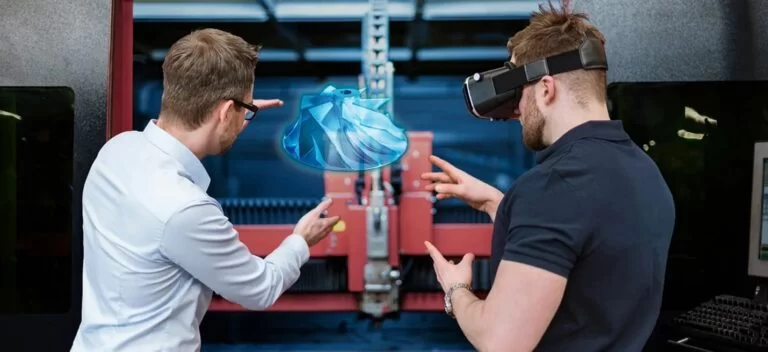
Two engineers collaborating in a modern manufacturing environment, with one using augmented reality glasses to visualize a 3D digital model of a component in front of a manufacturing machine.


The Marketplace also fosters collaboration with qualified suppliers who specialize in various manufacturing processes, including printing and finishing. These capabilities allow production planners to focus on innovation rather than logistics, transforming the traditional supply chain into a faster, more efficient system.


Key Features of the 3DEXPERIENCE Marketplace

  • On-Demand Manufacturing for Production Planners: Easily source industrial manufacturing service providers for small or large projects.
  • Connecting with Qualified Suppliers: Find the best partner for your specific project, from sheet metal to finishing.
  • End-to-End Support for Every Workflow: From rapid ideation to the final product, enjoy a smoother workflow.


Enhancing Your Supply Chain

For companies seeking to optimize their supply chain management, the 3DEXPERIENCE Marketplace is a game-changer. It delivers unmatched access to on-demand manufacturing, vetted qualified suppliers, and tools to streamline every stage of the process.


Accessing On-Demand Manufacturing

By connecting users to a global network of qualified suppliers, the platform ensures access to reliable service providers for a variety of manufacturing needs. Its integrated features simplify the sourcing process by enabling direct communication and file sharing with potential suppliers. This reduces the risk of delays and miscommunication, while secure agreements such as NDAs protect your intellectual property.

Whether you’re a startup looking for your first good company to partner with or a large enterprise aiming to streamline your supply chain, the 3DEXPERIENCE delivers unparalleled convenience, speed, and reliability.


Conclusion

The 3DEXPERIENCE Marketplace redefines how businesses approach supply chain management, offering seamless access to on-demand manufacturing, a wide range of services, and a trusted network of service providers. By integrating key features such as task pane workflows and secure communication, it ensures smooth collaboration across the full product innovation process.

Ready to transform your supply chain? Reach out to our 3DEXPERIENCE experts to get started!

X_green_halo

Any questions? Need help? Ask one of our experts.

Whether you’re ready to get started or just have a few more questions, you can contact us toll-free:
    SOLIDWORKS PDM vs. PLM on the 3DEXPERIENCE Platform

    BLOG

    SOLIDWORKS PDM vs. PLM on the 3DEXPERIENCE Platform

    [techtips_featured_image_shortcode]

    While Product Data Management (PDM) and Product Lifecycle Management (PLM) may sound similar, they serve different roles within the design journey. PDM focuses on managing and securing CAD files, making it easier for design teams to stay organized. PLM, on the other hand, supports full lifecycle management from concept through to production, bringing together departments like engineering, marketing, and manufacturing within a unified, cloud-based environment.

    In this article, we’ll explore SOLIDWORKS PDM vs. PLM on the 3DEXPERIENCE platform and how each addresses specific needs, from basic data management tools to a comprehensive framework for collaborative project management. By understanding the capabilities of each, your team can make an informed decision on which solution is the best fit.


    What Are PDM and PLM?

    Product Data Management and Product Lifecycle Management systems both offer essential solutions for organizing and managing information, but they serve different purposes within the product lifecycle. PDM focuses primarily on managing CAD files, while PLM provides a more comprehensive approach, supporting the full lifecycle management of products from initial design to production all the way through retirement. Let’s break down how these systems differ and how each benefits product design and engineering teams.


    Benefits for Data Control

    SOLIDWORKS PDM is an ideal solution for CAD environments. It provides a secure place to store files, ensuring safe concurrent designs among team members. Through features like version control, file locking, and workflows, you can maintain consistency across projects, making it a good choice for CAD-heavy teams that need to stay organized.


    How Does PLM Differ From PDM?

    While PDM is designed to manage CAD files and engineering information, PLM systems expand beyond the design department. PLM solutions, especially on the 3DEXPERIENCE platform, cover the product lifecycle management needs of various departments, supporting collaboration among project managers, marketing, manufacturing, and sales. With PLM, teams can track key milestones, dependencies, and delivery dates, ensuring everyone in the organization has visibility into the project planner.


    Can They Be Used Together?

    Absolutely, both system types can be complementary. Many organizations use SOLIDWORKS PDM for managing CAD-heavy data and PLM for broader lifecycle management of product data. This combination is especially valuable in complex projects where design data must seamlessly transition into the manufacturing process.


    SOLIDWORKS PDM vs. PLM on the 3DEXPERIENCE Platform: Which One Should You Choose?

    The choice between SOLIDWORKS PDM vs. PLM on the 3DEXPERIENCE platform depends on your organization’s needs. PDM is ideal for managing CAD files and design data among users who rely on SOLIDWORKS PDM Professional. On the other hand, PLM supports the lifecycle management of product data and is a better fit for organizations requiring a data management system that integrates every department involved in the manufacturing process.


    Licensing Options

    SOLIDWORKS PDM offers licensing based on the SOLIDWORKS subscription service model, which works well for smaller teams that need essential data management capabilities. The 3DEXPERIENCE platform provides scalable options, suitable for larger teams requiring collaboration across multiple roles, including project managers, engineers, and even remote teams.

    Feeling a little lost? We totally get it. But, fear not! We’re here to help, every step of the way. Reach out to our dedicated teams to know more, or to get personalized advice on how to implement your ideal data management solutions!


    PDM on the 3DEXPERIENCE Platform

    For SOLIDWORKS users who want to stay within a familiar environment, PDM on the 3DEXPERIENCE platform is a logical step. It supports file organization within a secure place, with version control and flexible workflows for enhanced collaboration. Accessible through a web browser, this setup allows for real-time interactions among team members, ensuring everyone works on the latest data.


    Enhancing Collaboration Beyond Design

    The 3DEXPERIENCE platform goes beyond traditional product data management by providing a collaborative data environment. With tools like the Collaborative Industry Innovator and Collaborative Business Innovator role, the platform enables teams to connect across departments. This environment fosters a collaborative experience for project managers, product release engineers, and team leaders alike, providing visibility into all aspects of the product development process.


    Key Advantages of 3DEXPERIENCE for Product Design Teams

    The 3DEXPERIENCE platform offers cloud-based data management tools that allow for real-time collaboration across team members. With dashboards for project tracking, workflows for approvals, and flexible server access, teams can work together efficiently, regardless of location.


    Why Consider Switching to PLM on the 3DEXPERIENCE Platform?

    Switching to the 3DEXPERIENCE platform can improve collaboration by creating an interconnected environment for product lifecycle management. This platform enhances the flow of collaborative data and integrates tools such as the Project Planner and Collaborative Industry Innovator, offering best practices for organizations looking to improve delivery dates and enhance visibility into projects.


    SOLIDWORKS PDM vs. PLM on 3DEXPERIENCE for Different Industries

    SOLIDWORKS PDM is particularly well-suited for small-to-medium engineering teams that prioritize CAD-focused file management, version control, and workflow automation within a secure environment. It enables these teams to streamline design processes and collaborate effectively on CAD data.

    On the other hand, PLM on the 3DEXPERIENCE platform extends beyond CAD data management, offering a comprehensive solution for industries like automotive and aerospace where complex project requirements demand robust collaboration and visibility across all departments.


    Does PLM Improve Product Lifecycle Traceability?

    Yes, PLM significantly enhances product lifecycle traceability by providing a centralized platform that connects all stages, from initial design through to production and beyond. Teams can monitor key milestones, dependencies, and revisions, enabling complete visibility over the product’s evolution. This comprehensive tracking helps stakeholders stay aligned on project goals, maintain version control, and ensure timely decisions. For industries with stringent regulatory requirements, PLM is invaluable as it consolidates compliance data, audit trails, and documentation, making it easier to meet standards and demonstrate accountability throughout the product lifecycle.


    What Role Does SOLIDWORKS or CATIA Play?

    Both SOLIDWORKS and CATIA play essential roles within Product Lifecycle Management by supporting detailed design and engineering processes. CATIA, as a core application on the 3DEXPERIENCE platform, is especially suited for industries like aerospace and automotive, where complex 3D modeling and simulation capabilities are critical.

    Meanwhile, SOLIDWORKS offers intuitive design tools that, when connected with PLM, empower teams to efficiently organize, share, and evolve their designs in line with project goals and regulatory requirements. Both solutions enrich your lifecycle environment by enhancing visibility and traceability throughout product development.

    For more information on CATIA or to get started on your next advanced engineering project, check out our sister-brand, Mecanica!

    The Value of Cloud-Based Solutions

    Both SOLIDWORKS PDM and the 3DEXPERIENCE platform offer cloud-based options, enabling remote teams to collaborate seamlessly. By supporting mobile access and reducing the need for physical servers, cloud integration enhances team members’ ability to access the most current design data.


    Comparing Costs

    For smaller organizations, SOLIDWORKS PDM is a cost-effective solution, offering basic data management features that integrate with SOLIDWORKS. PLM requires a higher initial investment but pays off with lifecycle management of product data across departments, improving long-term productivity.


    Wrapping Up: Choosing the Right Solution

    Choosing between SOLIDWORKS PDM vs. PLM on the 3DEXPERIENCE platform depends on your organization’s specific needs. For CAD-centric teams, PDM provides a robust data management system. For teams needing product lifecycle management solutions that encompass every phase of the product development process, the 3DEXPERIENCE platform is an ideal solution.

    X_green_halo

    Any questions? Need help? Ask one of our experts.

    Whether you’re ready to get started or just have a few more questions, you can contact us toll-free:

      Advanced 3DEXPERIENCE Training for Manufacturing Engineers

      BLOG

      Advanced 3DEXPERIENCE Training for Manufacturing Engineers

      With the constant evolution of the 3DEXPERIENCE platform, manufacturing engineers are continually presented with innovative tools and powerful capabilities, but little context.


      At Solidxperts, we understand the importance of staying on top of the latest features and best practices, which is why we offer advanced 3DEXPERIENCE training. Our specialized courses are designed to help engineers seamlessly integrate new skills, strengthen their understanding of best practices, and leverage the full power of the platform and SOLIDWORKS CAD solutions.

      Why Invest in Advanced 3DEXPERIENCE Training?

      Is basic knowledge of the 3DEXPERIENCE platform enough in today’s competitive landscape?


      Advanced 3DEXPERIENCE training for manufacturing goes beyond the fundamentals to dive deep into the latest catalog of apps, online services, and secure cloud data management features. Our trainers strive to give manufacturing engineers the confidence and skills to elevate their design capabilities, whether it’s exploring a new dimension of design with SOLIDWORKS CAD or navigating complex business processes with ease.


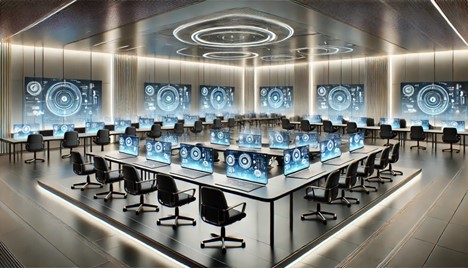
      An advanced digital training environment with rows of modern desks for professional students, subtle holographic interfaces, and a sleek, high-tech atmosphere.

      Advanced vs. Beginner 3DEXPERIENCE Training: What’s the Difference?

      Solidxperts’ courses are designed to help professionals transition smoothly from foundational knowledge to advanced 3DEXPERIENCE skills. They provide the guidance needed to build confidence and achieve expert-level proficiency.


      Advanced sessions focus on collaboration capabilities, the latest tools, and the reintegration process. These skills help simplify complex workflows for businesses of all sizes.

      The courses also provide engineers with a streamlined onboarding experience and faster access to the platform. This eliminates many of the challenges associated with traditional licensing and new software deployments.

       Customized CAD Training for Your Team

      But, what’s the 3DEXPERIENCE platform without your trusted SOLIDWORKS?


      With additional custom CAD training options, Solidxperts offers tailored programs to meet your specific design and business needs. Unlike generic courses, these specialized sessions can include advanced topics like MEP integration, secure cloud data management, and seamless design experience.


      For more info on what we have available, check out our catalog of upcoming 3DEXPERIENCE, CAD, and design courses, here.

      Master the Latest 3DEXPERIENCE Apps and Tools

      Succeeding in the manufacturing field means staying current with the latest apps and tools. Solidxperts brings successive years of experience in supporting manufacturing engineers through their continuous learning journey, with access to the latest apps on the platform, reducing downtime and enabling an effortless transition from older software versions.


      Our courses ensure engineers take full advantage of the platform’s cloud services, giving them instant access to the latest updates and tools without worrying about backdating.

      Need Training Tailored to Your Manufacturing Workflows?

      For professionals looking for more than the standard learning experience, Solidxperts offers custom CAD training solutions that address specific challenges.


      Our programs cover advanced topics such as MEP, non-SOLIDWORKS CAD compatibility (Autodesk, Onshape, etc.), and cloud services. They equip your team with the practical skills needed to tackle complex projects confidently.

      Key Takeaways from Advanced 3DEXPERIENCE Training

      New cloud solutions can be overwhelming, even for professionals with a solid understanding of the 3DEXPERIENCE platform. That’s why investing in advanced training is about more than expanding your technical skills. It’s about confidently adopting new tools, streamlining workflows, and creating a more efficient, collaborative work environment without disrupting ongoing projects.


      Whether you’re looking to master the latest 3DEXPERIENCE apps, strengthen your cloud data management practices, or get more from SOLIDWORKS, advanced training helps you stay current with evolving technologies and industry best practices. It equips you with the skills needed to confidently adopt new capabilities.


      With expert-led courses tailored to manufacturing professionals, Solidxperts provides the knowledge and practical experience needed to maximize your investment in the 3DEXPERIENCE platform. This ensures your team can take full advantage of the platform’s latest tools and features.


      Not sure where to start? Contact our team today for personalized guidance and discover the advanced 3DEXPERIENCE training path that’s right for you.

      X_green_halo

      Any questions? Need help? Ask one of our experts.

      Whether you’re ready to get started or just have a few more questions, you can contact us toll-free:
        Spooky SOLIDWORKS Design Fails: How to Avoid CAD Nightmares

        BLOG

        Spooky SOLIDWORKS Design Fails: How to Avoid CAD Nightmares

        Whether you’re a beginner just learning the ropes or an experienced CAD designer with years of projects under your belt, SOLIDWORKS design fails can strike unexpectedly and cause more than just frustration—they can derail timelines, increase costs, and even impact client trust. From disorganized file management to unexpected software crashes, the world of CAD is filled with potential pitfalls that can turn a straightforward project into an engineering nightmare.

        In this blog, we’ll dive into some of the most common SOLIDWORKS design fails that haunt CAD workflows and explore practical ways to avoid these pitfalls.


        SOLIDWORKS Design Fails to Watch Out For

        For CAD beginners, navigating SOLIDWORKS can feel like walking through a haunted house. One wrong step, and you’re in trouble. Over-complicating sketches, misusing fillets, or misunderstanding constraints all cause frustrating errors. For example, adding too many constraints can make a sketch over-defined, leading to geometry errors and regeneration problems.

        Avoiding Beginner Pitfalls: Start with simple sketches and gradually increase complexity. Avoid excessive constraints and verify each step as you build your design. When using features like fillets, apply them strategically to avoid performance issues while maintaining smooth geometry.


        SOLIDWORKS and the Ghost of Overlooked Updates

        Ignoring software updates is a common mistake that can come back to haunt CAD designers. Outdated software can lead to compatibility issues, errors, and missed opportunities for performance improvements. Over time, this can turn even simple tasks into a struggle.

        Keep Your Software Current: Keep your SOLIDWORKS up-to-date and install updates promptly. Staying up to date will help you avoid compatibility problems, benefit from new features, and maintain optimal performance. Looking to update? Check out SOLIDWORKS 2025!


        Common CAD Modeling Mistakes and How to Avoid Them

        What are some common CAD modeling mistakes that haunt both beginners and experienced designers? One of the most frequent issues is creating overly detailed models. While it may seem beneficial to add intricate details, excessive features can slow down CAD software and lead to errors. For instance, intricate sketch features can result in longer regeneration times and problems with assemblies.

        How to Avoid These Mistakes: Focus on creating simplified geometry and adding details only as needed. Keep sketches clean and organized, with fewer entities and constraints. Avoid adding redundant features that can complicate the model. Use the built-in CAD tools to check the quality of your model and resolve problems before they escalate.


        Haunted Geometry: Why Complexity Can Be a Design Killer

        In CAD systems, more geometry isn’t always better. Complex shapes and intricate details may look impressive, but they can cause significant issues, especially in large assemblies. For example, creating models with too many small features or tight tolerances can slow down system performance and lead to unexpected crashes.

        Taming the Complexity: To avoid performance problems, simplify your model whenever possible. Break complex shapes into manageable features and avoid creating unnecessary small faces or edges. When dealing with assemblies, switch between simplified and detailed configurations as needed to balance performance and visual detail.


        Are You Using Sketches Correctly?

        Incorrectly constructed sketches are one of the common mistakes that can lead to SOLIDWORKS design fails. Overly complicated sketches with many entities and constraints can slow down performance and make modifications difficult. If a sketch is too complex, even small changes can result in significant errors.

        Tips for Proper Sketching: Keep sketches simple and avoid unnecessary constraints. When making design changes, a clean, organized sketch will be easier to update. Use tools like “Check Sketch for Feature” to identify and correct potential issues before moving forward with your design.


        Phantom Files: Disorganized File Management

        Disorganized file management is one of the biggest headaches CAD designers have deal with. Phantom files—those lost or misplaced due to poor organization—can delay projects and disrupt the workflow. When file naming conventions aren’t followed, or folders are poorly structured, important files can go missing, just like a phantom that haunts your project. We’re all guilty of it, but naming files with vague terms like “final” or “final_v2” makes it hard to identify the correct version.

        How to Avoid This Curse: Implement consistent file naming conventions and a logical folder structure from the beginning. Use SOLIDWORKS PDM (Product Data Management) to keep all files organized and easily accessible in a central repository. PDM can help track file versions, automate version control, and allow metadata searches to prevent phantom files from disrupting your workflow.


        The Curse of Version Control: Disastrous Overwrites

        When team members unknowingly work on different versions of the same file, it’s a recipe for disaster. Without a structured approach, conflicting updates or lost data can occur—turning a simple project into an engineering nightmare.

        How to Avoid This Version Control Curse: Implement version control tools like SOLIDWORKS PDM and the 3DEXPERIENCE platform. They’ll allow you to track changes, maintain a complete version history, and merge updates seamlessly. Locking files while they are being edited prevents others from making conflicting changes, keeping everyone aligned and the workflow smooth.


        SOLIDWORKS and the Mystery in the Machine

        Software failures always happen at the most inconvenient times. Whether it’s a sudden crash, freeze, or unexpected glitch, these errors can result in lost work and frustration. The mystery lies in the unpredictability of these failures—sometimes a large assembly crashes due to low system memory, while other times, a rendering process fails without warning.

        How to Mitigate These Risks: Ensure regular software updates and perform consistent backups. Enabling SOLIDWORKS’ auto-recovery feature can help recover work lost during a crash. Additionally, for large projects, consider breaking up assemblies into subassemblies to reduce system strain and optimize performance.


        How to Fix a SOLIDWORKS Design Error For Beginners

        Errors like geometry failures, broken references, or missing files can derail progress and cause serious delays. For instance, importing a third-party file may lead to misaligned faces or gaps in the geometry, resulting in annoying issues.

        How to Avoid These Errors: Stay proactive by regularly checking for software updates and enabling auto-recovery options in SOLIDWORKS. Keeping backups of your work ensures you can revert to a previous state if an error occurs. Use tools like “Repair Sketch” or “Check Entity” to promptly identify and resolve geometry issues and avoid these problems.


        Don’t Let Time-Consuming Design Changes Haunt You

        In CAD design, one change can lead to a cascade of time-consuming modifications. Without a flexible design approach, adapting to new requirements can be difficult and costly. For example, rigid design practices can make client-requested changes disruptive and slow.

        Plan for Flexibility: Use parametric modeling techniques to make your design easily adaptable. Organize your sketches and features well, anticipating future changes. By planning for flexibility, you can avoid wasting time on rework and keep spooky design problems at bay.


        The Power of CAD Systems

        CAD systems are powerful tools, but they can become overwhelming when not used correctly. Poor workflow practices can lead to inefficiencies and errors that haunt CAD designers.

        Optimizing Your CAD Workflow: Plan your workflow carefully, choosing the appropriate tools for each design stage. Make the most of features like patterning and reference geometry to streamline the design process. The goal is to reduce the time spent on repetitive tasks while ensuring high-quality results.


        A Final Word on Avoiding SOLIDWORKS Design Fails

        Avoiding SOLIDWORKS design fails requires a proactive approach. Taking steps to optimize your workflow, manage files efficiently, and stay updated with the latest software versions will help keep engineering nightmares at bay. Remember, preparation and best practices are the keys to successful CAD design.

        Want to explore more CAD tips, tricks, and techniques? Ready to take your SOLIDWORKS skill to the next level?

        Browse through our library of SOLIDWORKS-based blogs, or sign up for your next Solidxperts Academy course. Check out our upcoming trainings, here.

        X_green_halo

        Any questions? Need help? Ask one of our experts.

        Whether you’re ready to get started or just have a few more questions, you can contact us toll-free:
          How do Raise3D printers improve rapid prototyping?

          BLOG

          How do Raise3D printers improve rapid prototyping?

          [techtips_featured_image_shortcode]

          The ability to quickly iterate designs and produce high-quality prototypes can be the difference between successful product launches and falling behind the competition. This is where Raise3D printers excel, revolutionizing the prototyping process with cutting-edge technology and user-centric features.


          By offering a seamless blend of precision, flexibility, and efficiency, Raise3D printers empower designers and engineers to transform ideas into physical objects faster than ever before. Their advanced capabilities, such as independent dual extruders, auto bed leveling, and a uniform build area, not only optimize the printing process but also solve common challenges in prototyping.


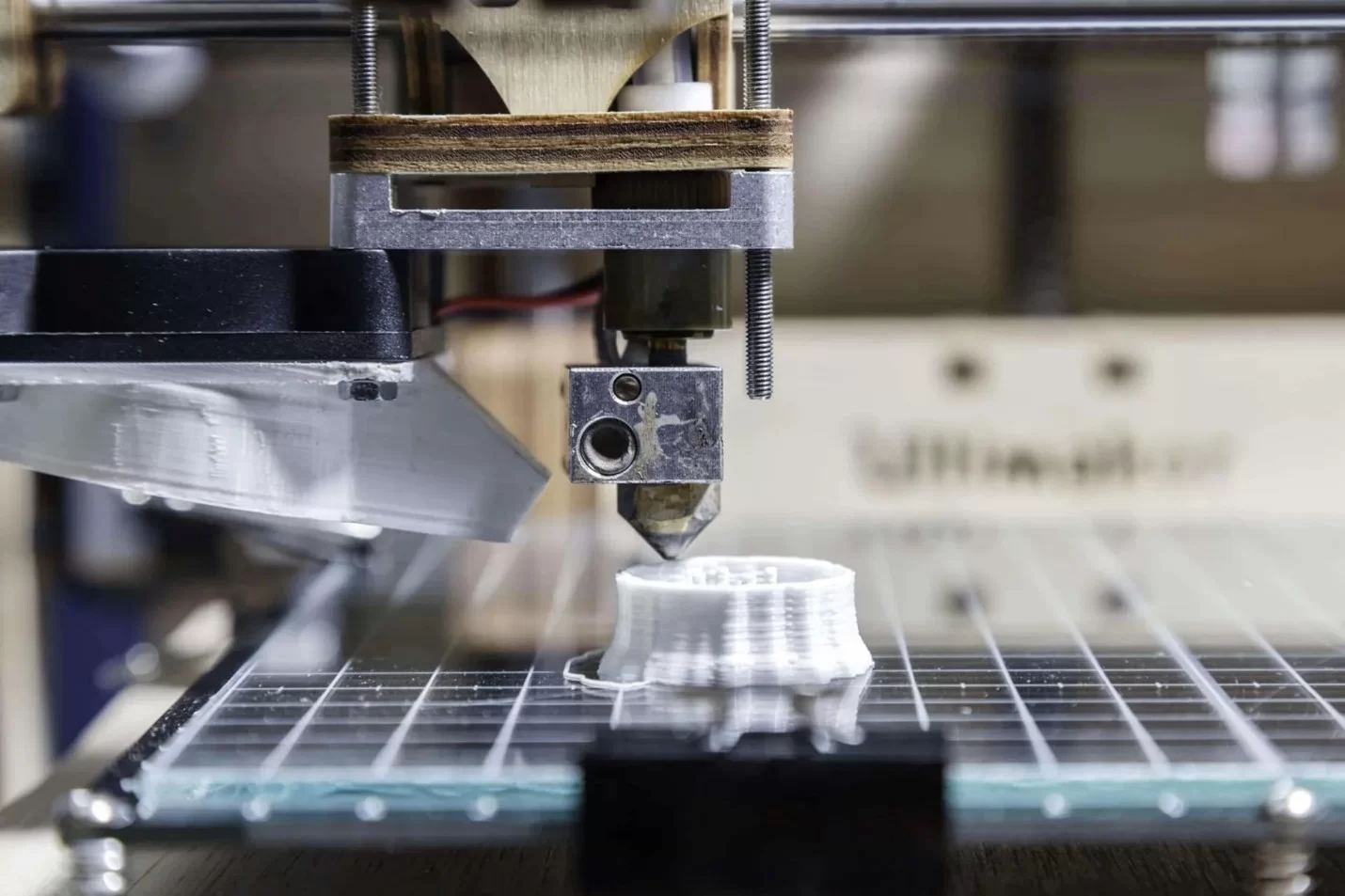
          A close-up view of a Raise3D printer bed and dual extruder head


          Whether you’re working with standard materials like PLA and ABS or experimenting with more advanced filaments like carbon fiber composites, Raise3D printers provide a versatile solution that caters to diverse prototyping needs across industries.

          What Makes Raise3D Printers Stand Out?

          Raise3D printers excel with innovative design and high-quality performance, offering a stable printing platform equipped with innovative printing platform features like auto bed leveling and flexible build plates. Their uniform build area ensures precise results across various materials, including PLA, ABS, PETG, and carbon fiber composites, allowing for consistent layer accuracy even in complex designs.

          A Raise3D printer touchscreen interface displaying a welcome message and several menu options


          The platform’s advanced features address common printing challenges such as uneven heating and poor adhesion, preventing issues like warping or layer shifting. This helps deliver smoother, higher-quality print results with fewer manual adjustments, creating a more stable printing process overall.

          How Does Raise3D Improve Rapid Prototyping?

          By combining robust hardware with user-centric enhancements, Raise3D not only optimizes the printing experience but also makes it accessible for users at all skill levels. This reliability in prototyping accelerates the development process, enabling designers and engineers to achieve top-quality prototypes efficiently.


          Taking a look at specifics, Raise3D’s independent dual extruders allow users to print with multiple filaments simultaneously, such as TPU and nylon, or even water-soluble support materials like PVA. This capability supports the rapid prototyping cycle by enabling quicker production of complex parts with minor surface contour changes.


          Additionally, the incorporation of Ethernet connectivity enhances communication and data transfer, which can further streamline the agile development cycle, accelerating testing phases and helping to bring ideas to life faster.

          What are the key features of Raise3D printers?

          Raise3D printers boast advanced features like dual extrusion, a sizable build volume, and a sturdy frame. They offer high precision, compatibility with various filaments, and user-friendly interfaces. These qualities make Raise3D printers ideal for professionals seeking top-notch prototyping capabilities.


          Why Is a Flexible Build Plate Important?

          A flexible build plate is essential for reducing the risk of potential print damage during part removal. Raise3D printers come with flexible build plates that make it easier to remove final print jobs without the need for tools, resulting in a smoother and easier experience. Additionally, improved bed adhesion ensures that the first layer stays in place, preventing common printing problems like warping or lifting.


          Advanced Extruders: Independent and Modular

          Raise3D’s extruder technology takes the printing process to another level with both independent dual extruders and series dual extruder configurations. These independent modular extruders can print with a variety of filaments, including PC and ASA, offering versatility in material choices. The front cover of the extruder is also easily accessible for replacement of components or regular scheduled interventions, ensuring an efficient maintenance process.


          Raise3D printer dual extruder head and nozzle configuration


          Raise3D’s Printing Platform: Stability and Versatility

          Raise3D’s lineup, including models like the Pro2, Pro3, and E2, offers printing platforms designed for stability and versatility, catering to various prototyping needs. Each model features a uniform build area, providing more stable performance and a consistent foundation across different project sizes. For instance, the Pro3 Plus boasts a spacious build volume of 12x12x23.8 inches, making it ideal for larger industrial parts, while still maintaining the precision required for intricate desktop models.


          Does Raise3D’s Auto Bed Leveling Improve Print Quality?

          Auto bed leveling (ABL) is a significant advantage for any 3D printer, and Raise3D’s auto bed leveling technology ensures that the print nozzles maintain the correct distance from the printing platform throughout the job. This prevents uneven printing and enhances the accuracy of the surface contour changes. As a result, users achieve better overall print quality and a more efficient process.

          All models come with auto bed leveling and flexible build plates, ensuring excellent bed adhesion and reducing warping across various materials, from ABS and PETG to flexible filaments like TPU. This versatility allows Raise3D printers to support applications ranging from small-scale prototyping to producing full-sized functional parts.


          Power Loss Recovery for Uninterrupted Workflow

          These printers are equipped with a power loss recovery feature that ensures continuity even during unexpected power outages. This capability allows the printer to resume from the last point in the print job, minimizing wasted materials and time. It is a crucial feature that supports a seamless workflow in an agile development cycle.


          Printing Various Materials


          A series of brightly colored 3D printing filaments that are compatible with Raise3D printers


          The hot end of Raise3D printers is engineered to handle a range of filament types, from flexible TPE to durable carbon fiber composites. Its high-temperature capabilities enable the printing of specialized materials like nylon, enhancing the scope of rapid prototyping applications. This adaptability is crucial for projects that require different material properties in a single prototype.

          Ensuring Quality with Efficient Maintenance

          To maintain high printing standards without constant management, Raise3D printers are designed to keep maintenance simple, efficient, and easy. The replacement of components, such as print nozzles, can be done with minimal effort, and regular scheduled interventions help to avoid any potential print damage.

          Navigating Common Printing Problems with Raise3D Solutions

          Raise3D printers effectively address common printing issues like poor bed adhesion, warping, and uneven prints with advanced features designed for reliability. The flexible build plate allows for easy removal of finished parts while minimizing potential print damage. Auto bed leveling ensures the print nozzles stay correctly aligned with the printing surface, preventing layer shifts and enhancing print accuracy. Additionally, Raise3D’s heated build platform helps maintain consistent temperatures across the print bed, further reducing the risk of warping. These features work together to deliver a smoother, more reliable printing experience with fewer interruptions and consistently high-quality results.

          Conclusion: Empowering Agile Development Cycles

          Raise3D printers accelerate the rapid prototyping cycle and streamline the printing process for a better overall experience with their advanced extruder technology, auto bed leveling, power loss recovery, and versatile material compatibility. A valuable tool for any business engaged in agile development, Raise3D printers offer users an easier printing experience, better print results, and the right solution for truly agile prototyping.


          Expand your 3D printing capabilities or take your first steps into additive manufacturing with confidence.

          X_green_halo

          Any questions? Need help? Ask one of our experts.

          Whether you’re ready to get started or just have a few more questions, you can contact us toll-free:
            Leveraging 3DEXPERIENCE for Sustainable Product Design

            BLOG

            Leveraging 3DEXPERIENCE for Sustainable Product Design

            [techtips_featured_image_shortcode]

            As the world grapples with climate change and resource depletion, there is a growing urgency to adopt sustainable practices. For businesses involved in product development, this means rethinking how products are designed, manufactured, and managed throughout their life cycle. Integrating sustainability into the core of product design is not only a response to consumer demand for eco-friendly products but also a strategic move to meet regulatory requirements and achieve long-term business success.


            The 3DEXPERIENCE platform stands out as a comprehensive solution that empowers you and your business to embrace sustainable innovation. With tools for lifecycle assessment, virtual twin simulations, and real-time data analysis you can easily optimize your products’ overall environmental impact. Make informed decisions about materials, production methods, and energy consumption to significantly reduce environmental footprints. This approach helps businesses align with sustainability goals, such as zero carbon targets and circular economy principles, while also unlocking opportunities for cost savings and improved brand reputation.

            Why Choose 3DEXPERIENCE for Sustainable Engineering?

            Leveraging the 3DEXPERIENCE for sustainable product design empowers you to integrate lifecycle assessment directly into the product development process. Monitor a product’s environmental footprint every step of the way, from raw material extraction to the end of its life cycle, by embedding sustainability goals directly into your design principles.

            a silhouetted engineer walking across a lush green field with a stream of digital information representing green technology

            Reducing the Environmental Impact of Products

            The platform helps identify the environmental impact of your designs early in the design process. By simulating various factors such as energy consumption, water use, and waste generation in a virtual space you can make better-informed decisions to minimize the carbon footprint and land use associated with manufacturing processes, paving the way for more sustainable production practices.


            Leveraging Virtual Twins

            Virtual twin technology is a powerful feature of the 3DEXPERIENCE platform that allows you to create digital replicas of your products. By using virtual twins, teams can test different materials and manufacturing methods, reducing the need for physical prototypes and limiting waste generation.

            Designing for a More Sustainable World: Key Practices

            a factory with a smokestack that releases leaves and clean water, symbolizing eco-friendly industrial innovation

            Your teams can make products more sustainable by carefully choosing materials and implementing smart practices throughout the product development cycle. Gain real-time insights into the environmental conservation aspects of different design choices from directly within your 3DEXPERIENCE platform. This enables your teams to optimize material use and adopt greener design practices.


            How Does Advanced Digitalization Support Sustainable Innovation?

            The platform’s advanced digitalization capabilities provide you with innovative solutions to assess and improve product sustainability. By leveraging real-time data, you can monitor the environmental impact of your designs and make adjustments to support zero carbon goals. Create new products while ensuring production processes align with broader sustainability goals.


            Circular Economy and Sustainable Product Development

            Adopting circular economy principles is essential for sustainable development. Leveraging the 3DEXPERIENCE for sustainable product design supports a circular economy by empowering your business to design products with recyclability in mind. By optimizing the use of materials and considering the product’s life cycle from start to finish, the platform encourages the creation of environmentally friendly products that can be easily disassembled and reused, reducing overall waste and raw material consumption.

            Enhancing Lifecycle Assessment with a Single Platform

            3DEXPERIENCE streamlines the lifecycle assessment process by providing all necessary tools on a single platform. Teams can evaluate the product’s life cycle in detail, considering factors like energy consumption, land use, and water use, ensuring the manufacturing processes contribute positively toward a more sustainable future.

            A laptop sitting on a simple table in the middle of a bright, lush green field displaying a teardrop shaped leaf design

            Supporting the Entire Product Lifecycle with Sustainable Practices

            From the initial design phase to the end of the product’s life, 3DEXPERIENCE helps businesses incorporate sustainable practices into every step. The platform supports waste reduction, smart material use, and optimized production processes, ensuring that the entire product lifecycle supports sustainability goals.


            Can 3DEXPERIENCE Facilitate the Production of Environmentally Friendly Products?

            Yes, 3DEXPERIENCE supports the development of environmentally friendly products. Its tools integrate sustainability throughout the entire value chain. Companies can simulate different aspects of a product’s environmental footprint, including energy consumption and waste generation. As a result, they can ensure that each product aligns with their sustainability goals.


            3DEXPERIENCE for a Greener Future

            Achieving sustainability requires more than intentions; it demands integrating eco-friendly practices into every step of product development. The 3DEXPERIENCE platform offers businesses the tools they need to design friendly products that meet sustainability goals, embrace circular economy principles, and reduce the environmental impact of production processes.


            By leveraging virtual twin technology, advanced digitalization, and real-time data, businesses can minimize waste and reduce energy consumption. They can also select more sustainable materials and optimize their manufacturing processes to support zero-carbon goals. This approach leads to more environmentally friendly products. It also delivers business benefits, including cost savings, an enhanced reputation, and improved regulatory compliance.

            Building a Greener Future Through Sustainable Engineering

            3DEXPERIENCE supports innovation by encouraging teams to consider waste reduction, sustainable materials use, and end-of-life management from the start. As companies strive for a greener future, the platform ensures sustainability becomes a core principle throughout the value chain.


            In a world where sustainability is a crucial differentiator, 3DEXPERIENCE offers a unified solution for responsible innovation. Adopting 3DEXPERIENCE for sustainable product design helps businesses create eco-friendly products and achieve their sustainability goals. It also paves the way for a future where environmental conservation is an integral part of product development.


            Want to know more? Want to get started on your sustainability journey? Reach out to our experts for advice on how to get started and to discover just how green the grass can be!

            X_green_halo

            Any questions? Need help? Ask one of our experts.

            Whether you’re ready to get started or just have a few more questions, you can contact us toll-free:
              How PDM Improves Collaboration for Remote Engineering Teams

              BLOG

              How PDM Improves Collaboration for Remote Engineering Teams

              [techtips_featured_image_shortcode]

              For an increasingly connected world, remote work is becoming the norm, especially in industries like engineering, where design and product development require input from experts across various locations. The shift to remote work presents challenges, particularly when it comes to maintaining clear communication, managing heavy design data, and ensuring consistency throughout your engineering process.

              With the increasing reliance on digital tools, companies need efficient solutions to keep everyone on the same page, regardless of where they’re working. SOLIDWORKS PDM provides a centralized hub where teams can securely store, access, and manage critical product data such as schematics, CAD models, and bills of materials (BOMs).

              By bridging the gap between remote engineering teams and offering secure access to product and design information, SOLIDWORKS PDM not only enhances collaboration but frees up your team to spend less time on management and more time on innovation and driving product development forward.


              What is Product Data Management (PDM)?

              Product Data Management (PDM) is a digital system that helps engineering teams organize and control their product data throughout the development process. For SOLIDWORKS PDM, this is your Vault. It acts as a centralized repository where team members can store, share, and track revisions of design files, schematics, and other crucial documents. Remote engineers can easily access the information they need, resulting in less time spent searching for files and more time on actual product development.

              For more information on What PDM is and why it’s important, check out our latest blog on the subject!


              How Does PDM Support Remote Engineering Teams?

              Successful remote engineering teams thrive on smooth and efficient collaboration. SOLIDWORKS PDM plays a critical role in making this possible for teams dispersed across different locations through user-friendly features and CAD-aware file sharing capabilities. For example:


              1. SOLIDWORKS PDM enables remote teams to collaborate seamlessly by centralizing all product data, including CAD models and documentation, in a secure vault. Through cloud or VPN access, engineers can retrieve and update files from anywhere, ensuring they always work with the latest versions.
              2. PDM’s version control tracks every change, preventing overwrites and ensuring clarity on who made edits and when. Automated revision management reduces errors and keeps projects on track.
              3. File sharing is simplified. Engineers can check files in and out, with controllable permissions ensuring secure access to sensitive data.
              4. Customizable workflows automate approvals and change requests, allowing global teams to maintain momentum without delays.
              5. Integration with SOLIDWORKS CAD and BOM management ensures consistency and efficiency across all product development stages.


              Remote engineering teams can retrieve, modify, and update files in real time, ensuring that everyone works with the most current version of the data, reducing the risk of errors or duplication. By leveraging these features, SOLIDWORKS PDM helps your teams stay connected to their product data, collaborate effectively, and maintain high levels of productivity, no matter where they are in the world.


              Can PDM Improve Communication for Remote Engineering Teams?

              Silhouettes of two engineers holding tablets that project a hologram of a gear, standing in front of a large, glowing blue globe.


              Absolutely. By integrating product data management with communication tools such as emails and messaging platforms, engineers and project managers can easily discuss design data and track changes in real-time. The use of software that combines CAD tools and data management solutions creates a collaborative environment, ensuring everyone is working from the latest versions of schematics and designs.


              How Does PDM Integrate with CAD Tools?

              SOLIDWORKS PDM is designed to work seamlessly within your familiar SOLIDWORKS CAD environment. By linking your CAD information directly to the product data management system, remote engineers can track revisions, update models, and share designs in real-time. This seamless connection ensures that all product development tasks are carried out using the most up-to-date data, reducing errors and improving overall efficiency.


              Handling Change Orders

              Tracking change orders is one of the most important aspects of any engineering process. SOLIDWORKS PDM provides transparency by ensuring all changes are documented and reviewed by the necessary stakeholders, regardless of location. This ensures that the latest version of any design is available for all team members, reducing confusion, and improving project workflows.


              Enhancing Collaboration with Schematics and BOM Management

              Handling complex projects involving detailed schematics and BOM can be a challenge for remote teams. PDM simplifies this by providing an organized platform where engineers can collaborate, track changes, and ensure that all information is accessible in one place. This leads to more efficient engineering processes and a smoother overall product development lifecycle.


              Startups and Growing Companies

              For startups and smaller companies, implementing a product data management system might seem like a significant investment. However, the ability to manage product data effectively from the outset can greatly improve scalability. As remote work becomes more common, PDM ensures that all team members can access necessary information, contributing to smoother project timelines and efficient workflows.


              A Solution for Global Collaboration

              For globally dispersed teams, effective data management is key. A well-implemented PDM system facilitates seamless collaboration between offices located in different parts of the world. By managing data centrally, remote engineers can work on shared projects without geographical limitations, leading to more efficient workflows and faster time-to-market.


              Best Practices for Remote Work in Engineering

              Remote engineers and project managers benefit from establishing best practices when working with PDM. Regularly reviewing change orders, organizing BOMs, and maintaining open lines of communication are essential for keeping projects on track. With PDM in place, these practices become easier to follow, ensuring consistency across the board.


              Why Choose Cloud-Based Solutions for Remote Engineers?


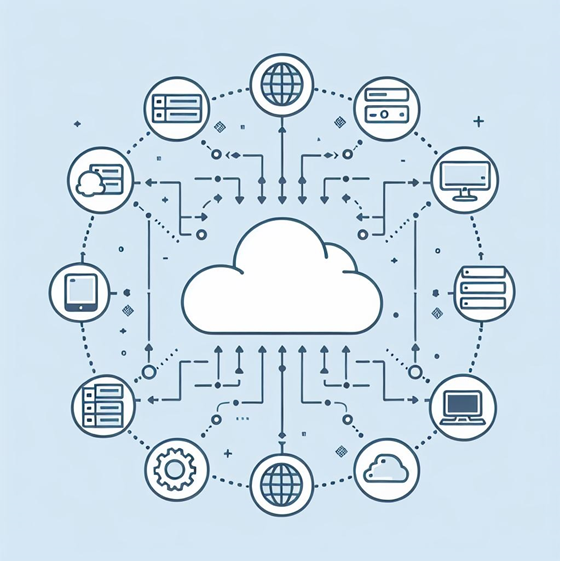
              A simple illustration of a cloud-based Product Data Management (PDM) system.


              Cloud-based solutions, like the 3DEXPERIENCE platform, have transformed how remote engineering teams collaborate. By hosting product data management on the cloud, teams no longer need to worry about local servers or hardware issues. Instead, they can access their designs from anywhere, as long as there’s an internet connection. This flexibility allows teams to stay productive even when working from different locations.


              What Role Does PLM Play in Remote Collaboration?

              PDM manages product data, while PLM oversees the entire product lifecycle. Integrated together, these solutions assist remote teams in managing design, logistics, manufacturing, and end-of-life processes for a holistic view of the product journey.


              Benefits of Combining Systems

              Taking this integration one step further, incorporating enterprise resource planning (ERP) with your PDM ensures better coordination between design and manufacturing. By linking the BOM from CAD with ERP systems, companies can better manage production schedules, raw materials, and delivery timelines. This is particularly helpful for remote teams, as it keeps all departments aligned with project milestones and progress.


              Streamlining Engineering Processes

              The use of PDM allows engineering teams to follow best practices for managing product development and engineering processes. By providing a structured way to manage design data, teams avoid duplicate files, conflicting versions, and communication breakdowns. This is essential when working remotely, as remote engineers need to rely on efficient data management to avoid costly mistakes.


              Final Thoughts on PDM for Remote Engineering Teams

              With a product data management system in place, remote engineers can easily collaborate across different regions and time zones, ensuring that everyone is working with the latest files and data. This creates a more streamlined workflow, where design revisions, change orders, and BOMs are managed in a single platform that all team members can access with an internet connection. Additionally, integrating PDM with other tools like CAD and PLM solutions further enhances this collaboration, providing an end-to-end solution for managing not only product data but also the broader aspects of the product lifecycle.

              For companies of all sizes—from established corporations to growing startups—implementing PDM can transform how projects are managed and executed, leading to more efficient engineering processes and faster time-to-market. Stay connected, collaborative, and productive, no matter where you and your team members are in the world.

              X_green_halo

              Any questions? Need help? Ask one of our experts.

              Whether you’re ready to get started or just have a few more questions, you can contact us toll-free:
                3DEXPERIENCE xApps: Enhancing Your SOLIDWORKS Workflow

                BLOG

                3DEXPERIENCE xApps: Enhancing Your SOLIDWORKS Workflow

                [techtips_featured_image_shortcode]

                3DEXPERIENCE xApps are cloud-based applications that extend SOLIDWORKS with browser-based design, simulation, and collaboration tools. They help engineers and designers complete projects faster, improve accuracy, and collaborate more effectively from anywhere. Whether you’re working on sheet metal design, molding, or simulation, these CAD apps are specifically tailored to help you tackle any specific task and they’re accessible right from your browser.


                Additionally, built on the 3DEXPERIENCE platform, these apps expand the functionality of SOLIDWORKS while providing truly browser-based CAD. Whether you’re managing geometry revisions, performing draft analyses, or designing complex enclosures and molds, these apps simplify everyday engineering tasks. They help improve efficiency, reduce errors, and keep teams aligned throughout the product development process.


                In this guide, we’ll explore how 3DEXPERIENCE xApps enhance your SOLIDWORKS workflow. We’ll also highlight their key benefits and share best practices for integrating these powerful tools into your daily design operations.

                Key Takeaways

                • xApps extend SOLIDWORKS with browser-based CAD tools.
                • They run on the 3DEXPERIENCE platform.
                • Designers can work from anywhere without installing CAD software.
                • xApps improve collaboration, revision management, and cloud data access.
                • Popular xApps include xDesign, xShape, xSheetMetal, xFrame, and xMold.

                What Are 3DEXPERIENCE xApps?

                The 3DEXPERIENCE platform xApps hero banner


                xApps are cloud-based CAD apps that provide you with enhanced sheet metal design, draft analysis, molding, and simulation capabilities. They integrate seamlessly with SOLIDWORKS and the 3DEXPERIENCE platform. Together, these roles and apps help engineers and designers complete specific tasks faster and more efficiently.


                xApps in the 3DEXPERIENCE platform provide a range of tools to meet various design needs. Below is a quick breakdown of each app and its core functionality:


                • xDesign: A flexible browser-based CAD tool that enables users to create, modify, and finalize designs. It’s ideal for concept development, detailed 3D modeling, and collaborative design workflows.
                • xShape: A powerful app focused on subdivision surface modeling. It allows users to create complex, organic shapes for products such as enclosures, consumer goods, and molds with ease.
                • xSheetMetal: Designed for sheet metal design, this app helps users create accurate sheet metal components with intuitive tools. It also preserves associative parametric sheet metal design, making updates faster and more consistent.
                • xFrame: A structural design app for creating welded and bolted frames. It streamlines frame modeling for manufacturing, machinery, and structural engineering projects.
                • xGenerative Design: An innovative generative design app powered by simulation and optimization algorithms. It automatically generates design concepts based on performance goals, functional requirements, and engineering constraints.
                • xMold: Designed for injection mold design, this app enables users to create and validate mold components. Integrated simulation features help identify potential issues before production begins.


                Together, these apps integrate seamlessly with SOLIDWORKS and the 3DEXPERIENCE platform, allowing users to streamline their workflows across various design stages. For a more detailed look at how to use apps on the platform, check out our previous blog!

                How Do 3DEXPERIENCE xApps Improve SOLIDWORKS Workflows?

                In practice, xApps provide CAD designers with tools to complete complex tasks, from sheet metal to molding and simulation. By integrating SOLIDWORKS with these apps, you gain access to advanced tools that simplify your workflows and increase productivity.


                What Is the Creator Role?

                For teams that need advanced design capabilities, the creator role provides essential tools like xDesign and xShape, which allow designers to create advanced models and sketches. With these apps, designers can manipulate subdivision surfaces and achieve more fluid, organic shapes for enclosures, molds, or sheet metal projects.


                Why Should You Use These Apps in Your Browser?

                Beyond their design capabilities, one of the standout features of 3DEXPERIENCE xApps is that they can be accessed directly from your browser. Whether you’re designing sheet metal parts or running simulation tests, you no longer need to install complex software locally. As a result, working in the cloud makes collaboration with other SOLIDWORKS users faster and more efficient.


                To get the most out of 3DEXPERIENCE xApps, it’s important to follow best practices to ensure efficiency. Whether it’s using the PDM system to manage revisions or employing xDesign for accurate geometry creation, following guidelines ensures you get the most out of the tools available.

                How Do You Get Started with 3DEXPERIENCE xApps?

                Once you’re familiar with the available apps, getting started with xApps is simple. This quick-start guide provides guidance for SOLIDWORKS users to begin integrating these apps into their daily workflows, ensuring you’re ready to tackle any specific task with ease.


                An engineer modifies the design of a mechanical part on a tablet displaying the 3DEXPERIENCE platform xApps.


                Using xApps for Molding and Simulation

                In addition to design, the 3DEXPERIENCE platform excels in simulation and molding applications. It offers powerful tools to test materials, designs, and manufacturing processes virtually before production begins. This allows for a more streamlined approach to manufacturing, reducing errors and saving costs.

                How Do xApps Work with PDM and PLM?

                Beyond design and simulation, xApps also support PLM capabilities, helping you manage product data throughout the lifecycle. This is especially useful for managing PDM and PLM systems, ensuring that all product information is up-to-date and easily accessible to all team members.


                How Can xApps Improve Your Sheetmetal and Mold Design?

                Similarly, for anyone working with sheet metal, the 3DEXPERIENCE platform brings improved sheet metal design capabilities. These apps offer precise control over sheet metal features such as bends, cuts, and folds, making them an essential tool for anyone dealing with enclosures or complex mold designs.


                How Do xApps Enhance Geometry Creation and Modification?

                Creating and modifying complex geometry is a critical aspect of the design process, and these apps offer intuitive tools to streamline this task. Whether you’re designing intricate sheet metal components or organic forms for molding, apps like xDesign and xShape provide users with flexible modeling options. These tools enable designers to manipulate geometry in real-time, making adjustments with ease and precision. With associative parametric design capabilities, any changes to the geometry automatically update across the model, reducing errors and saving time in revisions.


                Ultimately, by leveraging these geometry tools within your SOLIDWORKS workflow, you can accelerate the design process while maintaining full control over the intricacies of your project.

                Unlock the Full Potential of 3DEXPERIENCE xApps

                3DEXPERIENCE xApps extend SOLIDWORKS with browser-based CAD, cloud collaboration, simulation, and specialized engineering tools. These capabilities help teams design faster and collaborate more effectively.

                Whether you’re creating sheet metal components, structural frames, molds, or organic products, xApps provide the flexibility to work from virtually anywhere. They also keep your data connected through the 3DEXPERIENCE platform.

                Not sure which xApps are right for your team? Our certified specialists can help you evaluate your workflows, recommend the appropriate roles, and guide your implementation.

                X_green_halo

                Any questions? Need help? Ask one of our experts.

                Whether you’re ready to get started or just have a few more questions, you can contact us toll-free:

                  3DEXPERIENCE for Designers: Streamlining Collaboration

                  BLOG

                  3DEXPERIENCE for Designers: Streamlining Collaboration

                  [techtips_featured_image_shortcode]

                  The 3DEXPERIENCE offers a powerful, unified environment that goes beyond traditional tools, allowing for an integrated and collaborative approach to product development. By bringing together design, data management, and simulation in one place, the platform eliminates silos between teams, fostering more efficient communication and enabling real-time collaboration.

                  Whether working on a simple or a large-scale projects, 3DEXPERIENCE ensures everyone stays connected. This platform not only enhances creativity but also improves productivity by simplifying workflows, accelerating iterations, and streamlining every aspect of the process.


                  Collaborative Product Development Made Simple

                  The platform provides a single source of truth for product development. Designers and engineers can work together on parametric designs or complex shapes, knowing that their updates are shared instantly with other stakeholders. This approach allows teams to avoid the bottlenecks often caused by siloed data management systems, leading to faster new designs and streamlined iterations.


                  How Does 3DEXPERIENCE Improve Collaboration with SOLIDWORKS CAD?

                  The integration between 3DEXPERIENCE and SOLIDWORKS CAD is designed to facilitate seamless collaboration between designers, engineers, and other team members. Collaborate on product design in real time, so you and your teams can manage complex workflows from ideation to production.


                  Empowering Stakeholders by Streamlining Collaboration

                  The platform enables stakeholders like project managers, clients, and suppliers to interact with designs and provide input without needing CAD expertise. This level of accessibility ensures that feedback is provided earlier in the process, improving the final product and reducing costly revisions.


                  Can 3DEXPERIENCE Foster Better Communication with Stakeholders?

                  By keeping all data in one place, 3DEXPERIENCE improves communication between stakeholders and designers. View, comment on, and provide feedback at any stage of the project! This real-time collaboration reduces misunderstandings and ensures that all team members are on the same page.


                  How Can Designers Use Apps to Manage Data?

                  With 3DEXPERIENCE, designers have access to a wide range of apps that support them every step of the way. From data visualization to simulation, these apps are tailored for product design and allow for real-time updates, ensuring that all stakeholders stay informed. Data management is simplified through cloud-based solutions, providing secure, centralized access to project files.


                  How Can the Manufacturing Definition Creator Simplify the Design Process?

                  The Manufacturing Definition Creator app on the 3DEXPERIENCE allows users to create specifications that other team members can easily understand and follow. This app provides designers with a structured approach to defining product features, saving time and reducing misunderstandings during the process.


                  The Role of Simulation in Product Design

                  Simulation plays a critical role in ensuring that designs meet performance criteria before physical prototypes are made. By using simulation within the platform, designers can test their designs under various conditions, leading to fewer costly revisions and more successful product launches.


                  Simulation Excellence for Design Guidance

                  Incorporating simulation early in the design phase is crucial for improving product performance. The platform offers simulation tools that provide design guidance and allow teams to test their products in virtual environments. By integrating simulation into the development cycle, designers can reduce physical prototyping and improve overall product quality.


                  But, Why 3DEXPERIENCE for Designers?

                  Choosing 3DEXPERIENCE ensures that your team has the tools they need to thrive in a competitive landscape. The platform’s collaborative nature enables designers to work in harmony, while its intuitive user interface helps users of all skill levels quickly adopt the technology. Moreover, the ability to access the platform via a web browser makes it versatile for on-the-go usage.


                  Streamlining Ideation for New Designs

                  From concept to creation, the platform enables smooth transitions between ideation and execution. The platform supports various design methods, including parametric design, and helps teams refine their ideas before moving into full-scale product development. This streamlined approach leads to more innovative new designs and quicker market launches.


                  Enhancing Design Excellence with 3DEXPERIENCE

                  Achieving excellence in design requires robust tools and seamless teamwork. The platform empowers design teams by connecting their workflows and ensuring that the best practices are followed throughout the product development lifecycle. This emphasis on collaboration helps teams deliver high-quality designs efficiently.


                  Complex Product Design

                  For projects requiring complex shapes and intricate designs, 3DEXPERIENCE offers powerful tools that simplify the process. Whether working on multi-part assemblies or intricate geometries in industries like automotive and aerospace, designers benefit from parametric design and flexible modeling features. The platform’s apps handle large-scale projects with ease, allowing designers to bring innovative ideas to life while maintaining precision. Real-time collaboration keeps teams aligned, ensuring seamless updates and iterations. By streamlining the creation of complex designs, the platform enhances efficiency and helps push the boundaries of product development.


                  Optimizing Product Development with 3DEXPERIENCE for Designers

                  The platform optimizes every step of the product development cycle. By offering tools for simulation, parametric design, and data management, the platform ensures that designers have everything they need to succeed. The collaborative nature of the platform also means that stakeholders are always in the loop, reducing the time it takes to get products to market.


                  Achieve Design Excellence with 3DEXPERIENCE

                  Whether you’re a seasoned designer or new to SOLIDWORKS CAD, the platform helps elevate your design skills. With an array of tools and a focus on collaborative workflows, 3DEXPERIENCE fosters excellence and improves product development outcomes.

                  To keep learning about what the platform can do for your workflows, read through our blog series that explores some basic functions and features to help get you started:


                  Conclusions & Final Thoughts

                  The 3DEXPERIENCE for designers is game-changing, offering a seamless, collaborative environment where product development becomes more efficient. By integrating powerful tools for parametric design, simulation, and data management, the platform not only enhances quality but reduces the time and costs associated with traditional workflows.

                  Designers using 3DEXPERIENCE can enjoy an intuitive user interface, access to a wide variety of apps, and real-time updates that keep all stakeholders aligned throughout the process. Whether it’s creating complex shapes or refining new designs, the platform supports innovation and facilitates better communication across teams.

                  With its seamless integration into SOLIDWORKS CAD, 3DEXPERIENCE extends the capabilities of traditional design tools, allowing for more efficient project management and quicker time to market.

                  X_green_halo

                  Any questions? Need help? Ask one of our experts.

                  Whether you’re ready to get started or just have a few more questions, you can contact us toll-free:
                    Advanced Solutions: 3D Printing for Custom Automotive Parts

                    BLOG

                    Advanced Solutions: 3D Printing for Custom Automotive Parts

                    [techtips_featured_image_shortcode]

                    The automotive industry has seen a surge in customization demands as drivers seek personalized solutions for their vehicles. 3D printing for custom automotive parts has revolutionized how performance and aftermarket upgrades are created, offering new possibilities for car enthusiasts, mechanics, and small businesses alike.


                    What Types of Parts Can You Print?

                    The limit is your imagination! Print brake rotors or trailer hitches, or custom car parts like air vents and acceleration pedals. Plus, exterior accessories can be rapidly prototyped and adjusted just as easily. You can even print car body parts or specialized fixtures that cater to unique styles.


                    Custom 3D Printed Car Parts & Prototypes

                    Prototyping is faster and more cost-effective with 3D printing for custom automotive parts. The ability to quickly iterate designs for automotive applications, whether for exterior accessories or brake rotors, gives designers a competitive edge.


                    Custom designed, carbon fiber GoPro mount attached to the dashboard of a Solidxperts Nissan 370z racecar.

                    At Solidxperts, our printers help automotive businesses develop prototypes that precisely meet their specific needs.


                    Nylon and ABS: Durability Meets Functionality

                    The combination of nylon and ABS offers a strong, durable option for automotive applications. These materials are excellent for ducts and fixtures that need to withstand high heat or mechanical stress. Prints made from these materials are often indistinguishable from those that are traditionally manufactured, in terms of functionality.


                    Can You Save on Production Costs?

                    With 3D printing, a.k.a. additive manufacturing, production costs are significantly reduced. Traditional manufacturing methods require expensive molds and tooling, but FDM and fusion-based processes bypass these, allowing for fast prototyping and production. This benefit is particularly useful for small businesses offering aftermarket upgrades.


                    How Does 3D Printing Improve Aftermarket Customization?

                    3D printed car parts are a popular choice for creating custom exterior accessories, from car body pieces to brake rotors. Unlike traditional manufacturing methods, 3D printing offers flexibility and precision for these specific needs.


                    Enhance Performance with Custom Accessories

                    Additive manufacturing allows you to create custom car accessories tailored to your vehicle’s exact specifications. From flat surface panels to knobs and interior components, printed accessories ensure that you get the perfect fit and functionality for your aftermarket upgrades.


                    Why is Nylon a Game-Changer in Automotive 3D Printing?

                    Materials like nylon and carbon fiber have made a significant impact in automotive applications. These materials offer durable solutions for pieces that require strength, such as trailer hitches or knobs. Nylon is often paired with carbon fiber for even stronger automotive applications, increasing functionality and longevity.


                    Nylon vs. TPU

                    Choosing the right material can make all the difference in aftermarket upgrades. Nylon offers high strength, while TPU provides flexibility, ideal for custom pieces like knobs or exterior accessories. The versatility of these materials opens doors for pieces that perfectly match a vehicle’s performance requirements.


                    Considering 3D Printing for Custom Automotive Parts?

                    When it comes to 3D printing for custom automotive parts, precision and reliability are paramount. At Solidxperts, we provide FDM printers specifically designed for automotive applications, offering advanced features such as heated chambers and large build volumes. These features are crucial for producing strong, durable components like carbon fiber-reinforced nylon parts that meet the rigorous demands of the automotive industry.

                    Whether you’re creating prototypes to fine-tune designs or manufacturing final products, Solidxperts’ 3D printing solutions ensure superior quality and functionality. Our printers excel at delivering high-performance parts, from exterior accessories and fixtures to critical performance parts, all while reducing production costs and allowing for rapid iteration.

                    With Solidxperts’ advanced 3D printing technology, you can produce custom car parts that not only meet but exceed expectations.


                    Do You Need a Heated Chamber?

                    A heated chamber is crucial in maintaining consistent material temperatures during the printing process. This feature ensures that car body pieces, especially those requiring a smooth, flat surface, maintain quality throughout production.


                    Durable, Custom Car Parts from Your Desktop

                    Solidxperts offers desktop 3D printers capable of producing high-quality custom car pieces right from your workspace. Some of the printers in our lineup are designed to handle advanced materials like carbon fiber and ABS, making them perfect for manufacturing durable fixtures, nozzles, and more.


                    Performance enhancing Nissan 370z custom designed air intake duct fitting on a Markforged desktop 3D printer.


                    Precision and Functionality with Markforged

                    Markforged industry-leading printers are designed to handle a wide range of materials, from carbon fiber and nylon to TPU and ABS, ensuring high strength and durability.

                    You can produce car parts with reinforced carbon fiber filaments, delivering strength comparable to metal while significantly reducing weight—perfect for automotive applications where both strength and lightness are crucial. Whether you’re working on brake rotors, ducts, or structural performance parts, the precision of Markforged printers ensures accuracy down to the finest details.

                    Additionally, Markforged’s heated chambers and cloud-based software, Eiger, optimize print performance and streamline the process, lowering production costs and shortening turnaround times.

                    With these cutting-edge technologies, Solidxperts empowers clients to achieve remarkable results, making additive manufacturing a cost-effective and highly functional solution for any automotive customization project.

                    Custom-fit carbon fiber air intake duct installed on a Nissan 370z.


                    Conclusion

                    3D printing has transformed the way we approach custom automotive parts, offering unmatched flexibility, speed, and precision in manufacturing. Whether you’re a small business looking to reduce production costs or a car enthusiast seeking unique aftermarket upgrades, 3D printing is the key to unlocking endless possibilities. From performance parts to interior accessories and fixtures, the ability to tailor each component to your vehicle’s specific needs is now more accessible than ever.

                    With nylon, carbon fiber, TPU, and other advanced materials available, you can produce durable, high-quality prints that not only perform well but also last longer. For everything from prototypes to ducts to finishing with flat surfaces, Solidxperts’ range of 3D printers ensures precise and functional results for any automotive application. As the demand for customization grows, now is the perfect time to explore how 3D printing can revolutionize your approach to automotive manufacturing.

                    X_green_halo

                    Any questions? Need help? Ask one of our experts.

                    Whether you’re ready to get started or just have a few more questions, you can contact us toll-free:
                        Download

                          Download

                            Download