By Alexandre Tétrault, SOLIDXPERTS Application Specialist
Do you work in cabinetmaking and often have repetitive programming tasks (CAM)? Would you like to know how to automate the g-code generation for the furniture you’ve designed? Would you like your CAM software to recognize the features of your SOLIDWORKS part automatically instead of having to program the g-code for each of your parts manually?
If so, read on and learn what SWOOD CAM can do for you.
What Is SWOOD CAM?
SWOOD CAM is an application integrated into SOLIDWORKS that adds CAM functionality directly into SOLIDWORKS. SWOOD CAM is designed specifically for woodworking and supports many different machines used in the industry.
How Does Automatic Geometry Recognition in SWOOD CAM Work?
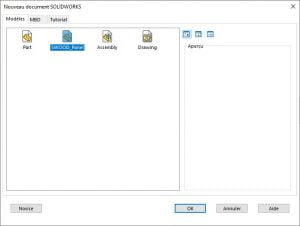
In order to take full advantage of SWOOD CAM, we must first define which tools will be used for each of the operations to be performed on a part.
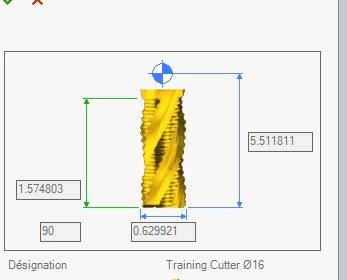 This is the case for most CAM software currently on the market. However, SWOOD CAM goes a step further by also offering you the possibility to program automatic operations into your SOLIDWORKS document template.
 Which Machining Operations Can SWOOD CAM Recognize?
 Which Machining Operations Can SWOOD CAM Recognize?
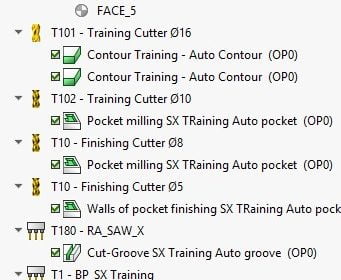
These automatic operations inform SWOOD CAM which tools to use to achieve different pockets, contours, holes, and other features on or in your parts. Saw aggregate cutting operations, drilling with drilling blocks, machining, and many other operations are supported by SWOOD CAM.
Supported functions include:
- Automatic contouring
- Automatic pockets
- Automatic drilling
- Automatic slots
- Automatic cutting
 How Does SWOOD CAM Generate G-Code Automatically?
 How Does SWOOD CAM Generate G-Code Automatically?
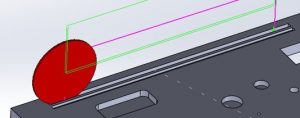
Once this programming is done and saved in your SOLIDWORKS document templates, SWOOD CAM will be able to detect the various functions you have inserted into your parts and generate the necessary g-code automatically. The option is always available to manually program operations if you want more control, but SWOOD CAM can automate all programmed operations. Additionally, you can run a simulation for these operations in order to see the end product on your computer screen before sending the code to your machine.
Automate Your Woodworking CAM Workflow with SWOOD CAM
SWOOD CAM helps reduce repetitive programming by automatically recognizing machining features and generating the required G-code directly from your SOLIDWORKS models. By using predefined operations for contours, pockets, drilling, slots, and cutting, you can save time, improve consistency, and simplify your woodworking production process.
You can also simulate machining operations before sending the program to your machine, helping you identify potential issues earlier and reduce costly errors.
Ready to automate your woodworking CAM workflow? Contact the Solidxperts team to learn how SWOOD CAM can support your design and manufacturing processes.